ProductPatient and case pipeline
Every enquiry gets an owner. Every patient gets a next step.
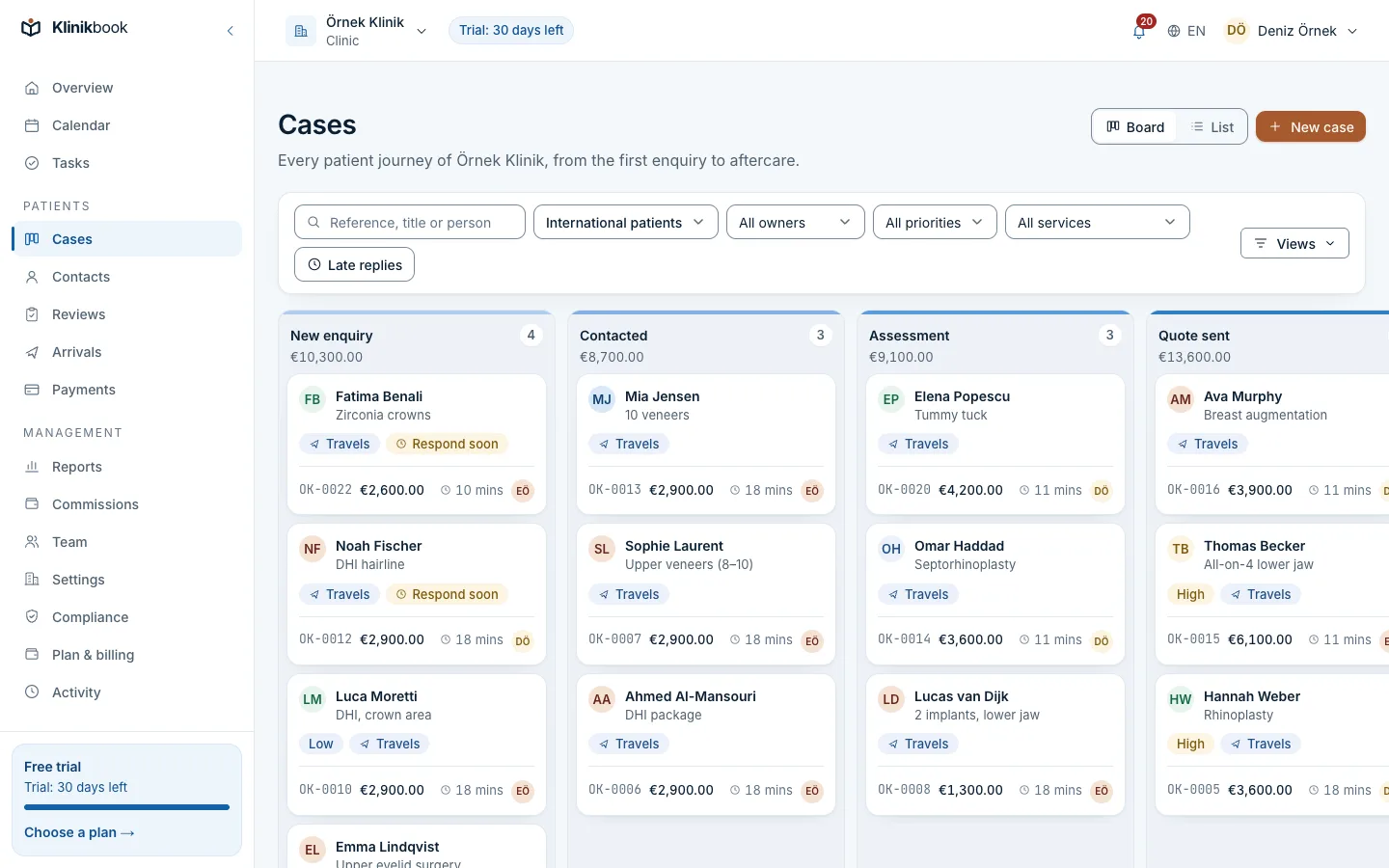
In Klinikbook every enquiry becomes a case with an owner and a stage. Each step from the first message to the quote, the appointment and aftercare sits on one timeline, and slow replies raise a warning before the patient goes elsewhere.
- Stage board
- Round-robin assignment
- Response-time warnings
Where do patient enquiries get lost?
How it usually goes
- Enquiries are scattered across WhatsApp, Instagram, the web form and the phone.
- Who should reply to whom lives in one coordinator's head.
- Nobody chases the patient who received a quote and went quiet.
- Knowing how many patients sit at each stage means asking for a spreadsheet.
With Klinikbook
- Every enquiry is a case on the board, with an owner.
- Assignment rules hand it to the next coordinator in turn.
- The owner is warned before the reply target runs out.
- The board and dashboard show where things stand, live.
Case detail
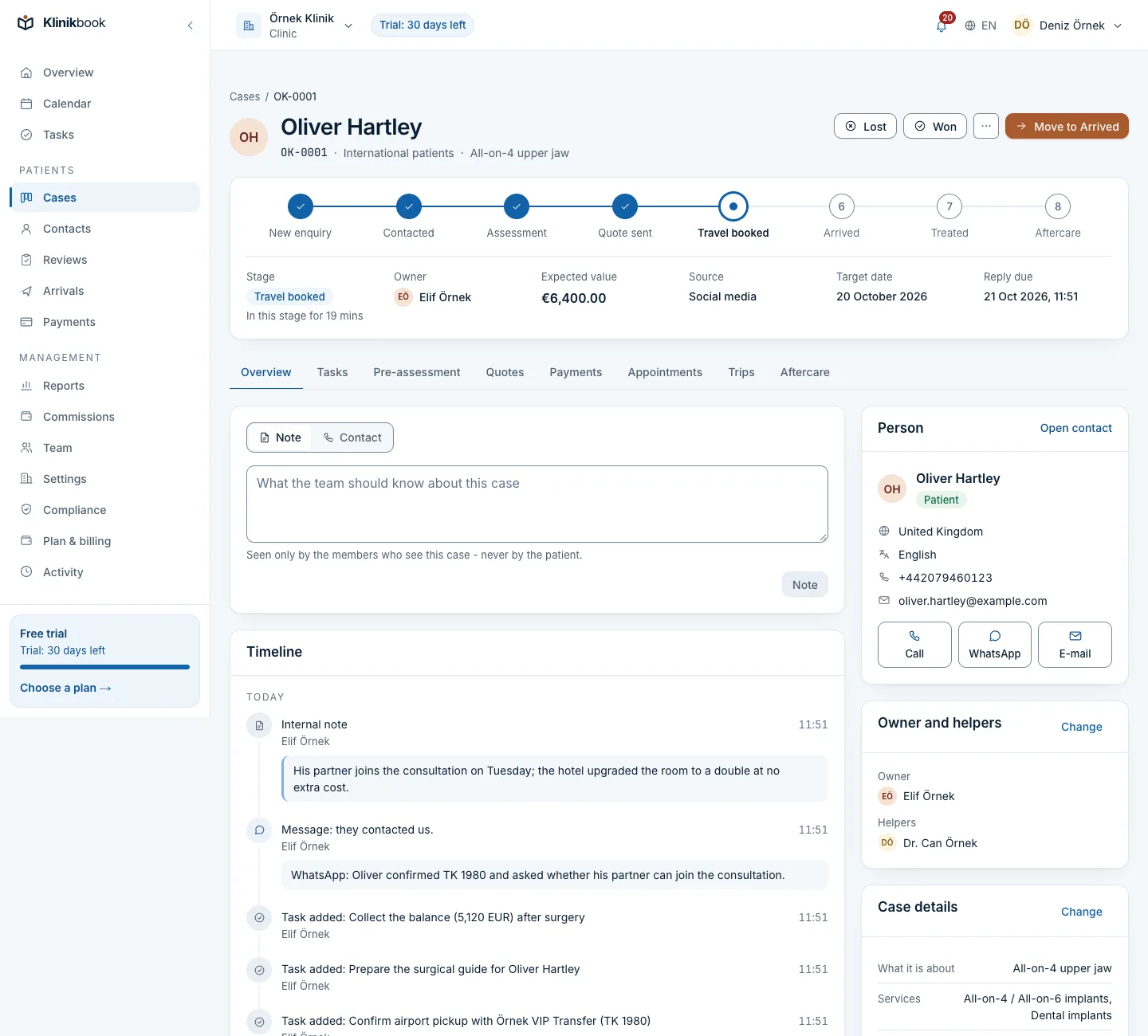
The patient's whole story on one screen
Stage, owner, expected value and source at the top; below them every note, conversation, task and event from the rest of the product, in order.
- An eight-step journey bar
- Internal notes only your team sees
- Intake, quote, payment and trip tabs
Dashboard
Start the day knowing what is waiting
Your open cases, overdue replies, unassigned cases and today's tasks on the first screen, with the last 30 days of won and lost cases beside them.
- A funnel by stage
- Conversion rate and median first response
- New contacts in the last 7 days

Contact
Call or message on WhatsApp in one tap
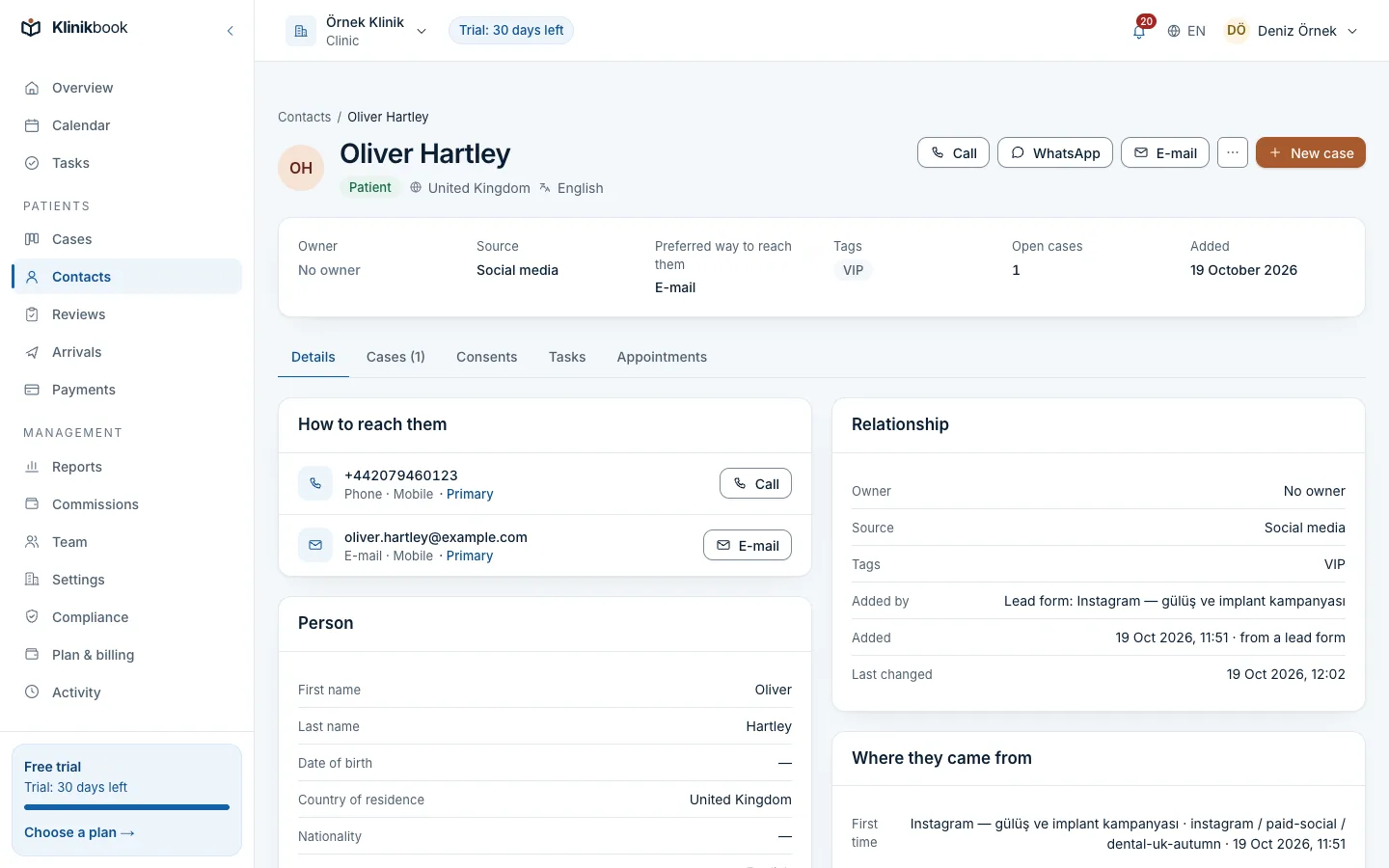
Numbers are stored in international format. From the contact you start a call, open the WhatsApp chat on your own phone or write an e-mail.
- Duplicates are caught and can be merged
- Consent records on the contact's history
- Where the patient came from, on the same card
What the pipeline gives you
- Stage board and listDrag cases between columns or work through a filtered list. You start with pipelines made for your kind of business and adjust the stages to suit you.
- Tasks with remindersOpen timed tasks and give them to a colleague. Today's and overdue tasks show on the dashboard and the Tasks screen.
- One timelineCall, message and meeting summaries and internal notes, alongside events such as a quote being opened, an appointment or a payment.
- Saved views and notificationsSave the filters you use and share them. The bell tells you when a case is given to you or a reply target is close.
How a case moves
An enquiry becomes a case
A form enquiry opens a case by itself; your team logs patients who call or message in a few fields.
It reaches the right person
The matching rule gives it to the next coordinator. If no rule matches, it shows as unassigned and the people who hand out cases are told.
It moves on its own
Sending a quote, its acceptance or a booked appointment moves the case forward; the patient's arrival moves it to arrived.
Won or lost
A lost case gets a reason from a list, so the reports show why patients went elsewhere.
What is the difference between a contact and a case?
The contact is the person: their name, contact details and consents. A case is one need being worked on; a patient who comes for dental work and a year later for a hair transplant has two cases.
Can we change the stages to match our clinic?
Yes. Rename and reorder stages, add pipelines or archive the ones you do not use. Each stage is tied to a fixed milestone, so reports stay consistent.
Can coordinators see only their own patients?
Yes. One setting limits members who do not manage the team to the cases they own or help on.
Do WhatsApp messages arrive in Klinikbook?
No. Klinikbook does not connect to WhatsApp; you open the chat from the contact in your own WhatsApp, log a summary on the case, and the first response time is measured from that entry.
Can we bring in our existing patient list?
Yes. Import contacts from a CSV file by matching its columns; e-mail addresses and numbers already on file are skipped.
Which plan includes the pipeline?
Every plan. Plans differ only in users, locations and storage; contacts and cases are unlimited.
Related reading
Free tools
30-day free trial
Try Klinikbook with your own team
Every feature is open for 30 days, and no card is needed to start.