
ProductMedical intake and doctor review
Photos in front of the doctor, not lost in WhatsApp
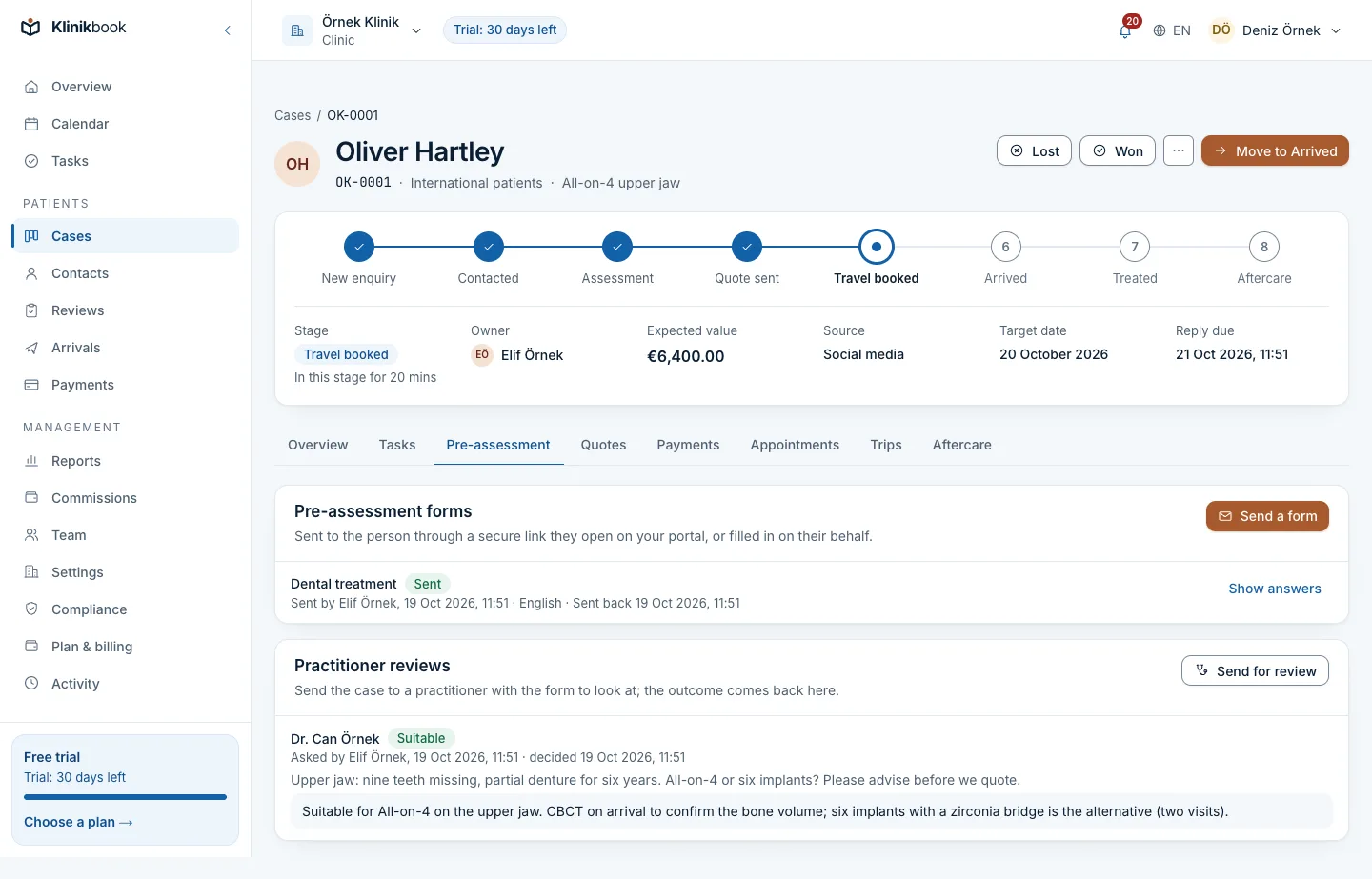
With Klinikbook you send the patient a medical intake by secure link; they answer the questions and upload their documents and guided photos. The doctor sees the case in their own review queue and records an outcome for the quote.
- Ready-made questionnaires
- Guided photos
- A doctor review queue
Photos on WhatsApp, the X-ray in an e-mail
How it usually goes
- Photos arrive piecemeal, from random angles, in poor light.
- The X-ray is in an e-mail, the medication list in a voice note.
- The doctor's view comes back as a message and gets lost before the quote.
- Health information sits on personal phones.
With Klinikbook
- Questions, photos and documents arrive in one form.
- Each photo comes with instructions on what to take.
- The doctor records an outcome the quote is written from.
- Files are private and open only to those allowed.
Inside the case
Request it from the case, read it on the case
The case's intake tab suggests the questionnaire for the case's service first. When the patient submits, the requester and the case owner are notified.
- Opens in the patient's language
- Send the link by e-mail or from your own WhatsApp
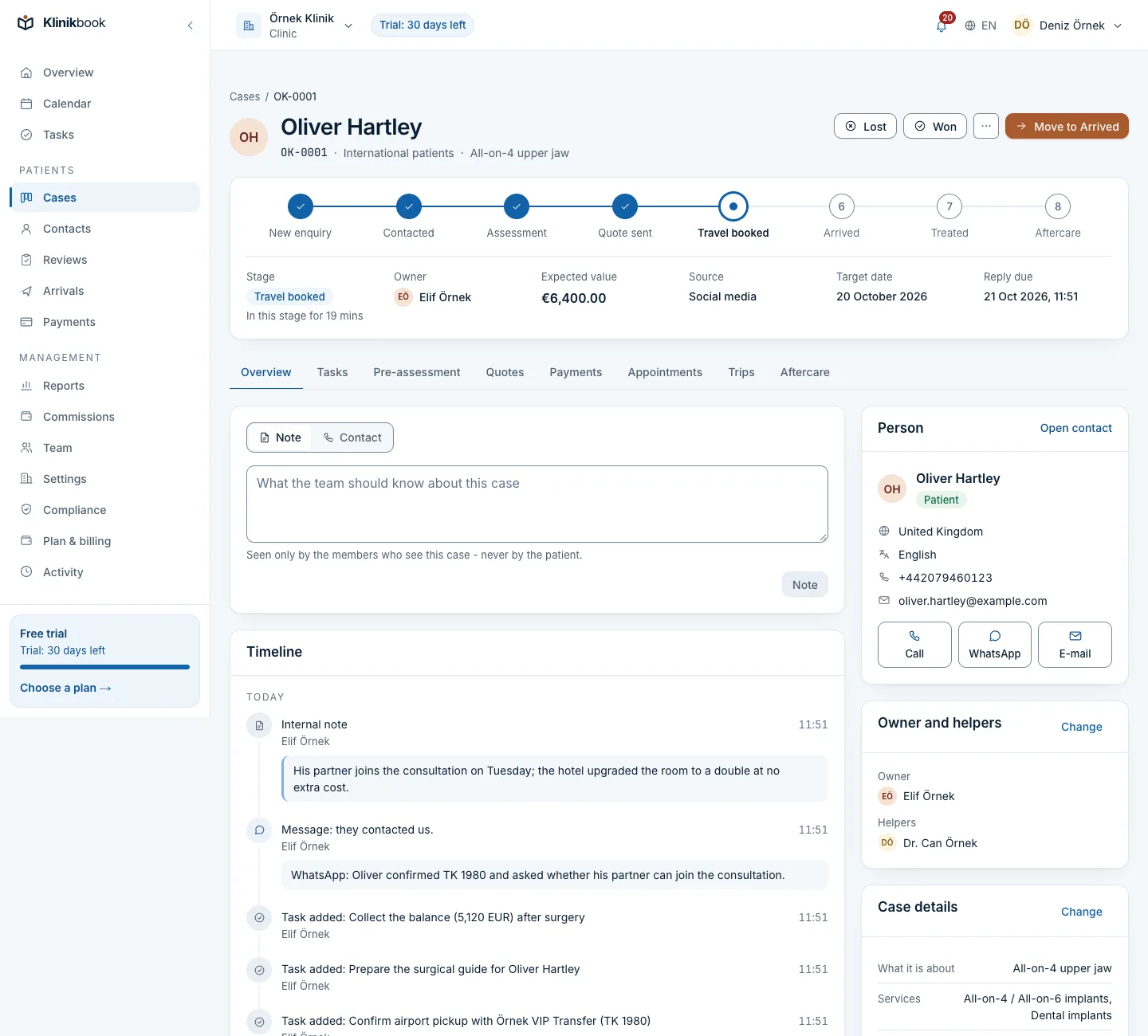
- Requests, submissions and cancellations on the timeline
What the patient sees
The patient fills it in on their phone
The patient opens the link, answers the questions and takes the requested photos with the camera from inside the form. Answers save as they go, so they can stop and come back.
- Questions that follow earlier answers
- X-ray and PDF uploads
- Privacy notice confirmation and explicit consent on submit
What the intake covers
- Conditions and versionsA question appears depending on an earlier answer. Publishing a new version leaves intakes already sent on theirs.
- Guided photosFront smile, upper and lower teeth for dental; front, crown, both sides and nape for hair. Each shot has its own instructions.
- Scanned documentsFiles up to 20 MB, their type checked from the content and virus-scanned before they are stored.
- Filled in together by phoneFor a patient who struggles with the form, the coordinator can enter the answers during a call.
- Doctor review queueThe doctor sees answers, photos and documents under Reviews and records suitable, more information needed or not suitable, with a comment.
How an intake moves
Request it
Pick the questionnaire on the case's intake tab and send the secure link; it stays valid for 14 days.
The patient completes it
They answer, take their photos, upload documents and submit, and you are notified.
Send it to the doctor
Check the summary; ask the patient for anything missing, or send the case to the doctor's queue with a note.
Quote from the outcome
The doctor writes the outcome and a comment; it lands on the timeline and the quote is prepared from it.
What does a doctor need in order to review?
The doctor is a team member invited with the practitioner role and sees the cases sent to them under Reviews. Each doctor uses one of your plan's users.
Can we change the questions?
Yes. Add and remove questions, change options and conditions, preview in Turkish and English and publish a new version.
What if the patient stops halfway?
Their answers are saved so far. They come back through the same link or with a code sent to their e-mail and carry on where they left off.
Is explicit consent collected for health information?
On submitting, the patient confirms your privacy notice and gives explicit consent for their health information; both are recorded. Check with your lawyer that the texts fit your clinic.
Who can see the photos and documents?
Files are stored privately and open only to members allowed to see the case, through short-lived links. The servers are currently in Germany.
Related reading
30-day free trial
Try Klinikbook with your own team
Every feature is open for 30 days, and no card is needed to start.