
ProductPatient portal
Everything your patient needs on one page, under your name
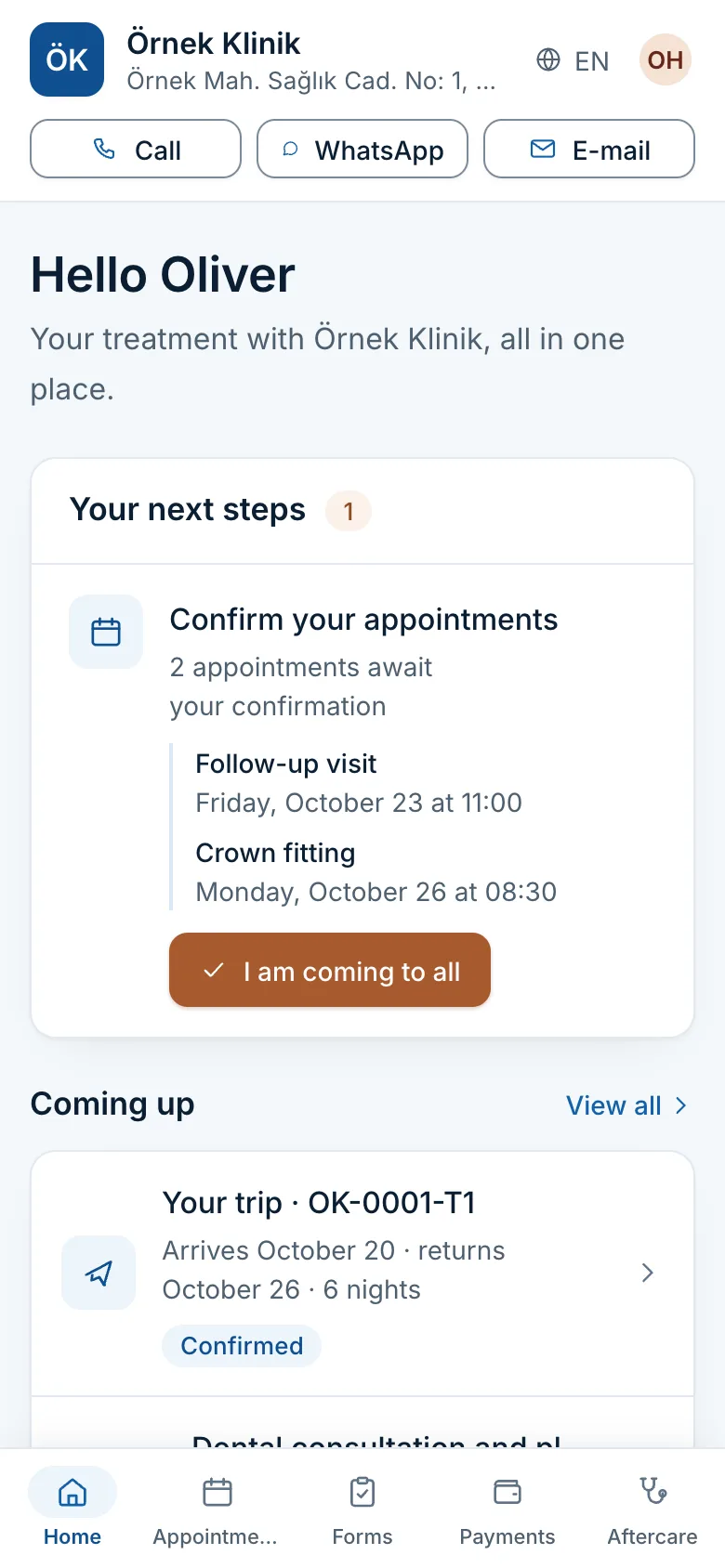
Klinikbook's patient portal is the one page where your patient finds everything about their treatment with you: they fill in forms, accept the quote, see the payment schedule and upload receipts, and confirm appointments. No app and no password, just an e-mail code.
- No password, no app
- Turkish and English
- Next steps on the first screen
Patients hunt through messages for every detail
How it usually goes
- The form is in a link, the quote in a PDF, the bank details in a message.
- A travelling patient also hunts separately for flights and hotel.
- When they cannot find it they ask again, and the coordinator resends it.
- What the patient accepted, and when, is never documented.
With Klinikbook
- The patient sees and does what is asked of them on one page.
- Forms, quotes, payments and appointments together.
- They call, message on WhatsApp or e-mail the clinic in one tap.
- Everything they do is written on the case's timeline.
Quote
They read it, compare and accept
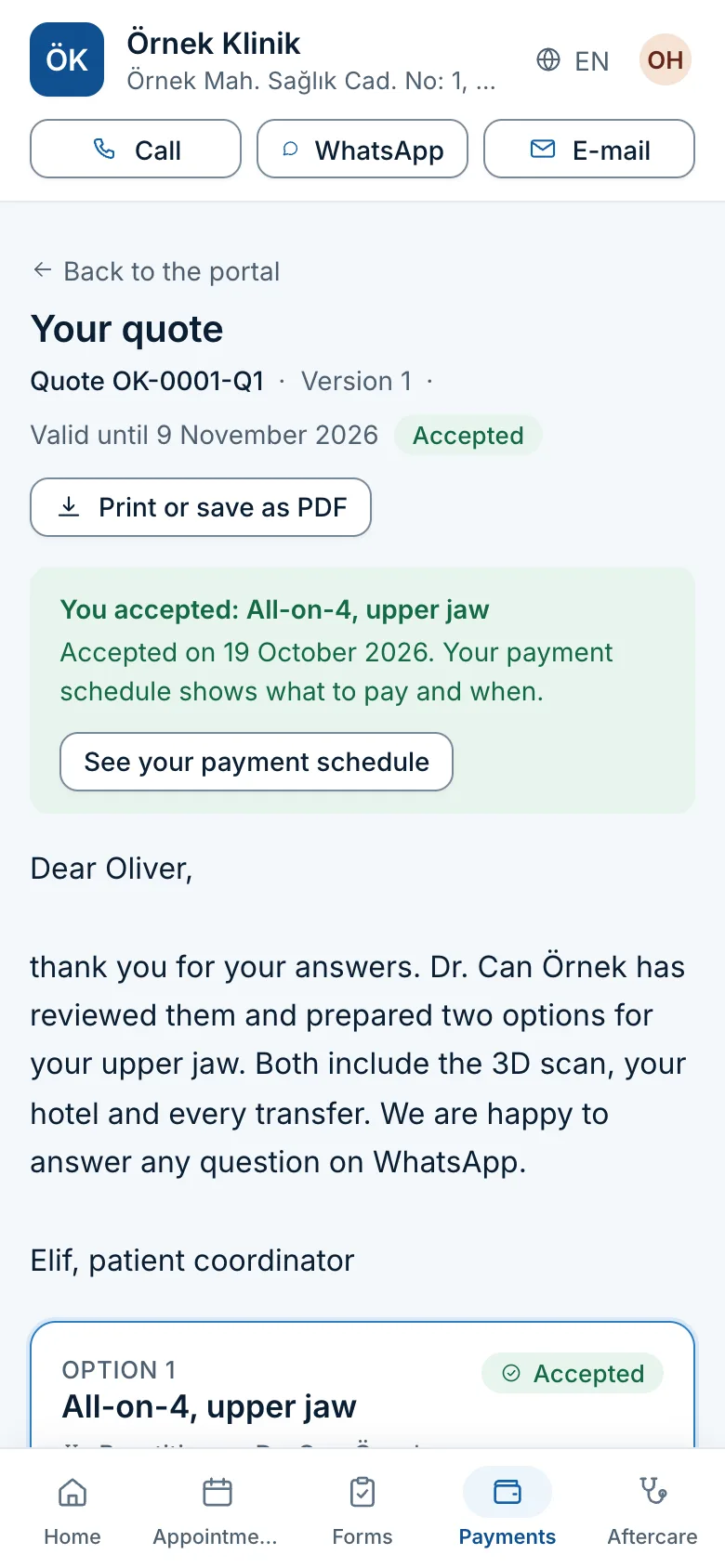
Options side by side, what is included, your terms to confirm and one to accept. They can print the quote; your internal costs never appear.
- The accepted option and its deposit
- One tap to the payment schedule
- A personal message from the coordinator
Forms
They fill in the intake on their phone
They answer the questions, take the requested photos with their camera and upload documents. Answers save as they go, so they can stop and come back.
- Guided photos
- Privacy notice and explicit consent
- Your team is notified on submit
Payments
They know what to pay, and when
Deposit and balance due dates, what they have paid so far, your bank accounts in that currency and the transfer reference. They upload a receipt and see it approved, or the reason it was rejected.
- The money goes straight to you
- An e-mail when a receipt is approved
- Paid and outstanding at a glance
Trip
Flights, hotel and pickup on one page
A travelling patient sees who is travelling, arrival and return times, where they are staying, who meets them and their treatment days.
- Times in local time
- Transfer and driver details
- Treatment days and appointments
Settings
You choose how patients reach you
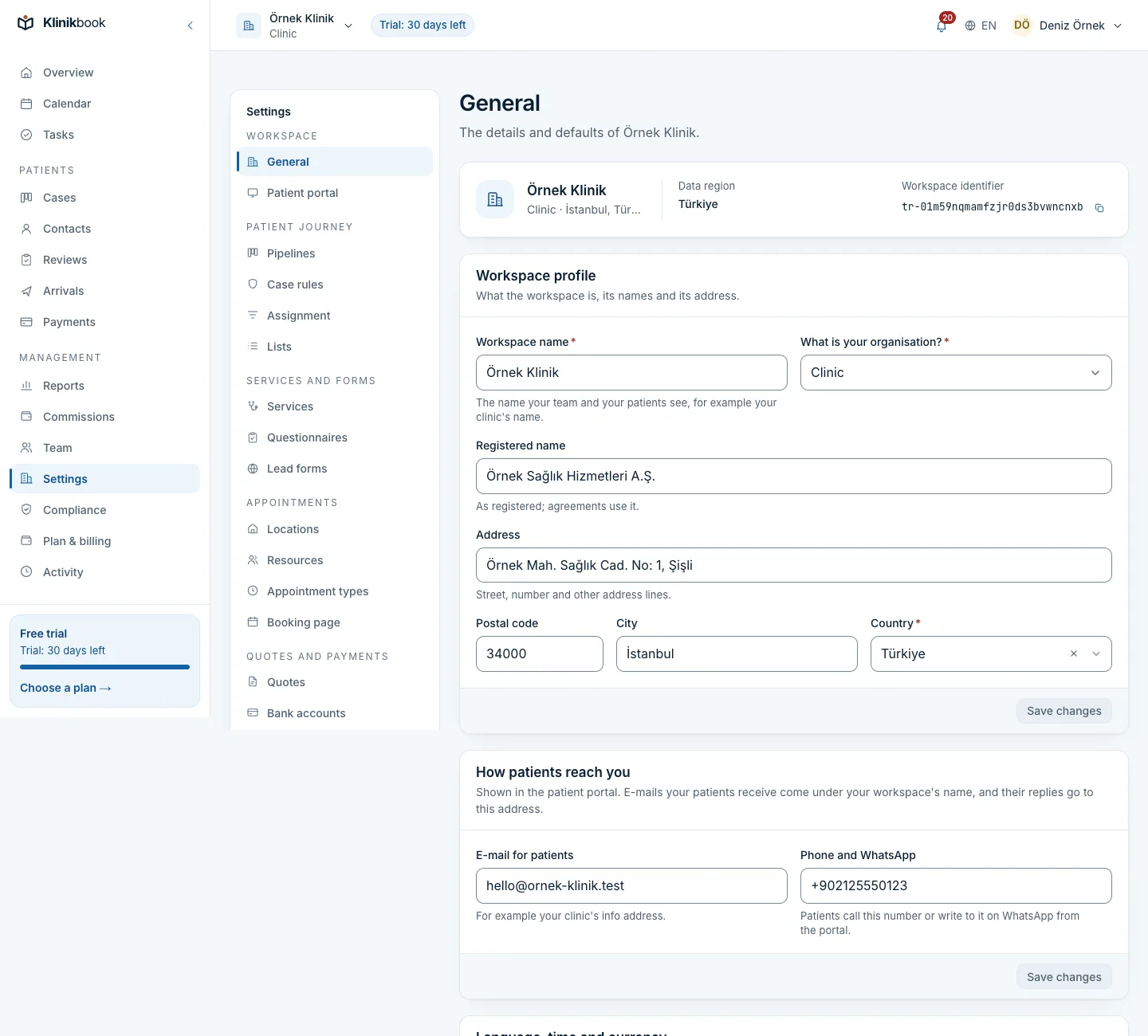
Your clinic's name, address and Call, WhatsApp and E-mail buttons sit at the top of the portal. You choose the phone and e-mail shown; patient e-mails go out in your clinic's name and replies come back to you.
- Your clinic's short name in the portal address
- E-mails in your clinic's name
- Replies to your clinic's inbox
What else patients do on the portal
- In their languageThe portal opens in Turkish or English as the patient chooses; your privacy and consent texts are published there too.
- Secure sign-in, no passwordA link in an e-mail or a six-digit code valid for 10 minutes; after 30 idle minutes the session closes.
- Photo and marketing consentThey read the text you publish and give photo and video consent or marketing consent on the portal.
How patients get in
From an e-mail link
The link in a form, quote, appointment or aftercare e-mail takes them straight to that record.
Or with an e-mail code
They type their e-mail on your portal address, enter the six-digit code and see everything that is theirs.
They act, you see it
They submit a form, accept a quote or upload a receipt, and the right team member is notified.
Do patients need a password?
No. They sign in from the link in an e-mail or with a six-digit code sent to their address; there is no password to remember.
Does the portal show our clinic's name?
Yes. It opens at portal.klinikbook.com followed by your clinic's short name, and shows your name, address and contact buttons. Logos, colours and custom domains are not supported.
What if someone else tries a patient's e-mail?
The code goes only to that address, lasts 10 minutes and stops working after five wrong attempts. The portal never says whether an address is on file.
Is the portal visible in search engines?
No. Portal pages are closed to search engines and a patient's records open only to the person signed in.
Do we pay extra for the portal?
No. The portal is in every plan; patients are not users and contacts are unlimited.
Related reading
30-day free trial
Try Klinikbook with your own team
Every feature is open for 30 days, and no card is needed to start.