SolutionsFor hospitals' international patient units
Run your international patient unit from one screen
Klinikbook routes a hospital international unit's enquiries to the coordinator who speaks the patient's language, gathers doctors' views in one review queue and runs arrivals, hotels, transfers and interpreters inside the case. In a large team, everyone sees only what their role needs.
- Assignment by language
- A doctor review queue
- An arrivals board

What an international unit deals with
How it usually goes
- An Arabic-speaking patient lands with the Russian-speaking coordinator.
- The doctor's view wanders between departments for days.
- Airport, hotel and interpreter are arranged in separate calls.
- In a big team, nobody is sure who can see what.
With Klinikbook
- Enquiries go to a coordinator who speaks the patient's language.
- Doctors see cases in their own review queue.
- Arrivals, transfers and hotels on one board.
- Nine fixed roles: everyone sees just what their job needs.
Morning
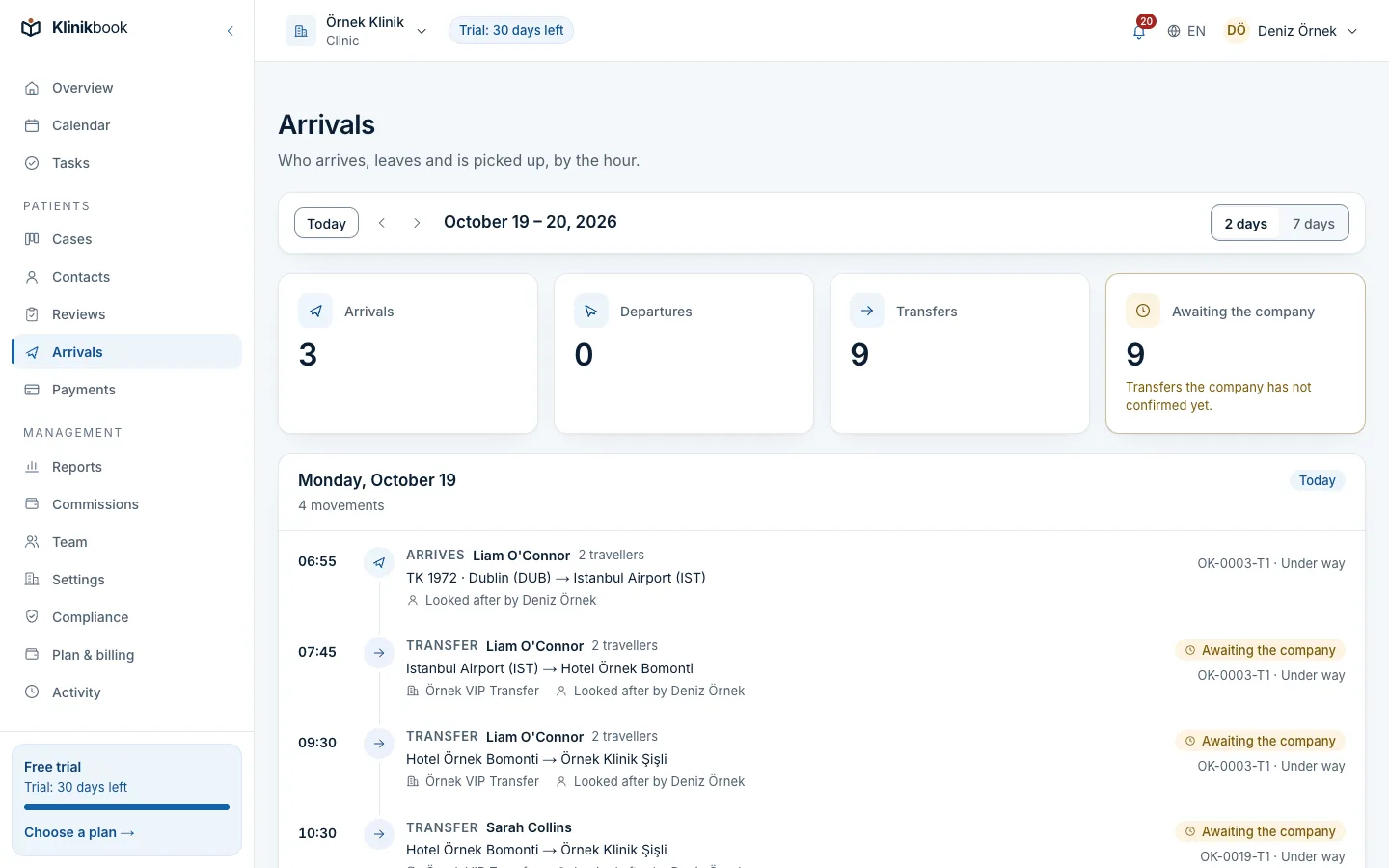
The front desk starts on the arrivals board
Today's and tomorrow's landings, airport pickups and hotel–hospital transfers in local time. The transfer company confirms and names the driver on its own screen.
- Travellers and the coordinator in charge
- Confirmed and pending transfers
- Treatment days and appointments
Team
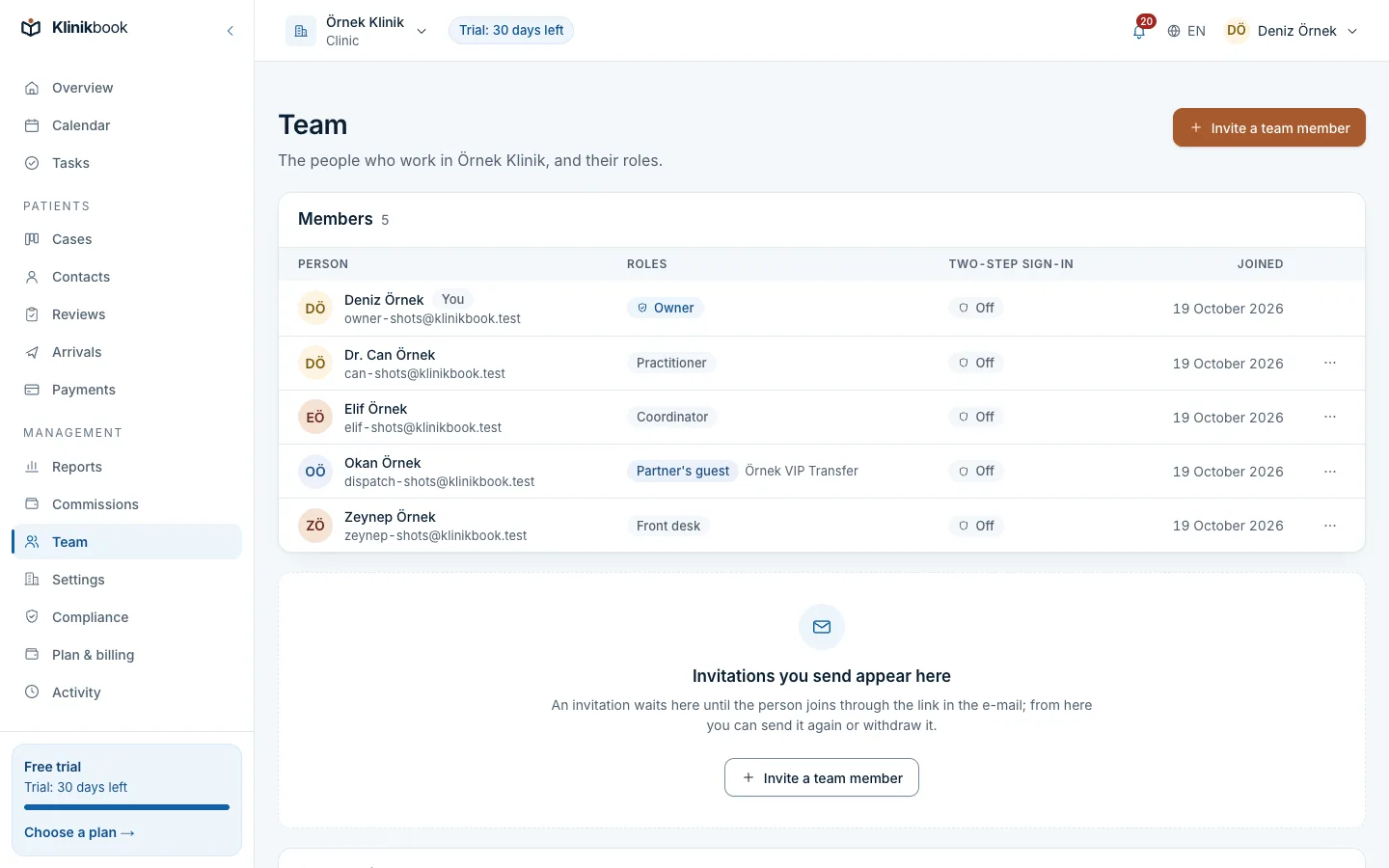
A large team, each with their own account
Coordinators, doctors, front desk and finance work in separate roles. Require two-step sign-in across the unit, or limit coordinators to their own cases.
- Nine fixed roles
- An activity log with CSV
- A leaver's access ends at once
Management
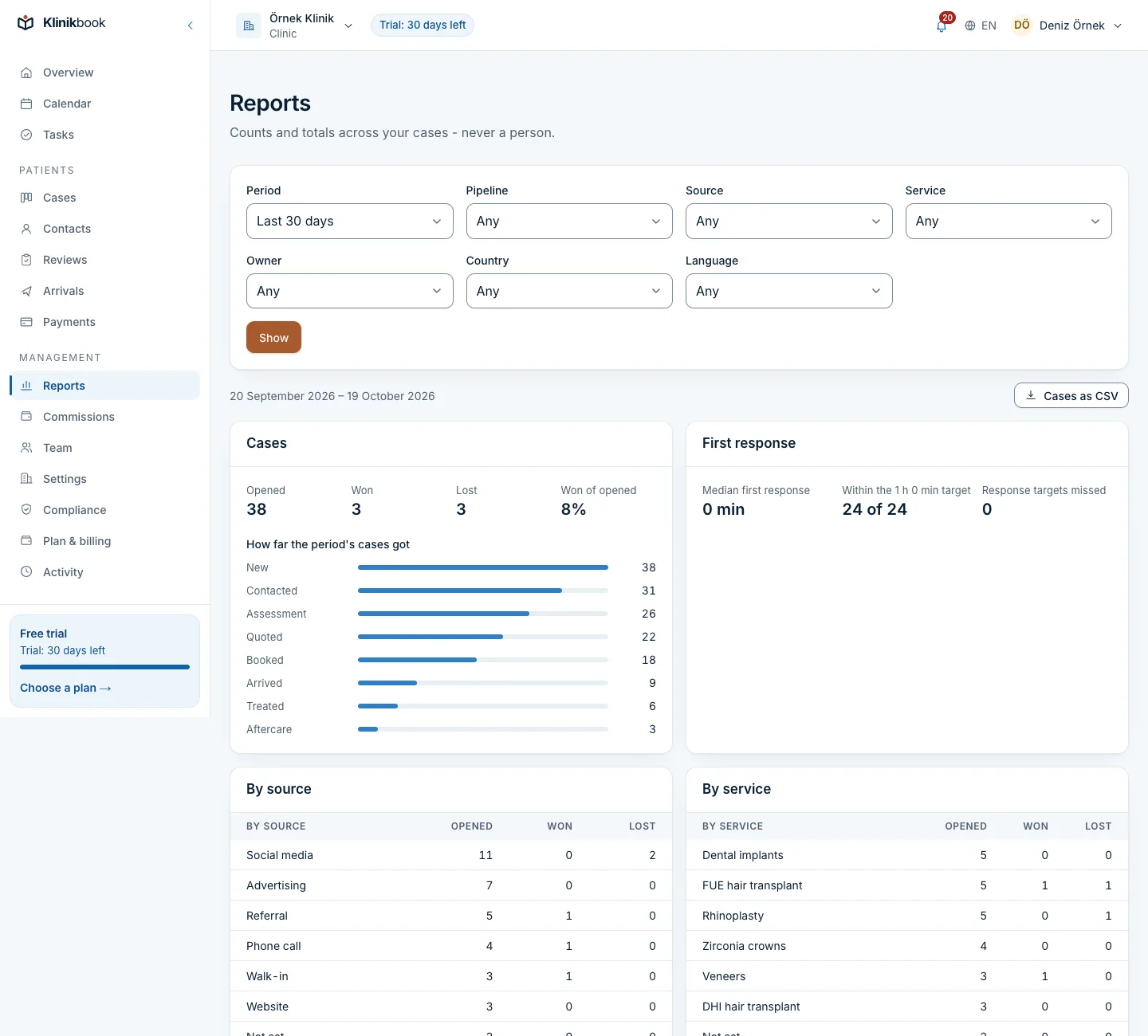
Which country, which source, which coordinator
Cases opened, won and lost by country, language, source, service and owner, with first-response times and payments per currency on the same screen.
- Appointments by location
- Missed response targets
- A case CSV
Logistics
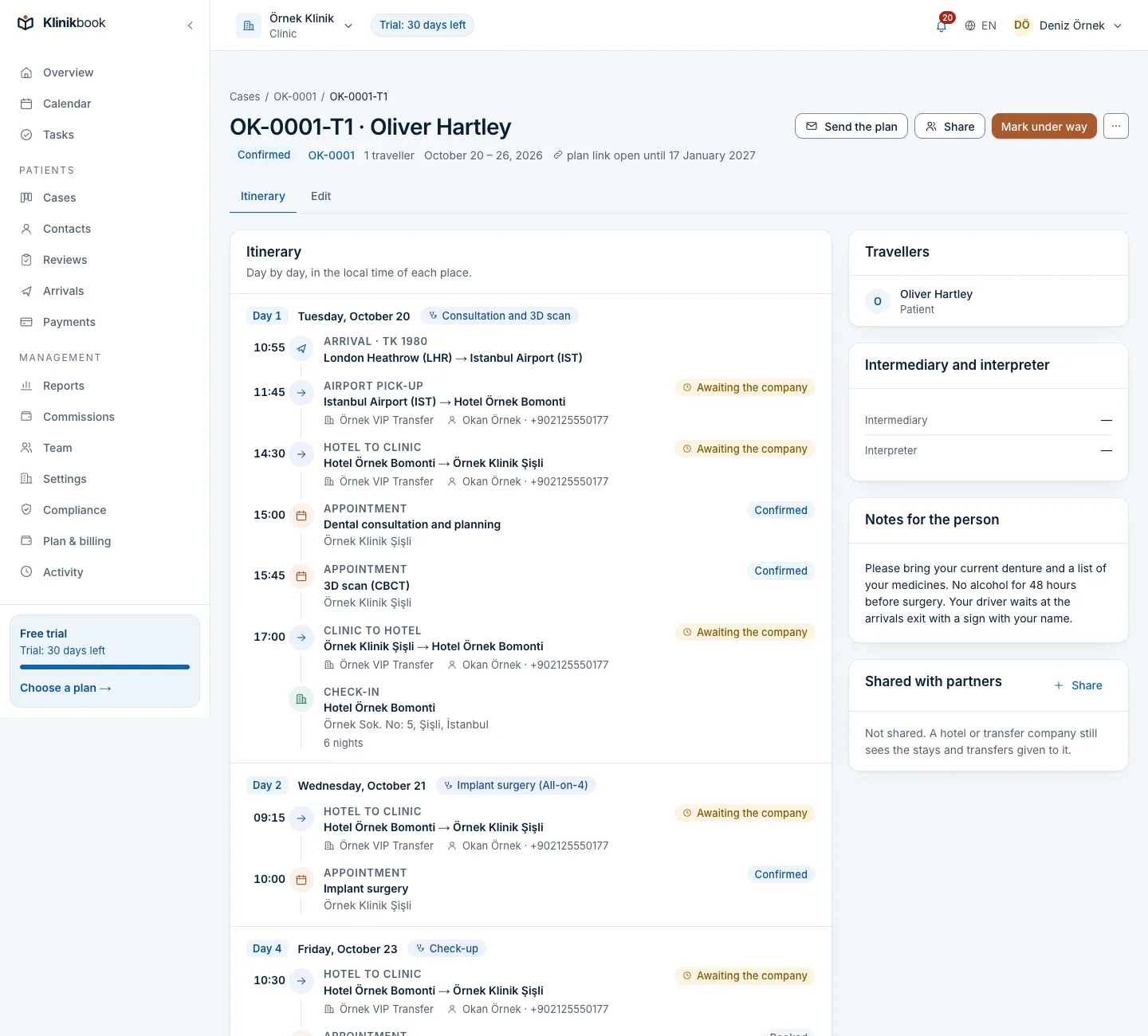
Flights, hotel and interpreter inside the case
The patient and companions, flights in local time, hotel, transfers and treatment days in one plan. The patient sees it on the portal; the hotel and transfer company on their own screen.
- Companions as travellers
- Partner guests are not users
- Changes reach the partner
What your unit gets
Setting up the unit
Create the workspace
Choose hospital as its kind and tick your treatments; pipelines, forms and privacy texts come ready.
Add locations and resources
Add buildings, doctors, rooms and devices, and define appointment types.
Invite the team by role
Invite coordinators, doctors, front desk and finance with their roles and set assignment rules.
Does it integrate with our hospital information system?
No. Klinikbook has no HIS connection or public API. Medical records stay in your HIS; Klinikbook runs enquiries, quotes, travel and follow-up.
We have more than 30 users. What then?
For units beyond the largest plan we put together an enterprise package with users, locations and storage set in a contract; request a demo from the pricing page.
Which languages do the portal and e-mails use?
Turkish and English. The team uses the interface in either language too.
Where is our data, and can Klinikbook staff see it?
The servers are currently in Germany. Klinikbook staff do not see patient records; even with support access you grant, they see only your activity log, for a limited time.
What reports does management get?
The funnel by source, country, language, service and owner, response speed, quotes and payments per currency, appointments, arrivals and aftercare counts.
Related reading
30-day free trial
Try Klinikbook with your own team
Every feature is open for 30 days, and no card is needed to start.