
ProductTeam, roles and security
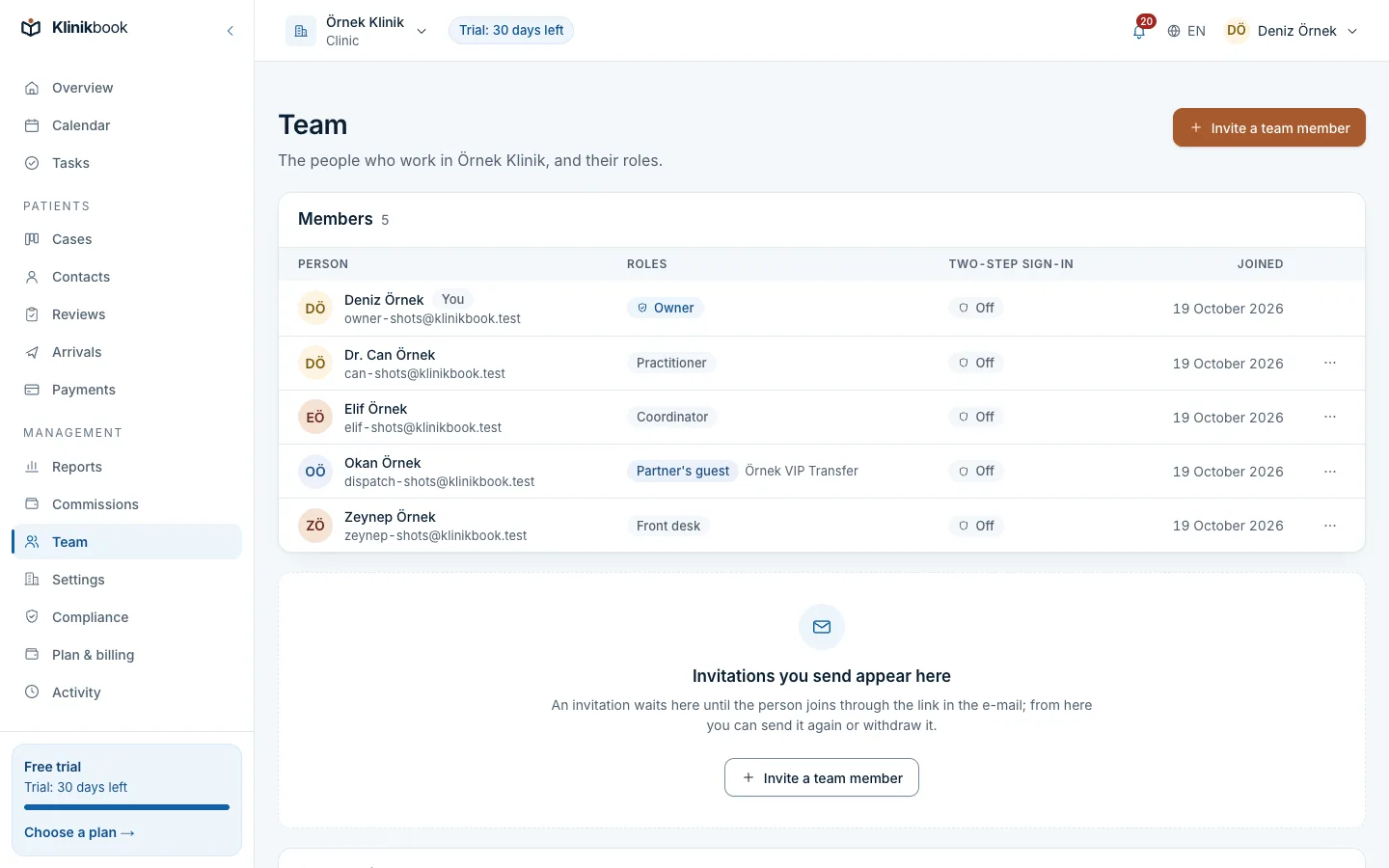
No shared password. Everyone sees just what their job needs.
In Klinikbook everyone signs in with their own account and sees what their role allows: coordinators the cases, doctors their own cases, finance the payments. Two-step sign-in, per-clinic data isolation, expiring file links and an activity log are in every plan.
- Nine fixed roles
- Two-step sign-in
- An activity log
Does everyone use the same password?
How it usually goes
- The password is on a note at reception.
- Nobody knows who changed which record.
- When someone leaves, the password is changed and handed round again.
- Reception sees quote costs and accounts sees patient notes.
With Klinikbook
- Each person is invited by e-mail and signs in as themselves.
- Who did what, and when, is in the activity log.
- A departing member's access ends the moment you remove them.
- Each role sees only what it needs.
Settings
Your workspace, your rules
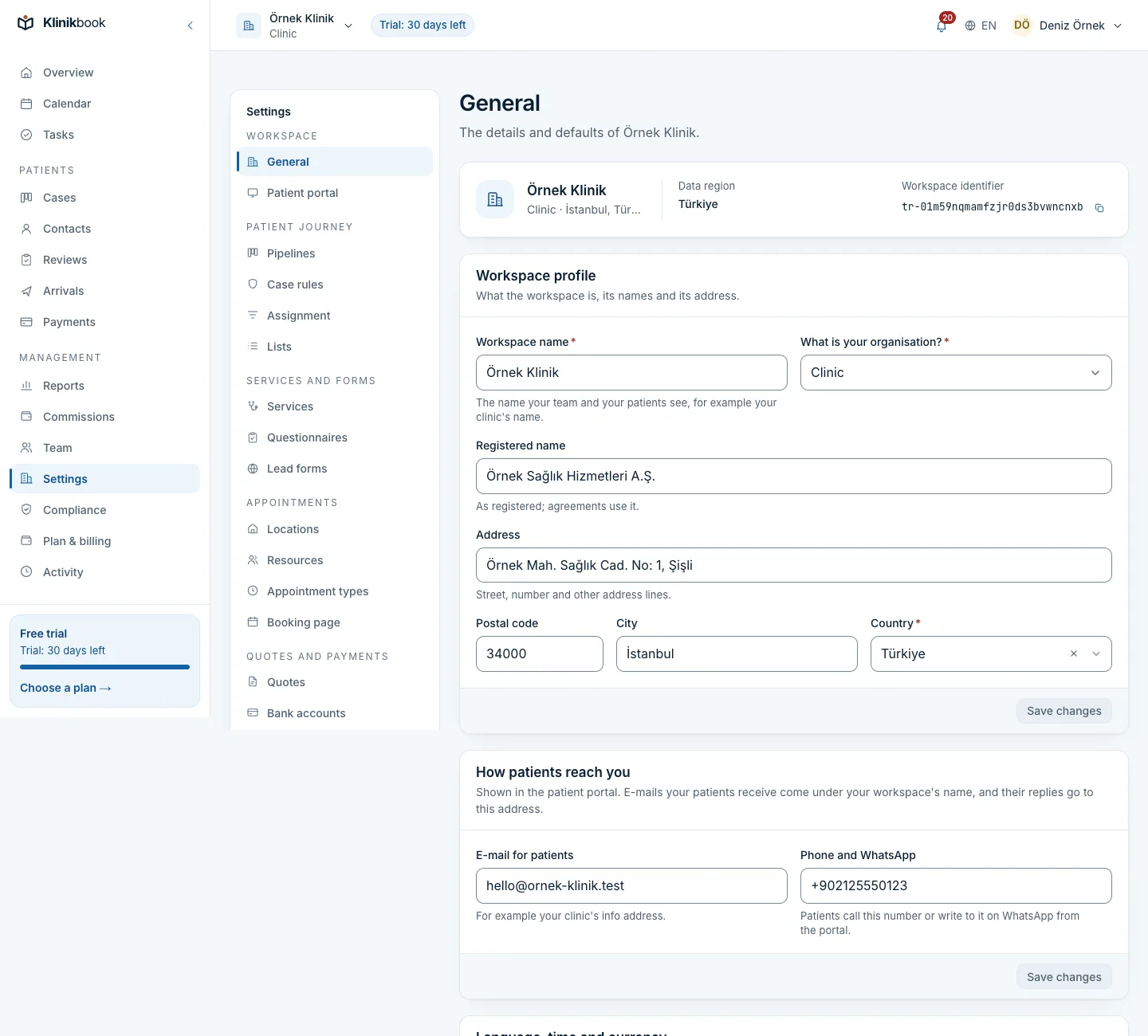
Profile, regional defaults and how patients reach you on one screen. Require two-step sign-in for every member, or limit coordinators to their own cases.
- A Turkish or English interface
- Time zone and currency
- The contact details shown on the portal
Visibility
Doctors see their cases, finance sees payments
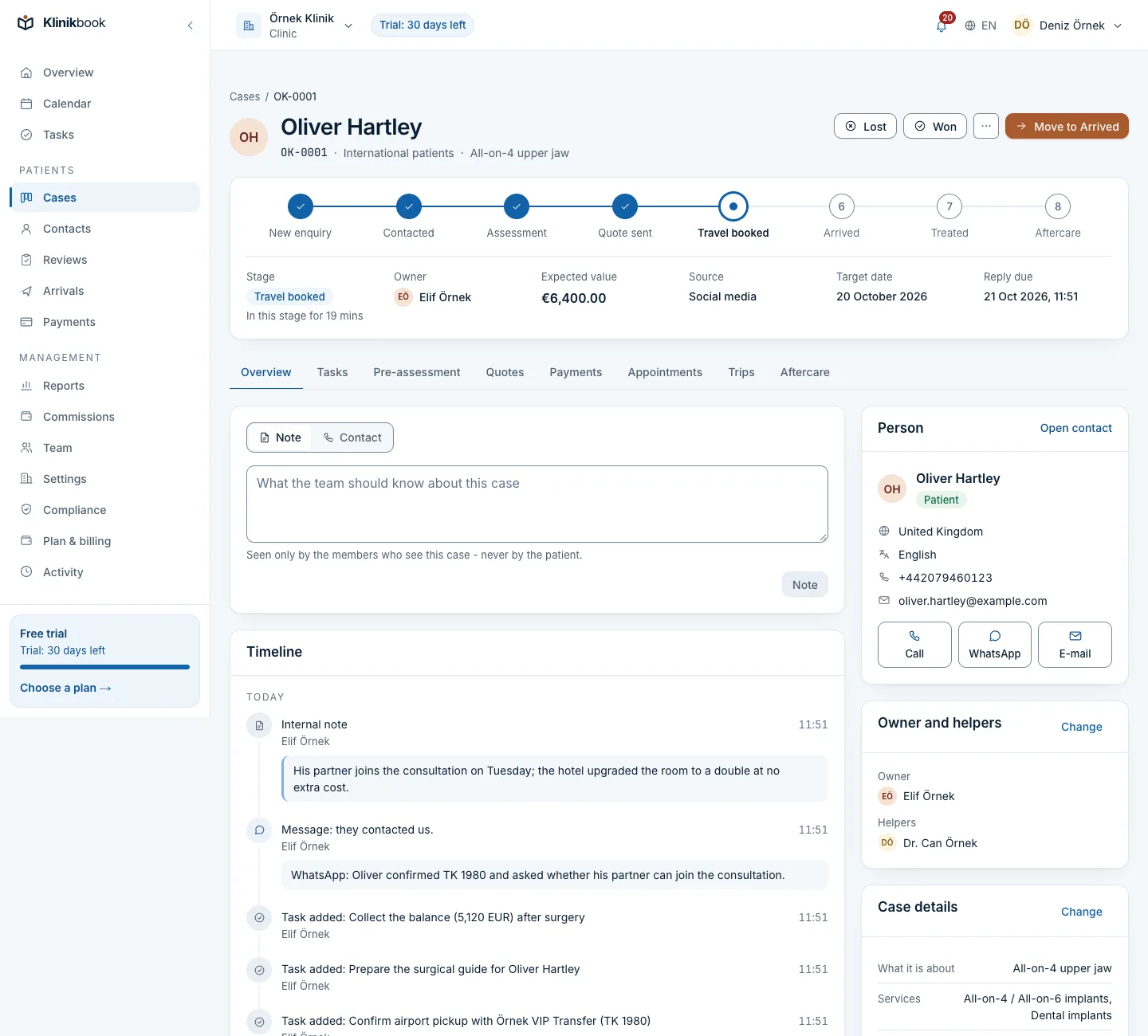
A doctor sees the cases they own or help on and those sent for review, but not payments. Internal notes stay with the team; the patient never sees them.
- Owner and helpers on each case
- Internal costs by permission
- Several roles for one person
Roles and what they do
Roles are fixed; one person can hold several, and their permissions add up.
- Owner
- What it coversEverything, including accepting agreements, transferring the workspace and exporting all data.
- Administrator
- What it coversEverything the owner can do except transfer ownership and accept agreements.
- Coordinator
- What it coversContacts and cases, intake, quotes, appointments, trips, aftercare and reports.
- Practitioner
- What it coversTheir own cases and the review queue, calendar and appointments, aftercare.
- Front desk
- What it coversContacts, calendar and appointments, arrivals and trip planning.
- Finance
- What it coversPayment schedules, payments and refunds, quote costs, reports and commission statements.
- Marketing
- What it coversLead forms, viewing contacts and reports.
- Read-only
- What it coversSees contacts, cases, the calendar and trips; changes nothing.
- Partner guest
- What it coversSees only what is shared with their company; not counted as a user.
Accounts and security
- Invitations by e-mailInvite someone with their e-mail and roles; the link lasts 7 days and can be resent or withdrawn.
- Per-clinic data isolationEach workspace's data is separated in the database with row-level security.
- Private filesEvery upload is virus-scanned, kept private and opened only for authorised people through links that expire.
- Ownership transferThe owner offers the workspace to another member; once they accept they become owner and the former owner stays an administrator.
- Full exportThe owner can download every record and file as one zip and close the workspace.
Setting up your team
Decide the roles
Decide who should see what; a doctor can also hold the coordinator role.
Send invitations
Invite from the Team screen with an e-mail and a role; open invitations count as users too.
Turn on two-step sign-in
Start with your own account, then require it for every member if you wish.
Can one person hold several roles?
Yes. They get the sum of their roles' permissions. The owner role cannot be given, only transferred.
Is two-step sign-in mandatory?
It is not forced on any role and is recommended for everyone. The workspace's owner or an administrator can require it for every member.
Do partner guests count as users?
No. Guests from a hotel, transfer company or agency do not count as users and see only what is shared with their company.
Can I use it on my phone?
Yes. Klinikbook runs in the browser and can be added to your phone or computer as an app. The interface is in Turkish and English.
Can we take all our data out?
Yes. Under Settings, Export and closing, the owner prepares every record and file as one zip, downloadable for 7 days.
Related reading
30-day free trial
Try Klinikbook with your own team
Every feature is open for 30 days, and no card is needed to start.