ProductReports and commissions
Stop guessing which source brings patients. See it.
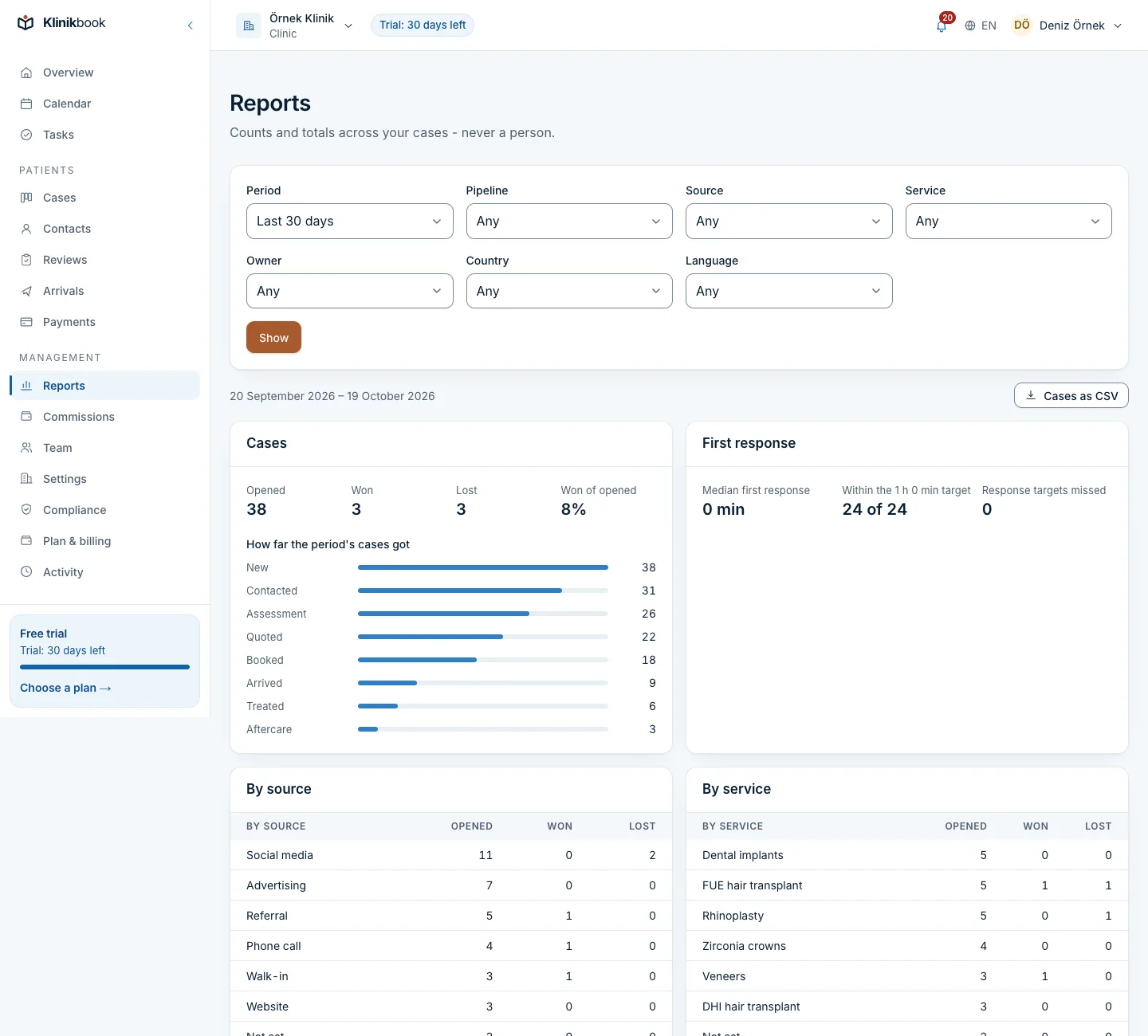
Klinikbook's reports show the cases opened, won and lost in any period by source, country, service and owner, along with response times and quotes and payments per currency. They also work out the commissions you pay your team and partners, from plans you define.
- A funnel by source
- Payments per currency
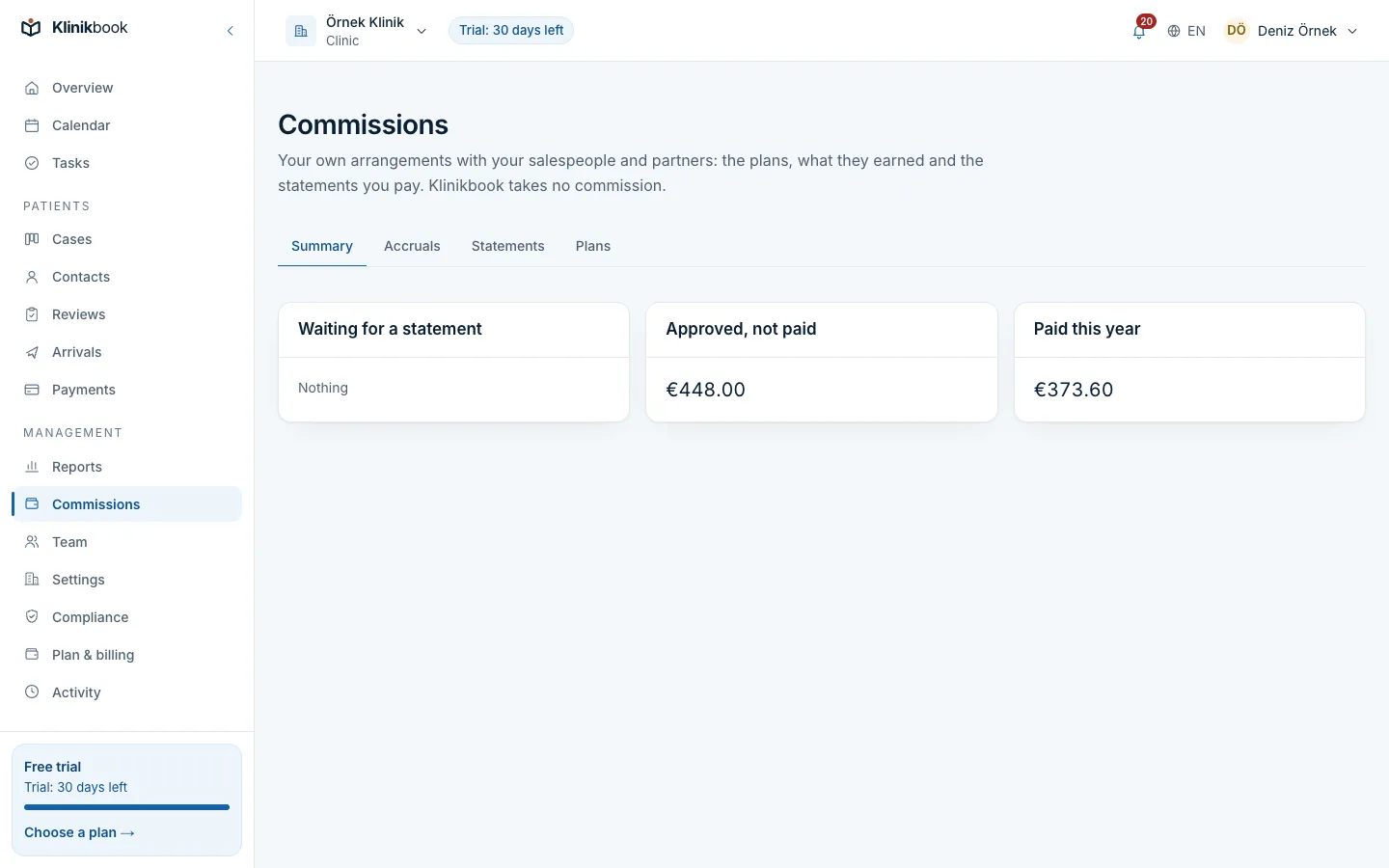
- Monthly commission statements
Do month-end figures still come from several files?
How it usually goes
- The source is a spreadsheet column, or never written down.
- Accepted quotes are counted by merging files.
- Commission is worked out by hand at month end.
- A refunded patient's commission is forgotten.
With Klinikbook
- Reports come from the records the team uses every day.
- Funnel, response speed and payments on one screen.
- Commission accrues from the payment records by itself.
- Refunds and cancellations claw it back by themselves.
Dashboard
A summary every morning, no spreadsheet
The overview shows open cases, overdue replies and today's work, with the last 30 days of won and lost cases, the conversion rate and the value won beside them.
- A funnel by stage
- Median first response
- Value won

Commissions
Commission by your rules, ready at month end
Define what you pay a coordinator, a doctor or a partner on the accepted amount, the amount collected or a fixed sum per case. A monthly statement is produced per person and currency.
- Accrued at deposit, full payment or treatment
- Draft, approved, paid
- Statements export as CSV
What the reports show
The default period is the last 30 days, up to a year.
- Funnel and outcomesCases opened, won and lost, and how far each case got.
- Amounts per currencyQuotes sent and accepted, payments collected and refunded; lira, euro and sterling apart.
- Appointments, trips, aftercareBooked, no-show and online appointments, arrivals and departures, check-ins opened and answered.
- CSV and a shareable linkOne row per case opened in the period; filters sit in the address, so you share a report as a link.
How it works
Capture the source early
Forms record the source themselves; for a phone enquiry you pick it from the list.
Run the work in Klinikbook
As quotes, payments, appointments and check-ins are recorded on cases, the reports fill themselves.
Pick a period and filters
Narrow to one source or service and the money, appointment and aftercare counts follow the same cases.
Close the statements
Approve the month's statements and mark them paid once you have paid from your own bank.
The commissions here are what you pay your own people. Klinikbook takes no share of any patient or transaction.
Whether your commission arrangements fit your contracts and the law is your responsibility.
Can I see ad spend and return on ad spend?
No. Klinikbook does not connect to ad accounts or calculate spend or ROAS. You see cases won and payments by source, and compare them with spend yourself.
Are different currencies added together?
No. Each currency is shown apart with no conversion, so exchange rates never blur the figures.
Do patient names appear in reports?
No. Reports show counts and totals; the CSV carries case references, not names or contact details.
Who can see reports?
Owners, administrators, coordinators, finance and marketing. Only owners, administrators and finance manage commissions; members see their own approved statements.
Does it do accounting or e-invoicing?
No. Klinikbook does not invoice your patients or issue e-invoices; share the report and statement CSVs with your accountant.
Related reading
Free tools
30-day free trial
Try Klinikbook with your own team
Every feature is open for 30 days, and no card is needed to start.