
ProductTrips, transfers and stays
From the flight to the hotel to the treatment day, one plan
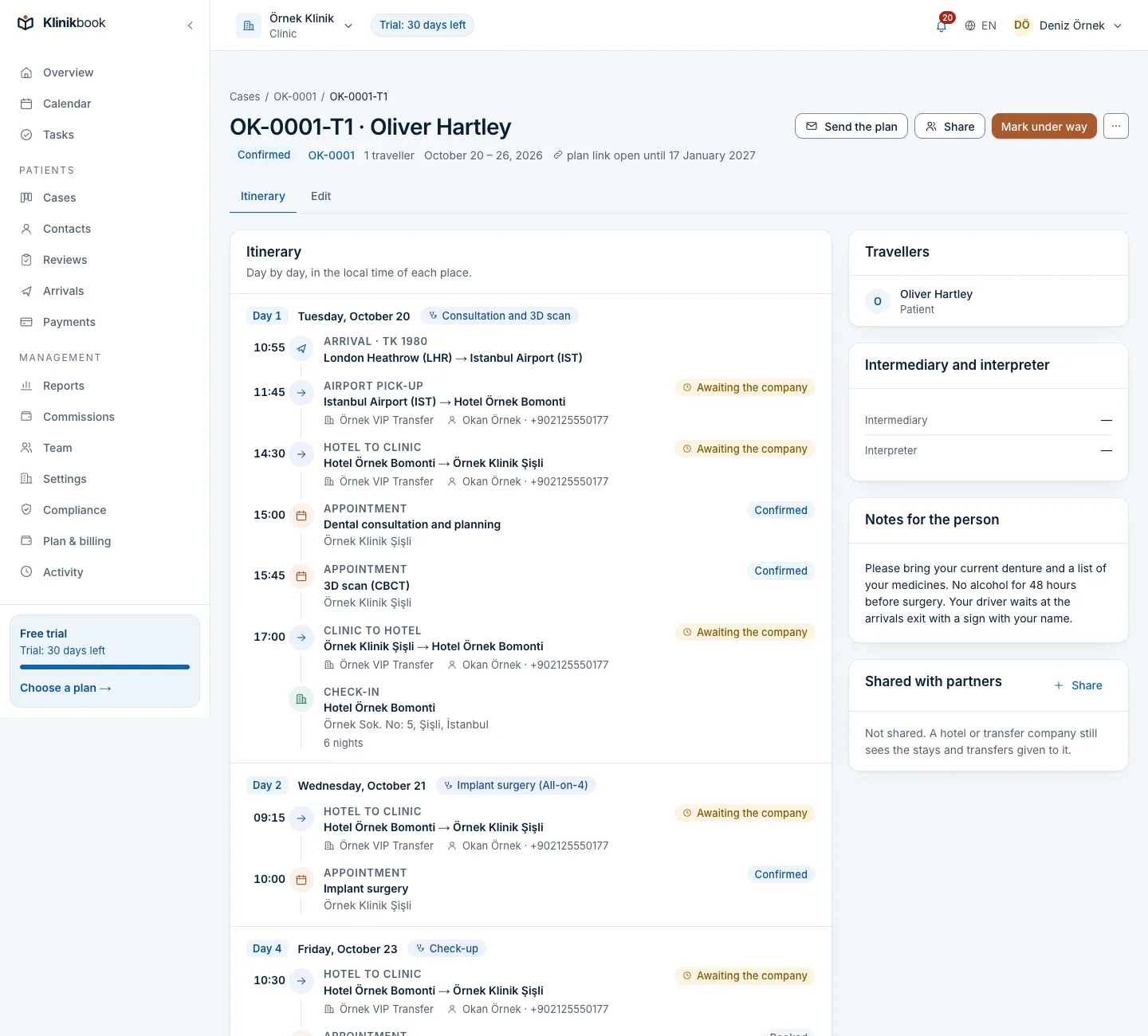
In Klinikbook a travelling patient's flights, hotel, transfers and treatment days sit in one plan inside their case. The arrivals board shows today and tomorrow; the hotel and transfer company see only what is shared with them, and the patient reads the plan on the portal in their own language.
- Flights in local time
- An arrivals board
- Shared with partners
Arrivals still in a spreadsheet and a WhatsApp group?
How it usually goes
- Flights, hotel and transfers live in a sheet; the driver in a WhatsApp group.
- A departure noted in London time is read as Istanbul time.
- When a flight changes, nobody is sure the driver was told.
- The patient pieces their plan together from several messages.
With Klinikbook
- The trip sits inside the case, with its own reference.
- Flights are recorded in the local time of where they happen.
- Changes go to the partners who see the trip.
- The patient sees the whole plan on one portal page.
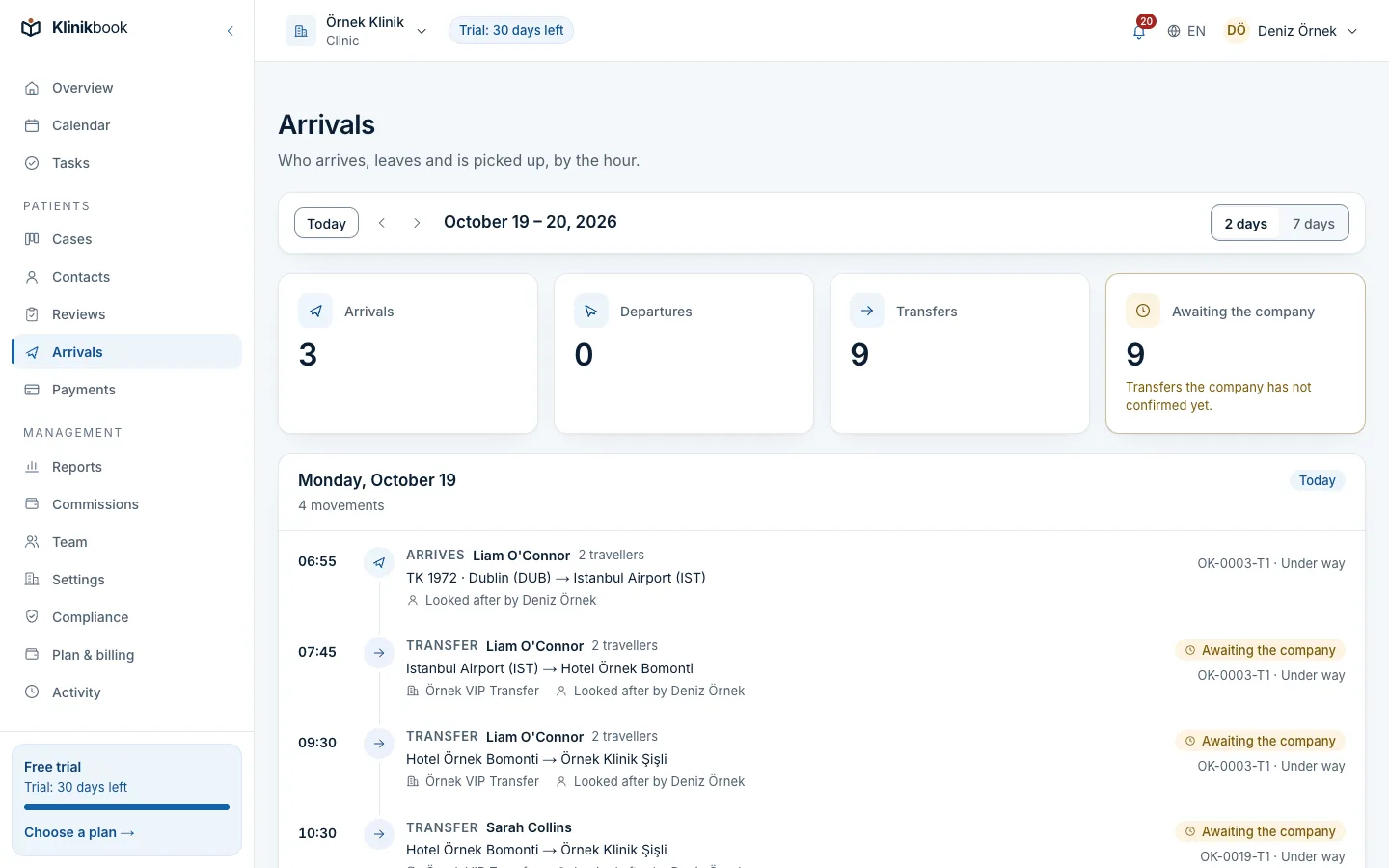
Arrivals board
Start the day knowing who is landing
Today's and tomorrow's arrivals, departures and transfers, or any week you choose, in local time. Who is coming, how many, who is handling the case and whether the transfer is confirmed, at a glance.
- Flights landing and airport pickups
- Hotel–clinic transfers
- The coordinator and the transfer company
Inside the case
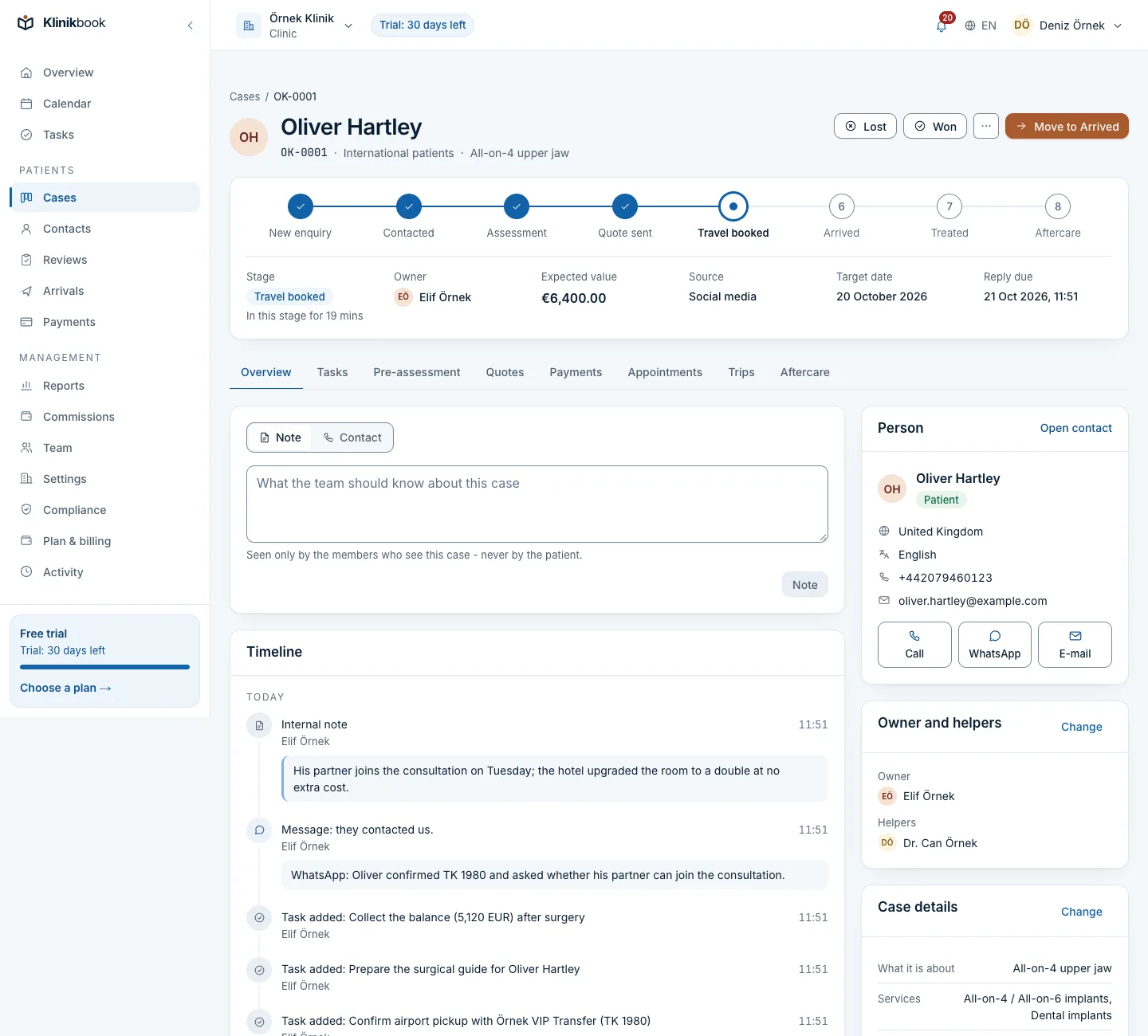
The trip is a tab of the case
When a patient will travel, you open a trip from their case. Travellers, flights, hotel, transfers and treatment days live on the same case, and every change goes on its timeline.
- The patient and companions as travellers
- Treatment days and their appointments
- Status moves on when the patient arrives
What the patient sees
The patient reads the plan in their own language
Once the trip is confirmed the plan goes to the patient by e-mail. On the portal they see who is travelling, the flights, the hotel, who meets them and their treatment days.
- Times in local time
- The driver's name and phone
- The link stays open for 90 days
What a trip holds
- Travellers and flightsThe patient is the first traveller, companions are added. Outbound and return flights in local time, so time zones never get mixed up.
- StaysHotel, address, check-in and check-out. Klinikbook does not book; it records the booking you or your partner made.
- Sharing with partnersHotel, transfer and agency staff see only what is shared with them, as guests who do not count as users.
How it works
Add your partners
Record the hotels, transfer companies, agencies and interpreters you work with, once.
Open a trip on the case
Enter travellers, flights, hotel, transfers and treatment days; pick partners from the list.
Confirm and share
Send the plan to the patient and share it with the hotel and transfer company; later changes reach them.
Follow it on the day
When the patient arrives the trip moves to “In progress”; the front desk starts the day on the arrivals board.
Does the hotel or transfer company need a Klinikbook account?
You invite their contact by e-mail as a guest, and they create an account from the invitation. A guest sees only the Shared screen and does not count as a user.
What happens if a flight time changes?
The coordinator updates the trip; partners who see it are told, and the patient too if you choose. If a transfer's time or place changes, the company's confirmation is needed again.
Does Klinikbook check an intermediary's authorisation certificate?
No, you check it and mark it. A healthcare facility in Türkiye sees a warning on trips that came through an intermediary without that mark; our guide explains the certificate.
Who can edit trips?
Owners, administrators, coordinators and the front desk plan, send and share trips; practitioners and read-only members see trips and the arrivals board.
Which plan includes trips?
Trips, partners and the arrivals board are in every plan; plans differ only in users, locations and storage.
Related reading
Free tools
30-day free trial
Try Klinikbook with your own team
Every feature is open for 30 days, and no card is needed to start.