
A free Word form that gathers what your doctor needs to assess a patient's treatment options: personal and contact details, travel dates, medical history, medication, allergies, previous operations, smoking and the photos to send. It is not medical advice.
On this page
What's inside?
- Personal details: name, date of birth, nationality, country, languages, height and weight
- Contact details, the preferred way to get in touch and an emergency contact
- Travel and dates: preferred dates, length of stay, companions, and any need for accommodation, transfers or an interpreter
- The treatment requested, and the patient's concern and hopes in their own words
- A 17-item medical history table with yes and no boxes
- Medication, allergies, previous operations, smoking and alcohol
- A checklist of photos and documents to send by treatment (dental, hair transplant, aesthetic and others)
- A declaration, a consent line linked to your privacy notice and consent text, a signature, and a box for clinic use
Who is it for?
Clinics, private practices and health-tourism agencies that want to collect what the doctor needs before a quote in one document, in the same order for every patient, instead of across scattered messages. Send it to the patient or have it filled in on paper at the clinic; your doctor decides which questions to ask.
Use it in 3 steps
Adapt it to your clinic
Add your clinic's details and the address of your privacy notice, then add or remove questions with your doctor.
Send it securely
Say clearly how the form and photos should come back; once filled in, it holds health information.
Pass it to the doctor
Put the completed form and photos in front of the doctor and note the outcome in the box at the end.
Klinikbook does this for you
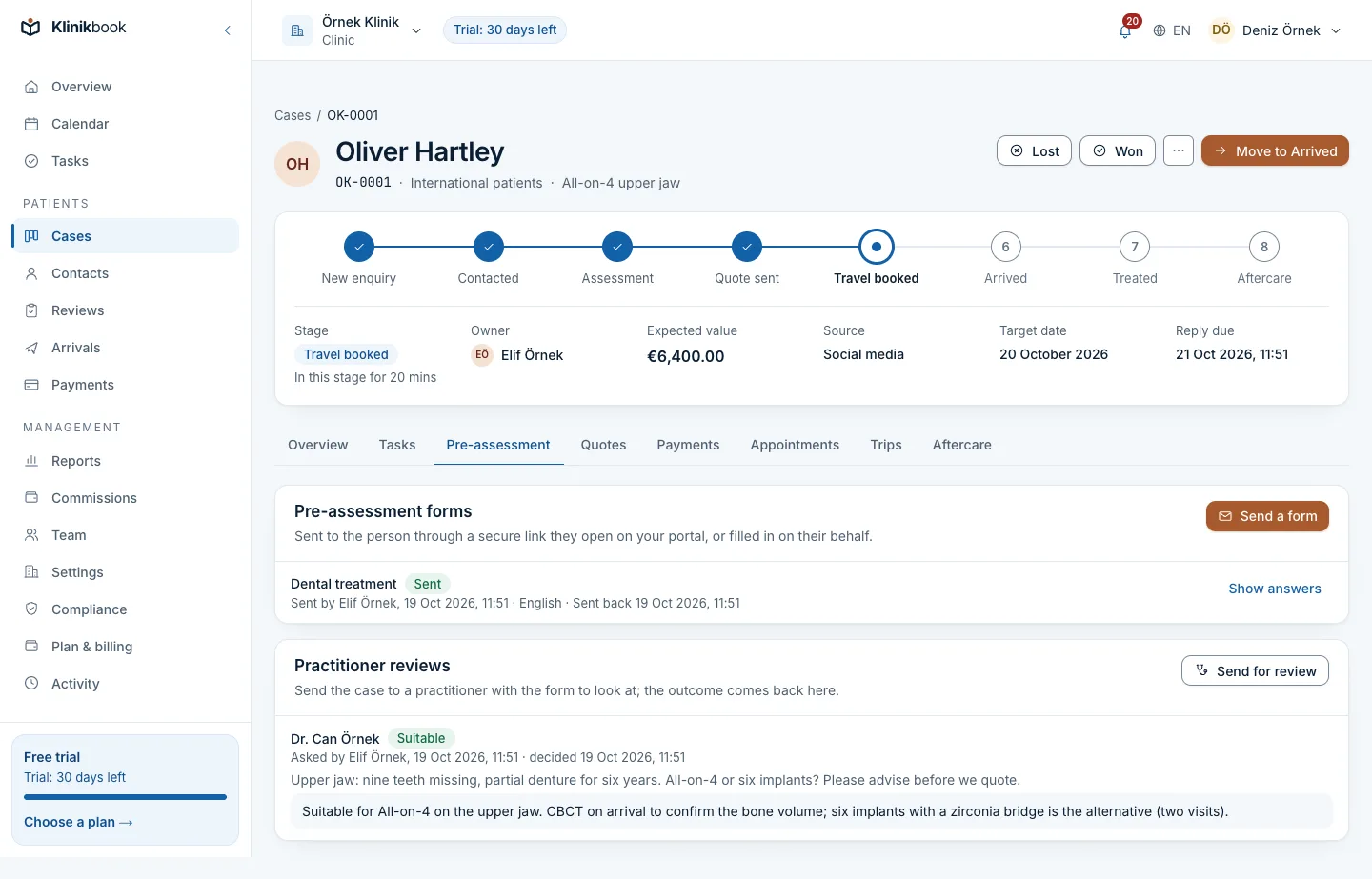
In Klinikbook intake forms are online: you decide the questions, the follow-up questions that appear depending on an answer, and the versions; the forms for the treatments you choose come ready with your workspace. The patient fills in the form on the patient portal through a secure link.
Photos are requested one by one from the angles you set, documents are virus-scanned and explicit consent is collected inside the form. A completed intake lands in the doctor's review queue, with the answers and photos on one screen.
Related features
Frequently asked questions
Is the patient intake form free?
Yes. You download it without signing up or giving an e-mail address.
Does the form diagnose the patient?
No. It only collects information for the doctor's review; the doctor decides whether a treatment suits the patient and what the plan is.
Can I change the questions?
Yes. It is a Word document, so you can add or remove sections to suit your treatments. We suggest making the changes with your doctor.
Where do the privacy notice and consent go?
The declaration at the end has room for the address of your privacy notice and a consent line. For example texts and how to use them, see our privacy notice and consent example.
Does it open in Google Docs or LibreOffice?
Yes. It is a standard Word file and opens in Google Docs, LibreOffice Writer and Pages, although the layout may differ slightly.
Related reading
30-day free trial
Try Klinikbook with your own team
Every feature is open for 30 days, and no card is needed to start.