
No-show cost calculator
What no-shows cost your clinic is the number of appointments left empty multiplied by the average revenue per visit. Enter your appointments a month, your no-show rate and your average revenue, and the calculator works out the monthly and yearly loss after the slots you manage to fill, and what you would gain if the rate fell by as much as you expect.
- Free
- No sign-up
- Nothing is stored
Work it out
The example figures only show how the tool works; they are not averages or targets.
Result
Fill in the fields to see the result.
The sums are done in your browser. Nothing you type is sent to a server or stored anywhere; it is gone when you close the page.
How it works
- Missed appointments = appointments a month × no-show rate.
- If you fill some of the empty slots with patients who are waiting or with a last-minute call, the share you fill is taken off; what is left is the appointments that stay empty.
- Monthly lost revenue = empty appointments × average revenue per visit. The yearly loss is 12 times the monthly loss.
- The scenario lowers the no-show rate by the percentage you enter: a 10% rate reduced by 30% becomes 7%. The same sums are done at the new rate, and the difference is the revenue recovered each year.
Reading the result
The result is revenue, not profit. A no-show uses no materials, but the doctor's, the room's and the team's time is wasted; the real loss is the other patient who could have had that slot.
Measure your no-show rate rather than guessing it: count a month's appointments and pick out the patients who didn't come and didn't tell you. Keep cancellations made in advance apart; those slots can often go to someone else.
The reduction in the scenario is your own estimate. After you change when reminders go out, how appointments are confirmed or how patients can cancel, measure the rate again and enter the real difference.
Klinikbook
Let Klinikbook send the reminders
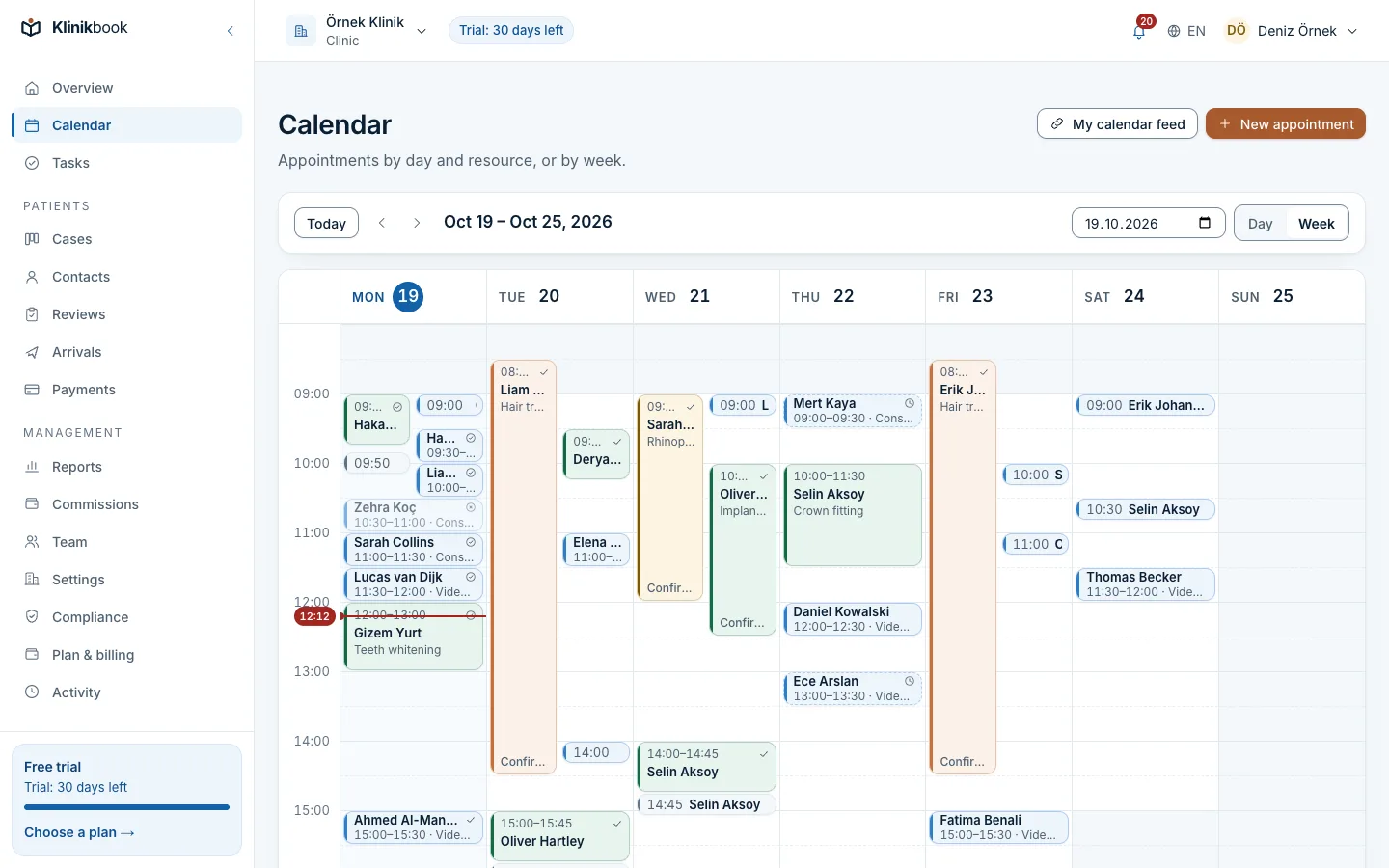
Klinikbook e-mails patients their booking details and reminders, and you choose up to three reminder times for each appointment. The patient confirms from the link in the e-mail, or cancels if you allow it, so you see a freed slot early.
No-shows are counted on the person's record. Reports show the appointments booked, completed, missed and cancelled in the period you pick, which is where you read the rate to enter here.
Frequently asked questions
How is the no-show rate calculated?
Divide the number of patients who missed their appointment without telling you in a period by the number of appointments booked in the same period, and multiply by 100. A patient who cancelled in advance is not a no-show; that slot could go to someone else.
What is a normal no-show rate?
There is no rate that holds for everyone. A systematic review of 105 studies put the average at around 23%, and by region it ranged from about 13% in Oceania to about 43% in Africa. Measure your own clinic's rate and use that, not someone else's.
What reduction should I enter in the scenario?
Your own expectation. The calculator doesn't suggest one. The most reliable figure is the real difference you measure after changing your reminders or how you confirm appointments.
What is the share of empty slots filled?
It is how many of the slots freed by no-shows you manage to give to another patient. If you fill 5 of 20 freed slots, the share is 25%. If you don't know, leave it blank and the calculator assumes none are filled.
Does the result show my profit?
No, it shows revenue. A no-show uses no materials, but the doctor's, the room's and the team's time is wasted. To see the effect on profit, enter the profit per appointment instead of the revenue per visit.
Are the figures I enter stored anywhere?
No. The sums are done in your browser; nothing is sent to a server or stored.
More free tools
- Treatment package calculatorWork out a package total, deposit and balance from treatments, hotel, transfers and discount, and copy a summary for the patient.Open the tool
- Patient acquisition calculatorFind your cost per enquiry and per treated patient, your return on spend and your weakest stage.Open the tool
- Aftercare schedule generatorTurn a treatment date into follow-up dates and add them to your calendar as an .ics file.Open the tool
Try Klinikbook with your own team
Every feature is open for 30 days, and no card is needed to start.