
A free Excel template that follows every patient from first enquiry to treatment on one row. It comes with drop-down lists, colours that flag overdue next steps, and a summary sheet that works out your conversion rate by stage, source and treatment.
On this page
What's inside?
- A Patients sheet: a filterable Excel table for enquiry date, name, country, phone and WhatsApp, e-mail, language, source, treatment, stage, owner, quote, currency, deposit, next step and its date, lost reason and notes.
- Drop-down lists for source, treatment, stage, language, currency, deposit and lost reason.
- Colours: overdue next steps turn red, today's turn yellow and lost enquiries grey.
- A Summary sheet: enquiries, conversion and booking rates, overdue steps, counts by stage, source and treatment, and quoted amounts by currency, with an optional date range.
- A Lists sheet for your sources, treatments, languages and team.
- A How to use sheet. There are no sample patients: the table starts empty.
Who is it for?
Clinics, private practices and health-tourism agencies that do not use a patient CRM yet, whether one coordinator handles the enquiries or a small team shares them. It is a work list, not a medical record, so health details stay out of it.
Use it in 3 steps
Set up your lists
On the Lists sheet, add your sources, treatments and the people who follow up enquiries.
Put each enquiry on a row
Always fill in the enquiry date, and give every open enquiry a dated next step; rows past their date turn red.
Read the summary weekly
Keep the stages up to date; the summary shows which sources become treatments and where enquiries stall.
Klinikbook does this for you
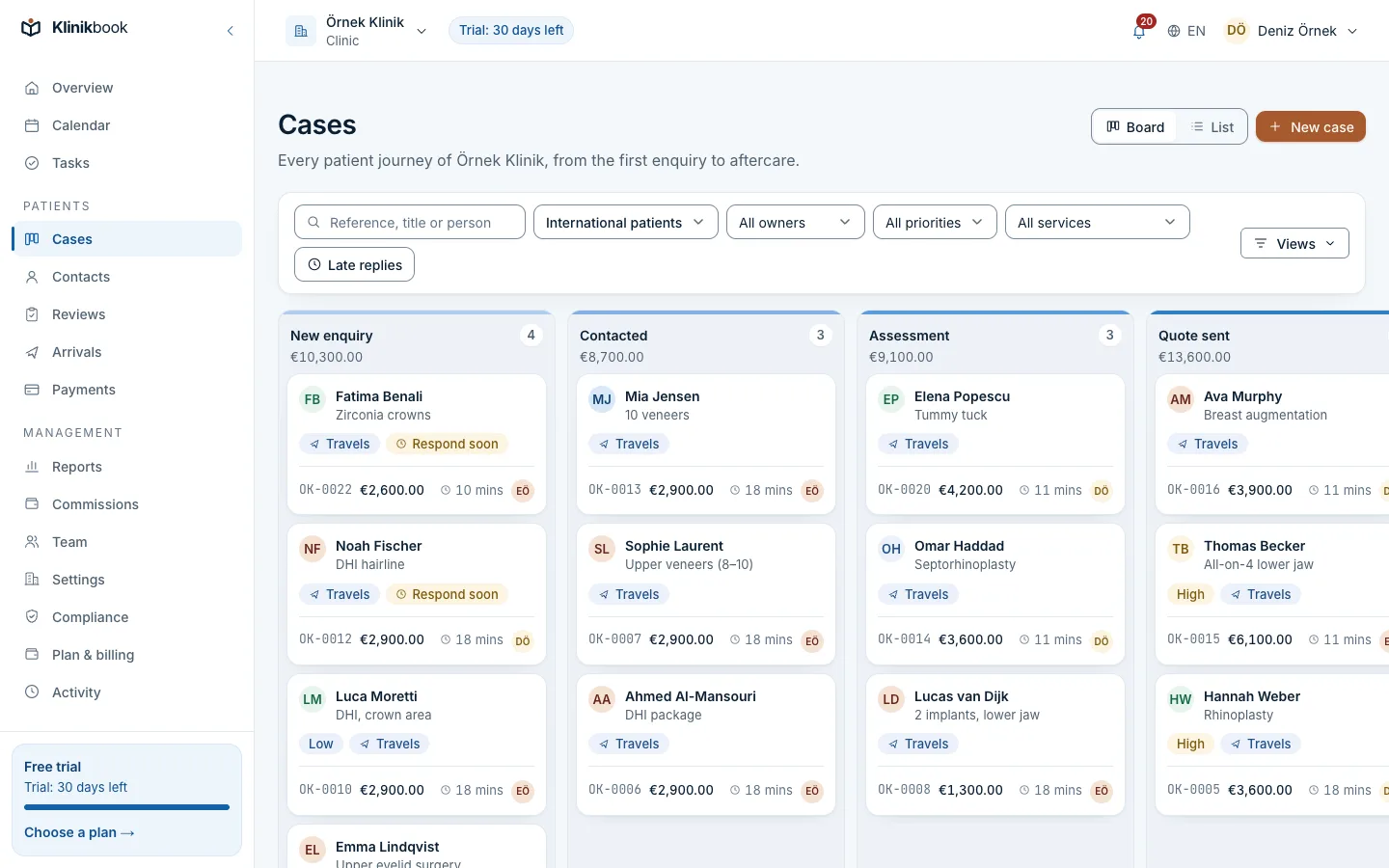
A spreadsheet starts to creak once several people share it: who replied to whom, which copy is the latest? In Klinikbook every enquiry is a case. Enquiries from your website form are recorded with their source and assigned in turn by your rules, and a missed first-reply target is escalated to managers.
A quote sent or an appointment booked moves a case on by itself. Save the spreadsheet's contacts as CSV to import them into Klinikbook, skipping duplicates.
Related features
Frequently asked questions
Is the patient tracker free?
Yes. You download it without signing up or giving an e-mail address.
Can I change the spreadsheet?
Yes. Add columns, change the lists or add your logo; there are no macros. Just keep the stage names, because the summary and colours rely on them.
Does it work in Google Sheets or LibreOffice?
Yes. The formulas, drop-downs and colour rules work in Excel, Google Sheets and LibreOffice Calc; the layout may differ slightly.
How many enquiries can it hold?
It starts with 300 empty rows and grows when you type below the last one; the drop-downs and summary reach 2,000 rows. Once several people work in it at once, a shared system is safer.
Can I move my data into Klinikbook later?
Yes. Save the Patients sheet as CSV and import the contacts into Klinikbook, mapping the columns and skipping duplicates. Klinikbook is free to try for 30 days.
Related reading
30-day free trial
Try Klinikbook with your own team
Every feature is open for 30 days, and no card is needed to start.