
A free Excel template that plans who contacts the patient, and how, on days 1, 3, 7, 14, 30, 90, 180 and 365 after treatment. Enter the treatment date and the check-in dates work themselves out, with late check-ins shown in red.
On this page
What's inside?
- An aftercare plan sheet with fields for the patient or file number, treatment, treatment date, coordinator and doctor
- Ready-made rows for days 1, 3, 7, 14, 30, 90, 180 and 365, plus empty rows for extra check-ins
- Check-in dates calculated from the treatment date
- Drop-down lists for the channel and who makes contact
- Suggested questions for each check-in, which you can change
- Columns for photo requested, answer received and escalate to doctor
- A status column showing Today, Overdue, Upcoming or Done, with matching colours
- A How to use sheet and editable lists
Who is it for?
Clinics and health-tourism agencies following patients who fly home after treatment, and just as useful for local patients. Asking how the patient is in the first days, getting photos on time and reminding them of check-ups is easily forgotten in a busy week without a plan. Your doctor decides what to ask on which day.
Use it in 3 steps
Copy the sheet for each patient
Right-click the tab, create a copy named with the file number and enter the treatment date; the check-in dates fill themselves in.
Adapt the plan with your doctor
Change the days, channels and questions to suit the treatment, and add check-ins if needed.
Check the status column daily
Today's check-ins show in yellow and overdue ones in red. Mark answers as received and pass anything the doctor should see straight on.
Klinikbook does this for you
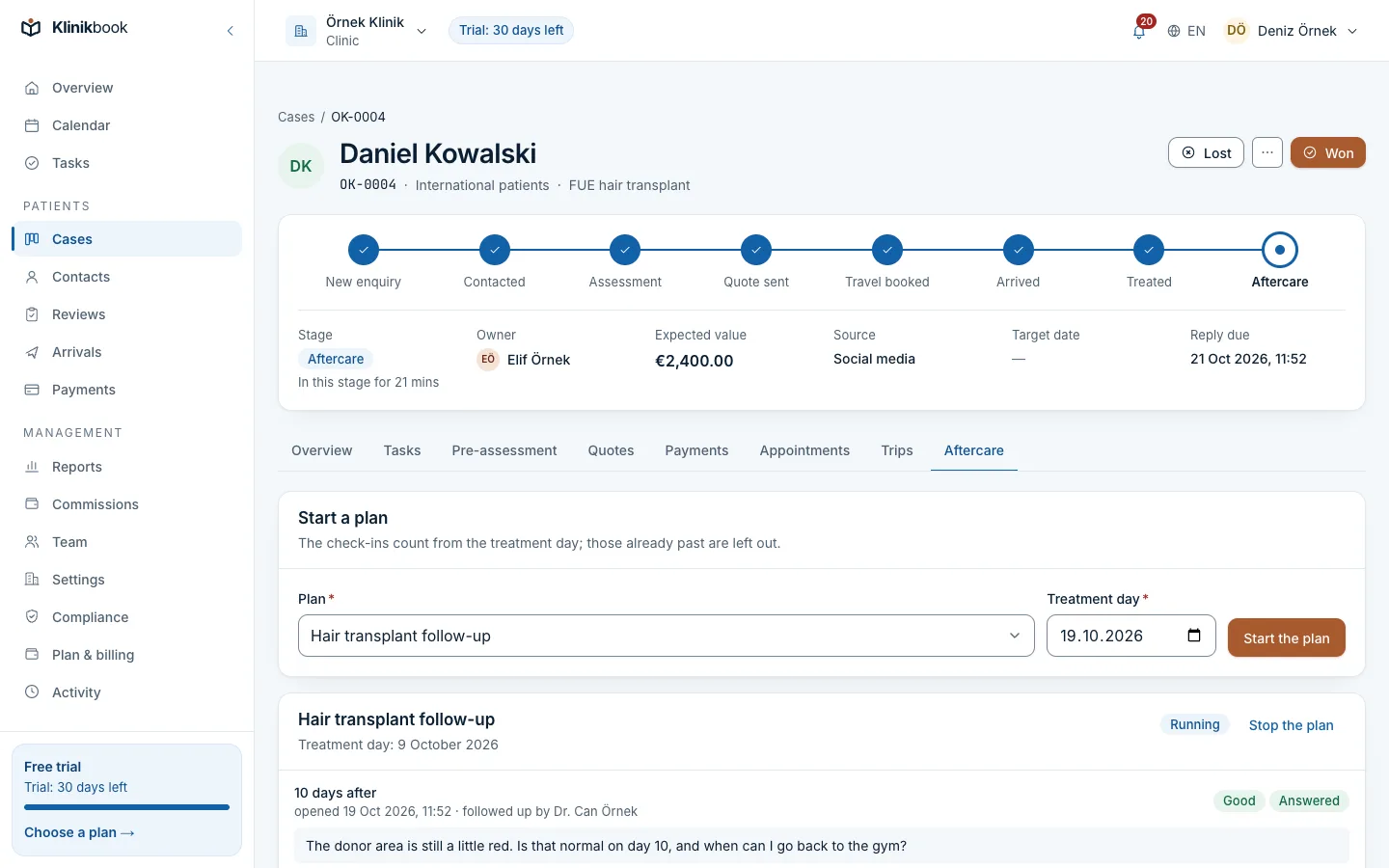
In Klinikbook you set up aftercare plans for your services once. A plan starts by itself when a case moves to “treated”; on each check-in day the patient gets an e-mail and the person following up gets a task.
On the portal the patient says how they feel, asks a question, adds photos or asks to be called; a question or a call request becomes a new task. You share documents such as aftercare instructions there too.
Related features
Frequently asked questions
Is the aftercare plan template free?
Yes. You download it without signing up or giving an e-mail address.
Can I change the check-in days?
Yes. Type a different number in the Day column and the date is recalculated; add extra check-ins on the empty rows.
Can I follow several patients in one file?
Yes: make a copy of the aftercare plan sheet for each patient. As numbers grow it gets harder to see every check-in in one place; in Klinikbook, check-ins that fall due come to you as tasks.
Can I put patients' photos in the file?
We advise against it. Keep photos in your clinic's records and use this file only to mark that photos were requested and an answer arrived.
Does it work in Google Sheets or LibreOffice?
Yes. The date formulas, drop-down lists and colours work in Google Sheets and LibreOffice Calc too, although the layout may differ slightly.
Related reading
30-day free trial
Try Klinikbook with your own team
Every feature is open for 30 days, and no card is needed to start.