
Plan a trip for a patient travelling to you
Published 20 October 2026Reviewed 20 October 20263 min read
On this page
Plan the trip
A trip belongs to an open case. Planning trips needs the permission to manage trips (owner, administrator, coordinator, front desk).
Start the trip
Open the case, and on the Trips tab press New trip. The patient is added as the first traveller, and the trip gets a reference such as OK-0001-T1.
Add the travellers
Use Add traveller for the people coming with the patient. Enter the document type only when it is needed.
Enter arrival and return
In Arrival and return press Add flight / journey. Every time is in the time zone of the place where it happens; a landing in Izmir is written in Izmir time.
Record the stay
In Stays enter the hotel or place and the check-in and check-out days. Nothing is booked, only recorded. If you pick the hotel from your partners, the hotel sees the stay given to it.
Add the transfers
Use Add transfer for the airport pickup, the hotel-to-clinic ride and the way back, and pick the transfer company from your partners. You or the company enter the driver's name and phone.
Write the treatment days
Use Add day to say what each day is for. Write administrative information only, never clinical detail. If needed, choose an interpreter language and the interpreter too.
Save, confirm, then send
Save the trip and move its status to Confirmed. Use Send the plan to e-mail the patient, or Create the link to get a link to paste into a message. The link stays open for 90 days; a new one replaces the previous.
Trip statuses
- Planning
- MeaningThe plan is being prepared; the patient has not been sent it yet.
- Confirmed
- MeaningThe plan is final. It becomes In progress by itself when the first arrival comes.
- In progress
- MeaningThe patient is travelling or with you. It becomes Completed by itself a day after the last departure.
- Completed
- MeaningThe trip is over.
- Cancelled
- MeaningThe trip was cancelled. If the patient had been shown the plan, they are told.
The arrivals board and warnings
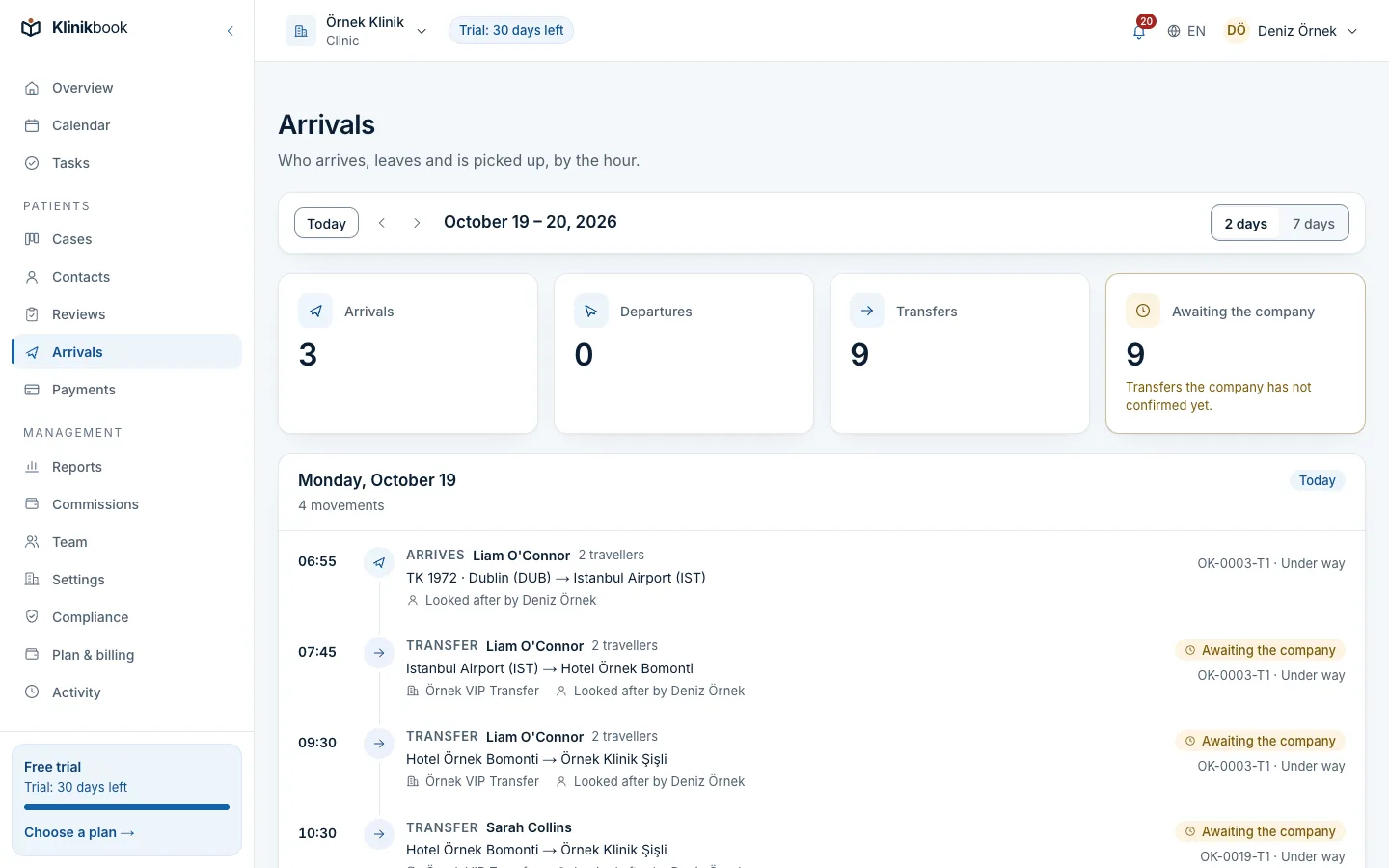
- The Arrivals screen lists today's and tomorrow's (or a week's) arrivals, departures and transfers in time order: who is coming, how many travel, who looks after the case, the partner and whether it confirmed.
- The To check before the trip section on a trip warns when the intermediary's or the travel agency's licence has not been marked as checked against the register. A warning is a reminder, not a block.
- When you change a trip you are offered to send the patient the new plan. A change you save without telling them does not reach the patient.
Frequently asked questions
Does Klinikbook buy flight or hotel tickets?
No. You or your partner enter the flight, stay and transfer details; Klinikbook records, shows and shares them.
How does the patient see the plan?
On the patient portal in their own language: travellers, arrival and return, stay, transfers with the driver to call, treatment days and appointments.
Can one case have several trips?
Yes. Each trip has its own reference, and you can share either the whole case's trips or a single trip.
Related reading
30-day free trial
Try Klinikbook with your own team
Every feature is open for 30 days, and no card is needed to start.