
Step by step
Open the board
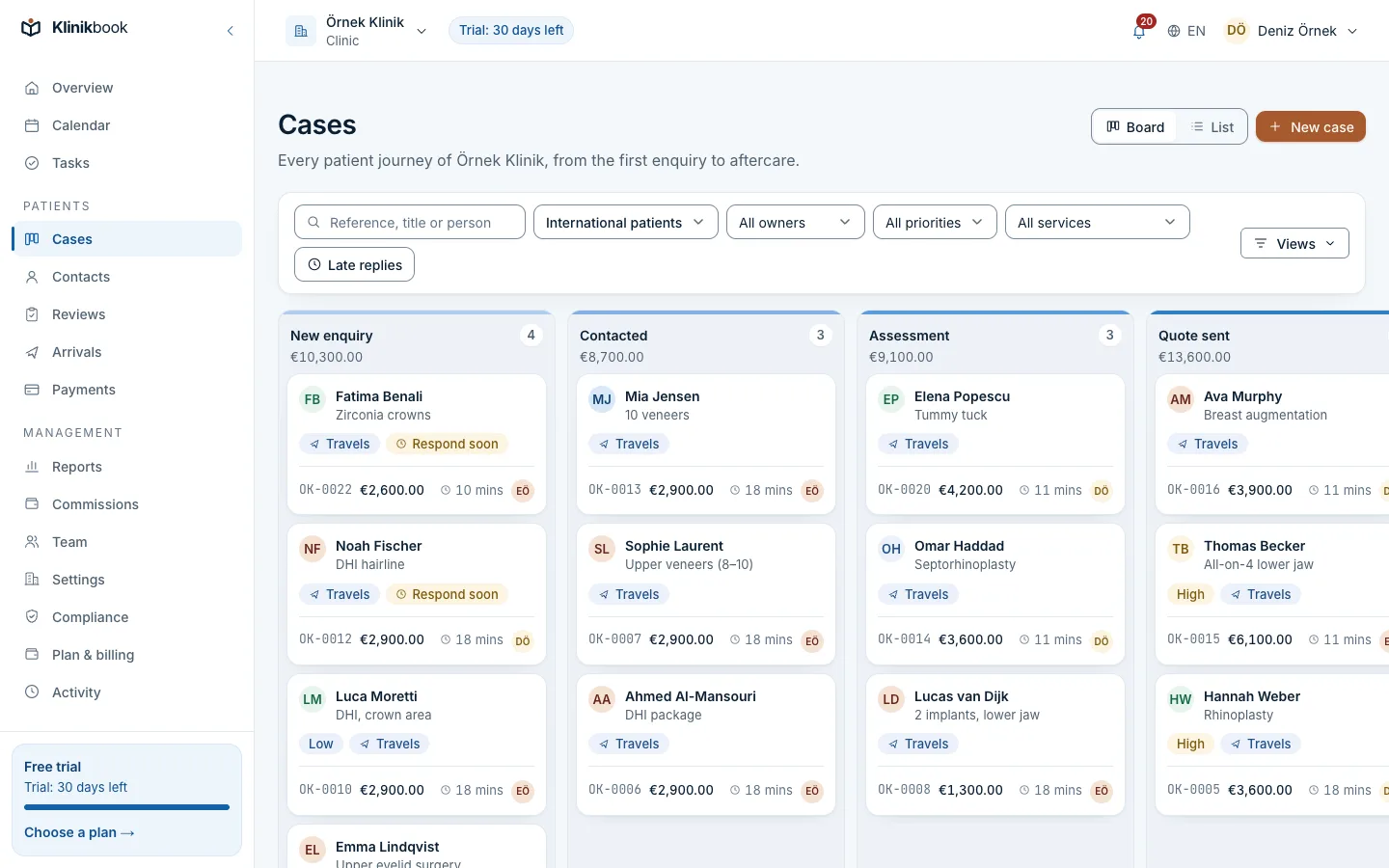
Go to Cases in the left menu and choose Board as the view. The Pipeline list picks whose stages you see. To search, type a reference, a title or a person.
Open a new case
Use New case to pick the person, the subject (for example “Upper jaw implant”), the pipeline and the stage. If you leave the owner empty, the assignment rules pick one; if no rule matches, the case is yours.
Move the card
Drag the card to the next stage, or use Move in the card's menu. Moving forward is free; moving backward asks you to confirm.
Open the case
Click the card. The journey bar shows the stage and the Timeline shows the history. On the right you find the person, the owner and helpers, the services and where the case came from.
Add a note or a contact
Note on the timeline leaves an internal note for the team; Contact records a call, a message or a meeting. The patient never sees notes.
Give a task
New task takes what is to be done, the due date and a reminder, and goes to you or a colleague. All your tasks collect under Tasks.
Close the case
If the patient goes ahead, press Won; the lead becomes a patient. If not, press Lost and choose a reason from Why it was lost. Reopen brings a closed case back.
Common questions
Can I see other people's cases?
If your role includes seeing all cases, yes. Otherwise you see only the cases you own or help with. The workspace can also limit people who do not manage the team to their own cases.
What is the response warning?
When the workspace sets first-response and follow-up targets, the owner is warned at 80 percent of a target; if it is missed, the owner and the people who manage the team are told.
I wrote a note by mistake. Can I fix it?
The author can use Edit to change it or Delete note to remove it. The timeline keeps a line saying a note was deleted.
Related reading
30-day free trial
Try Klinikbook with your own team
Every feature is open for 30 days, and no card is needed to start.