
On this page
Step by step
Start a new quote
Open the case, go to the Quotes tab and press New quote. Choose the quote's language and currency and press Prepare the quote. It starts with the case's services at the price list's prices; you can also start from ready packages.
Enter the quote details
Under Quote details write the Valid until date and the Message to the person. Validity is 14 days by default; you change that under Settings → Quotes.
Build the options
Add an option for each choice the patient will compare (up to 5). Give each a title and a description, and under What it costs enter lines with a service or a free description, quantity, unit price, discount and tax percentage.
Mark what is included and excluded
Mark items such as accommodation, airport transfer, local transfers, interpreter, medication and follow-up visits as included or excluded, so the patient sees exactly what the price covers.
Set the deposit and the balance
Choose No deposit, Percentage or A fixed amount and fill in Due within (days); 0 means on acceptance. For the balance choose Paid at the visit or Days after acceptance.
Send it
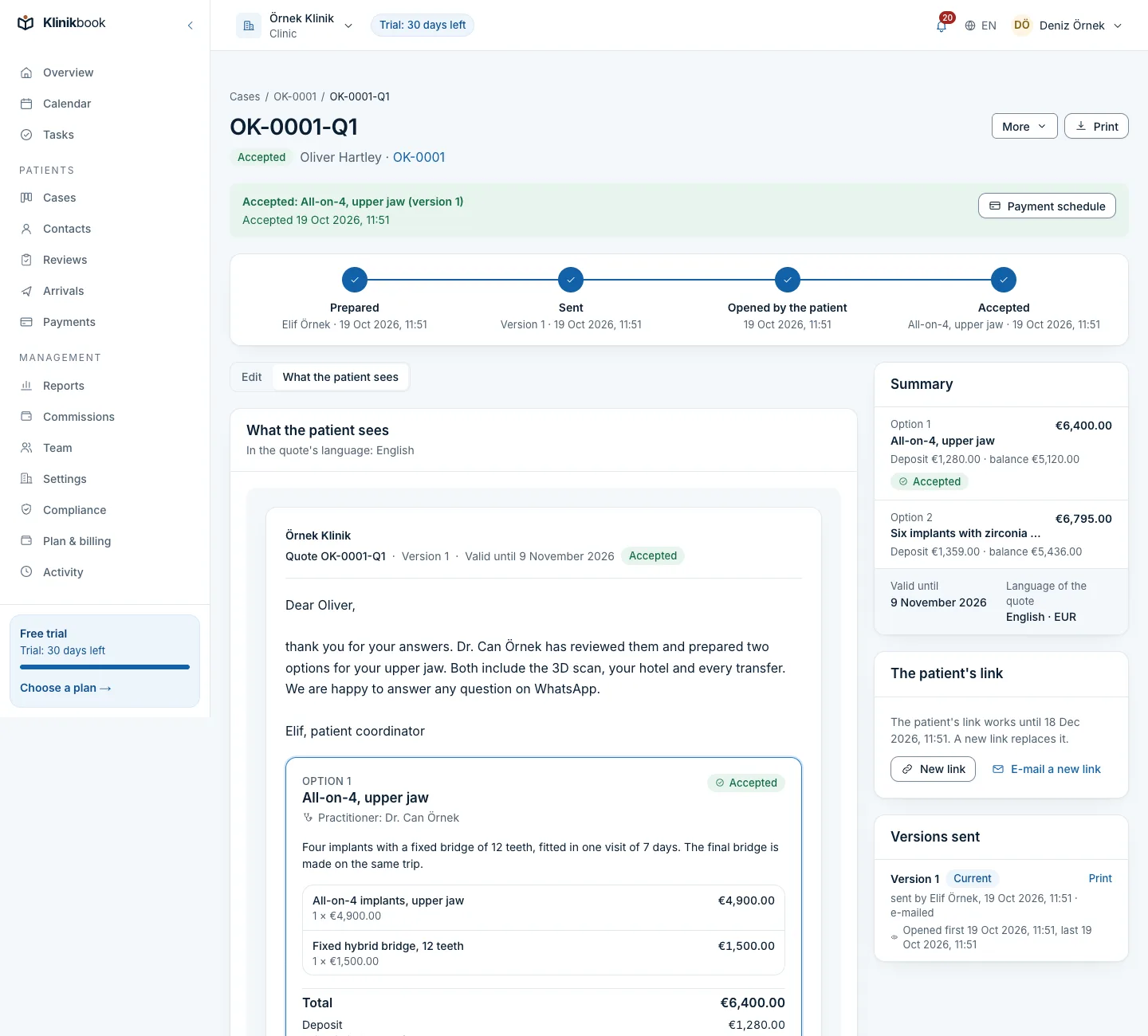
Press Send the quote. You can e-mail the link to the person or copy it and send it from your own WhatsApp. The preview is the same screen the patient will see.
Follow it
The quote's standing shows as Prepared, Sent, Opened by the patient and Accepted. The Quotes list has filters such as Sent, not opened and Opened, not accepted.
After the quote is sent
- Change a price or a term
- You doEdit the draft and use Send the new version; the patient now sees the new one and the earlier one stays in the history.
- Revive an expired quote
- You doChoose a new validity date and send a new version.
- Renew the link
- You doMake a new link; the old one stops working at once. A link lasts 60 days.
- Call the quote off
- You doUse Withdraw the quote; the link stops working and the quote stays as a record.
- Put it on paper
- You doPrint the version with your workspace's name and address, or save it as a PDF.
Common questions
Does the patient see my internal costs?
No. Only members with that permission see and change internal costs; they never appear on the patient's screen.
Can I quote in different currencies?
Yes; each quote is in one currency, and nothing is converted between currencies.
Can I see whether the patient opened it?
Yes. The first time the patient opens the quote, a line is added to the case timeline and the quote shows as opened.
Related reading
30-day free trial
Try Klinikbook with your own team
Every feature is open for 30 days, and no card is needed to start.