
Aftercare schedule generator
Pick the treatment date, start from the dental, hair transplant or aesthetic surgery template and adjust the check-in days to suit you; the generator works out the date of each check-in and gives you the list as an .ics file for Google Calendar, Apple Calendar or Outlook. The days are for administrative follow-up: the clinical content of each check-in is your doctor's decision.
- Free
- No sign-up
- Nothing is stored
Work it out
Check-in days are counted from this date.
Switching template replaces the list with that template's days.
Use a file number or initials rather than the patient's name.
Follow-up schedule
Pick the treatment date to see the dates.
The sums are done in your browser. Nothing you type is sent to a server or stored anywhere; it is gone when you close the page.
How it works
- Each check-in is written as the number of days after treatment: day 1 is the day after treatment, day 0 the treatment itself.
- The date is the treatment date plus that number of days. Check-ins that fall on a weekend are marked, so you can move them a day either way.
- The template days come from the administrative check-in points in our free aftercare plan template: close contact in the first week, then check-ins spaced further apart. The hair transplant template adds day 270, so photos are asked for every three months in the first year.
- The .ics file is made in your browser, and each check-in becomes an all-day event. When you import the file into your calendar app, the check-ins are added to that calendar.
Using the schedule
Put a file number or initials in the calendar rather than the patient's name. Calendars are often shared across the team and show up as phone notifications, so a title that carries health information can reach more people than it should.
Agree with your doctor what to ask at each check-in, which photos to request and which answers go straight to them. The notes on each line are only an administrative starting point.
If the patient has flown home, allow for the time difference and plan calls for their daytime.
Klinikbook
No check-in is forgotten on its day
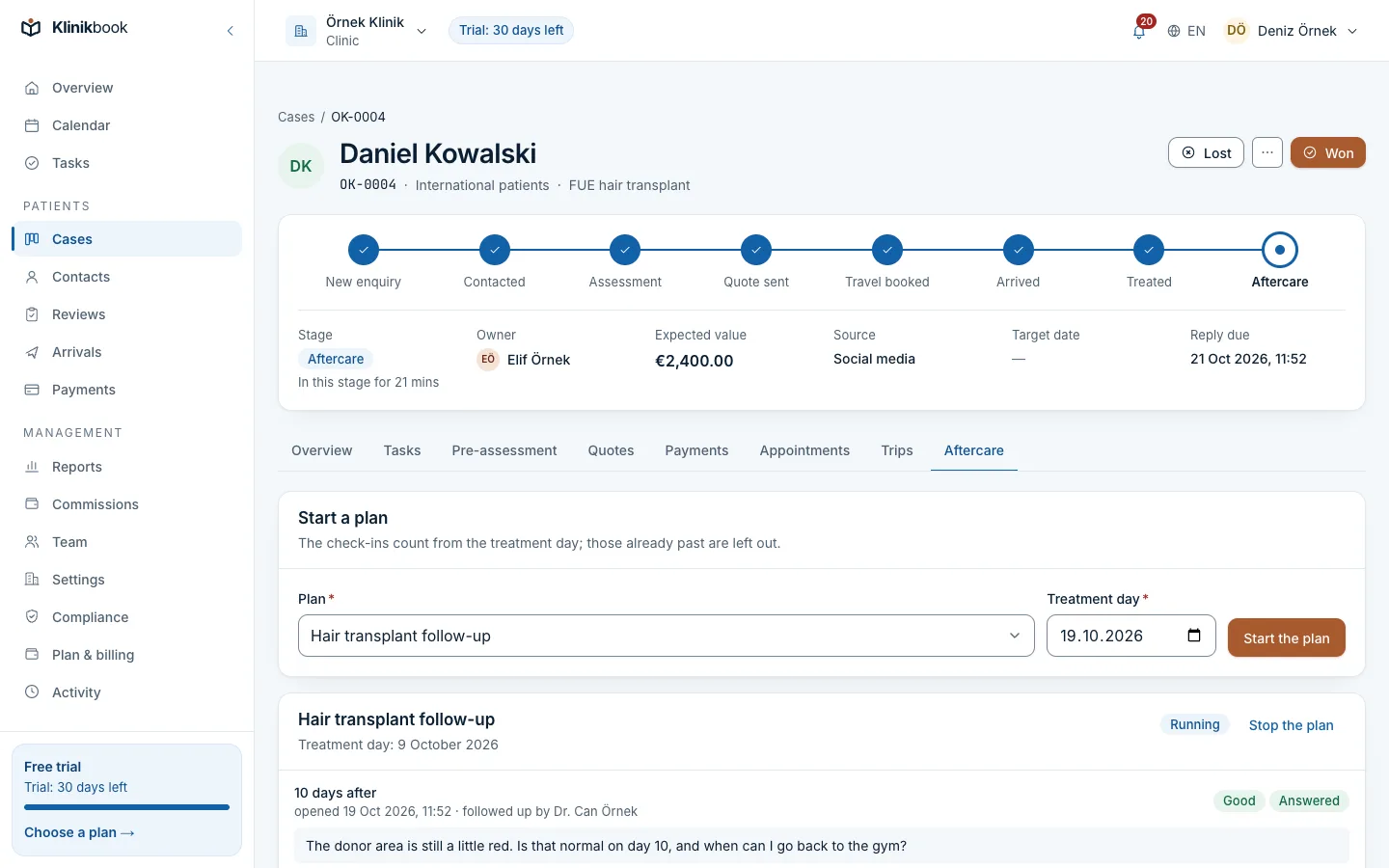
In Klinikbook you set up follow-up plans once for your services, such as check-ins on days 1, 7, 30 and 90. The plan starts automatically when the case reaches "treated", or you start it by hand.
On each check-in's day the patient gets an e-mail and the person responsible gets a follow-up task. The patient answers the check-in in the patient portal and can add photos, and you share documents such as aftercare instructions there too.
Related pages
Frequently asked questions
How do I add the .ics file to my calendar?
In Google Calendar, choose the file under Import & export in Settings. In Apple Calendar, open the file or use File > Import. In Outlook, open the file and add it to your calendar. The check-ins appear as all-day events.
Are the template days medical advice?
No. They are an administrative starting point for when to get in touch with the patient. Your doctor decides when check-ups happen and what is asked at each one.
Can I change the days or add check-ins?
Yes. You can change the day and note on every line, and add or remove lines; the dates are worked out again straight away. If you switch template, the list is replaced with that template's days.
Should I put the patient's name in the calendar?
We'd advise against it. Calendars are often shared and show up as phone notifications. Use a file number or initials, and keep the patient's name and health details in your clinic's own records.
Do the events come with reminders?
No. The events in the file have no reminders; you set up notifications in your calendar app's settings.
Is my information sent anywhere?
No. The dates and the .ics file are made in your browser; nothing is sent to a server or stored.
More free tools
- Treatment package calculatorWork out a package total, deposit and balance from treatments, hotel, transfers and discount, and copy a summary for the patient.Open the tool
- No-show cost calculatorSee what no-shows cost you each month and year, and what you gain if the rate falls.Open the tool
- Patient acquisition calculatorFind your cost per enquiry and per treated patient, your return on spend and your weakest stage.Open the tool
Try Klinikbook with your own team
Every feature is open for 30 days, and no card is needed to start.