SolutionsClinic management software
Clinic management software: team and patient flow on one screen
Klinikbook is a clinic CRM and covers the patient-relationship and operations side of clinic management: enquiries, team and task allocation, quotes, appointments, payment tracking and reports in one place. It keeps no examination records, payroll or statutory accounts; for those you keep using your clinical records software and your accounting program. A daily cash close, expenses, consumable stock and staff rotas are inside.
- Team and role-based visibility
- Response time, conversion and collections reports
- Priced per workspace

What does clinic management software manage?
Clinic management software holds the clinic's daily running together. Under this name people look for two kinds of product: systems that keep medical records and invoices, and software that runs patient and team flow. Klinikbook is the second: it organises how a patient reaches the clinic and how the team responds.
A manager sees open cases, overdue replies, unassigned cases and today's tasks at a glance; in the reports they follow which source, service or location brings what, how fast each person replies and how collections are going.
Overview
The first screen to check in the morning
Open cases, overdue replies, unassigned cases and today's tasks. You also see cases by journey step and those won and lost in the last 30 days.
- Overdue replies
- Unassigned cases
- Today's tasks
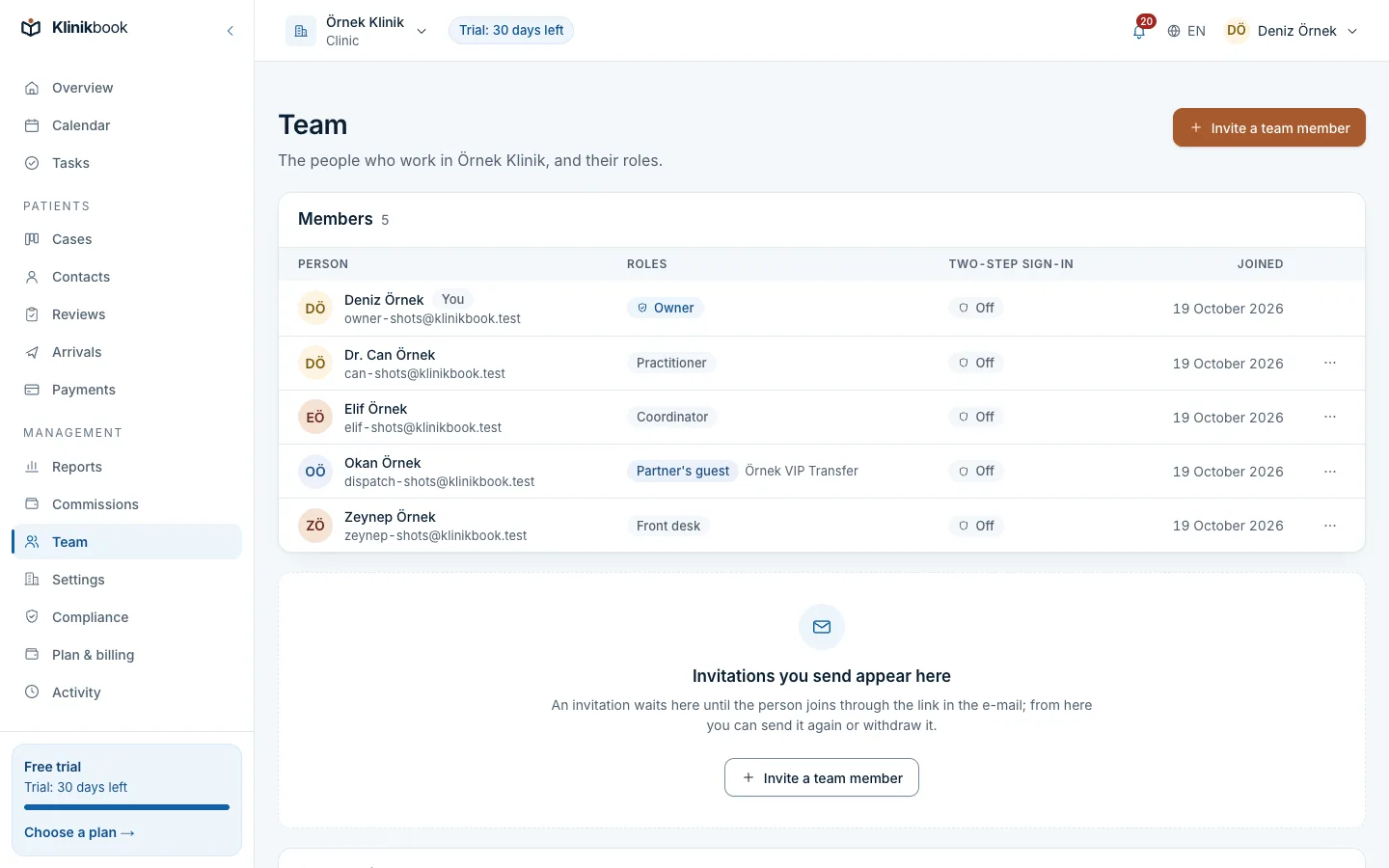
Team
You decide who sees what
Create teams and choose each role's record visibility: everything, the team's or only their own. The owner sees members' open sessions and can sign them out; a leaver's work is handed over.
- Teams and visibility rules
- Activity log
- Handing over a leaver's work
Reports
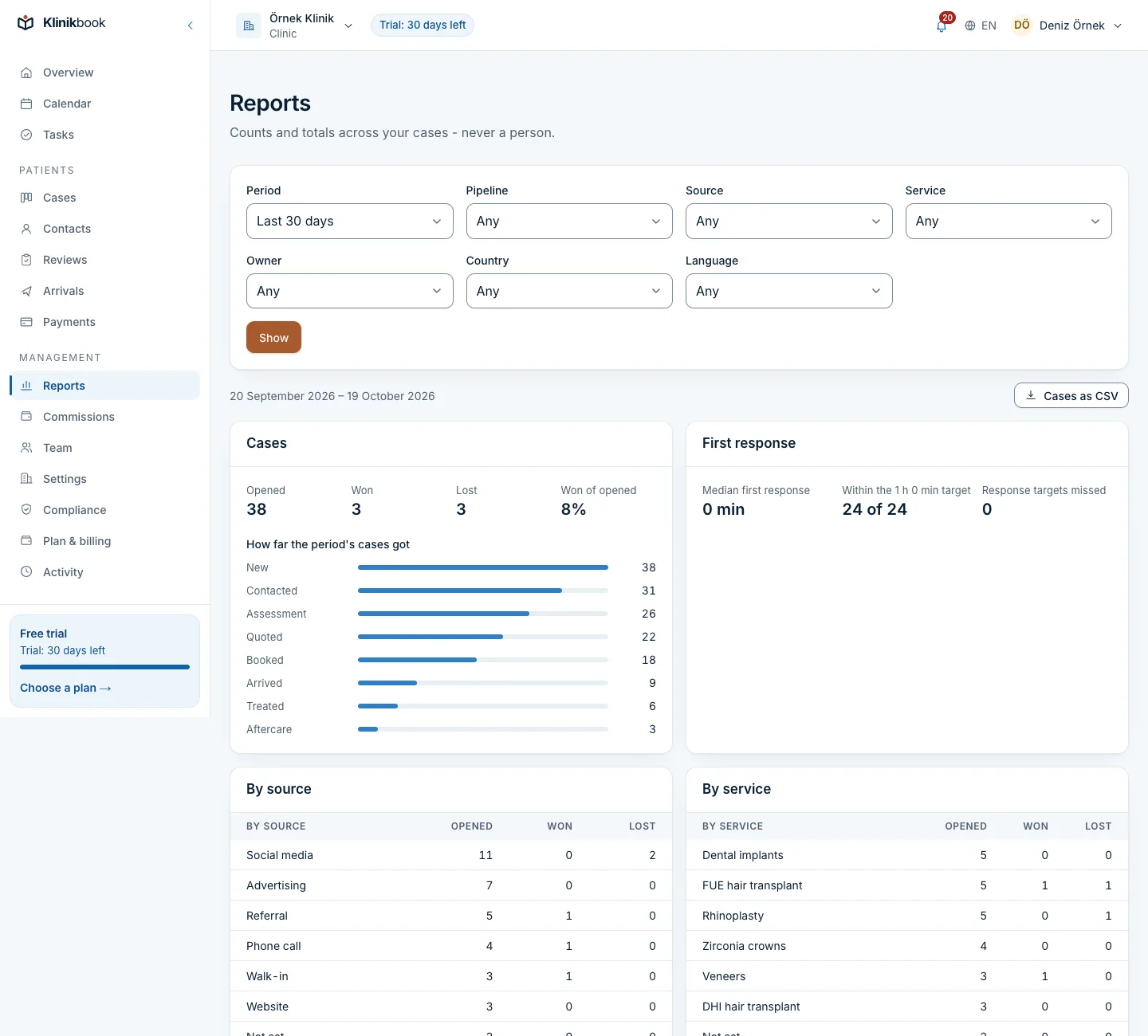
See conversion from source to collection
A funnel by source, campaign and service, median time to first reply, no-show rate and collections by currency. Filter by location and team, and download CSV.
- Funnel by source and campaign
- Time to first reply
- No-show rate and collections
Klinikbook's share of clinic management
- Enquiries and patient flow
- KlinikbookYes
- Stays outside Klinikbook
- Team, tasks and visibility
- KlinikbookYes
- Stays outside Klinikbook
- Appointments and resource calendar
- KlinikbookYes
- Stays outside Klinikbook
- Quote and payment-plan records
- KlinikbookYes
- Stays outside KlinikbookPayment is made to the clinic directly
- Reports and CSV
- KlinikbookYes
- Stays outside Klinikbook
- Examination, diagnosis, prescription
- KlinikbookNo
- Stays outside KlinikbookClinical records software
- Statutory accounts and e-invoices
- KlinikbookNo (cash close, expenses and an accounting export exist)
- Stays outside KlinikbookAccounting program
- e-Nabız, MEDULA
- KlinikbookNo
- Stays outside KlinikbookClinical records software
Who is it for?
- Clinics with several coordinators and doctors
- Managers who cannot see the team's reply speed
- Clinics with locations that want figures by location
- Anyone who wants to know which source brings patients
How to choose clinic management software
- What do you want to manage: medical records or patient flow?
- Is there role- and team-based visibility?
- Does it report response time and conversion?
- Does it break figures down by location and practitioner?
- Can you export your data as CSV?
- How does the price change as the team grows?
What is clinic management software?
Clinic management software holds a clinic's daily running together. In Klinikbook that means patient flow, team and tasks, appointments, quotes and reports; medical records and accounting are not included.
Is clinic management software free?
Klinikbook has no free plan; you can try it free for 30 days with no card. After that you pay for one of the Solo, Team or Pro plans, priced per workspace. Prices are at /en/pricing.
Does clinic management software replace HBYS?
No. HBYS and clinical records software keep examinations, diagnoses and prescriptions. Klinikbook runs the patient relationship and operations; they work side by side. See the comparison of Klinikbook and clinical records software.
Which figures do managers see?
A funnel by source, campaign and service, win trend, median time to first reply and to booking, no-show rate, collections by month and currency, and member results. Location and team filters are available.
Does everyone on the team see every patient?
No, you decide. Create teams and choose, per role, everything, the team's or only their own records. Owners and managers always see everything.
Can we manage several locations?
Yes. A case carries a location and a practitioner, and the reports break down by location. The number of locations depends on the plan's limits; see the pricing page.
Can we take our data out?
Yes. Every main list downloads as CSV and the owner can export the whole workspace. Closing the workspace is also done from settings.
Try clinic management free for 30 days
No card needed. Plans are priced per workspace; see the pricing page.
Related reading
Free tools
30-day free trial
Try Klinikbook with your own team
Every feature is open for 30 days, and no card is needed to start.