
SolutionsFor eye clinics
Laser and cataract enquiries and check-ups, in order
Klinikbook lets eye clinics meet laser and cataract enquiries with an intake form, have the doctor review the answers, schedule devices and rooms, and run check-up days from one place. It keeps no examination or measurement records.
- Intake form
- Device and room resources
- Follow-up check-ins
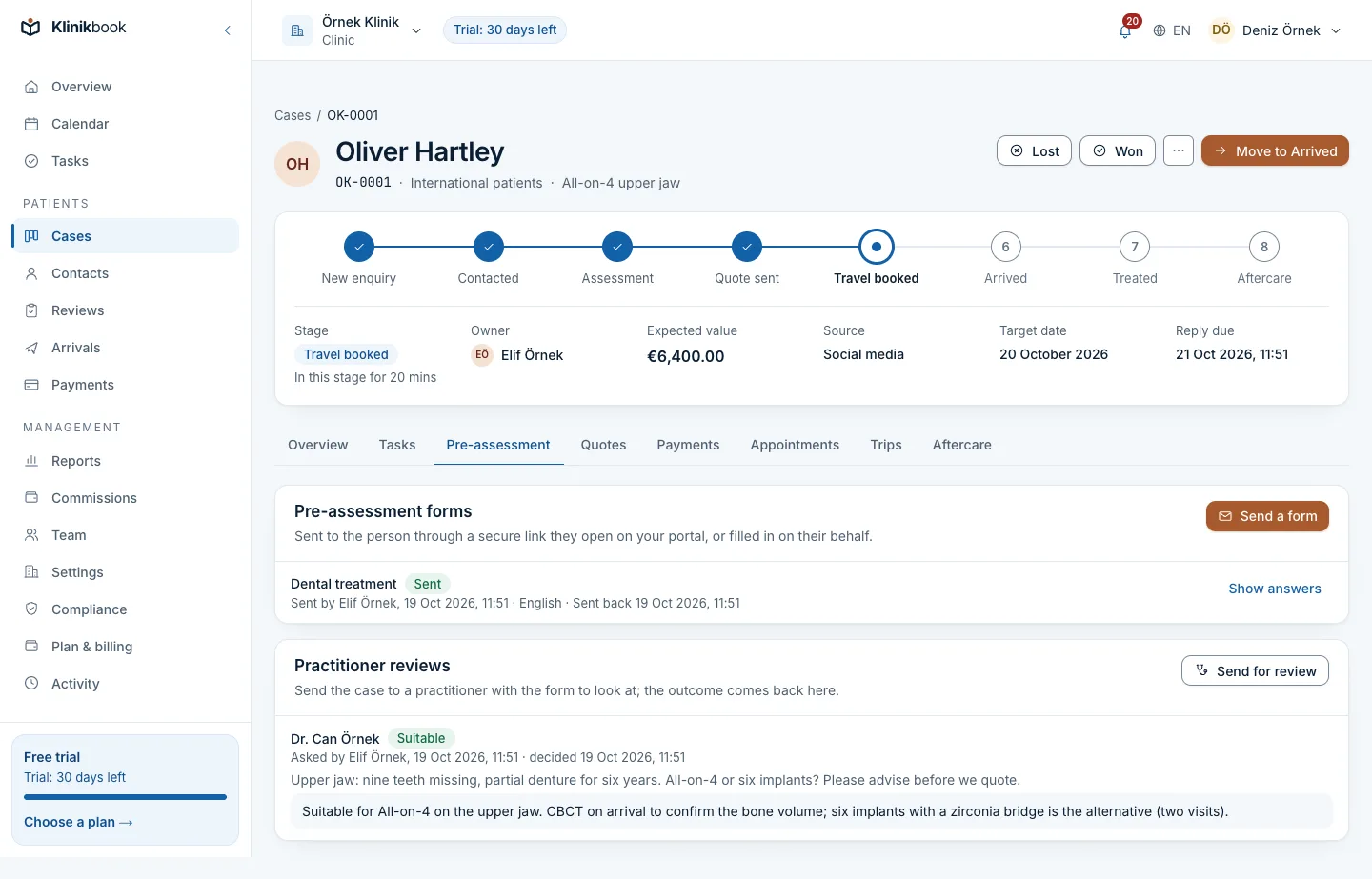
From enquiry to check-up in an eye clinic
How it usually goes
- Laser questions arrive by phone, message and form, separately.
- A patient's earlier test report is lost in an e-mail.
- The laser device and the theatre have separate diaries.
- Post-operative check-up days live in someone's head.
With Klinikbook
- Every enquiry becomes a case with its source.
- The patient uploads a report to the intake form; it is virus-scanned.
- The device and room are booked with the appointment.
- On check-up day the patient gets an e-mail and you get a task.
Medical intake
The doctor sees the answers before the patient arrives
Build the laser or cataract form with your own questions: the procedure wanted, glasses use, earlier surgery. The patient fills it in on the portal and can upload an earlier report; the doctor reviews it in their queue and notes the outcome.
- You set the questions and conditions
- Files up to 20 MB, virus-scanned
- No examination or measurement records are kept
Devices and rooms
No clash on the laser or in the theatre
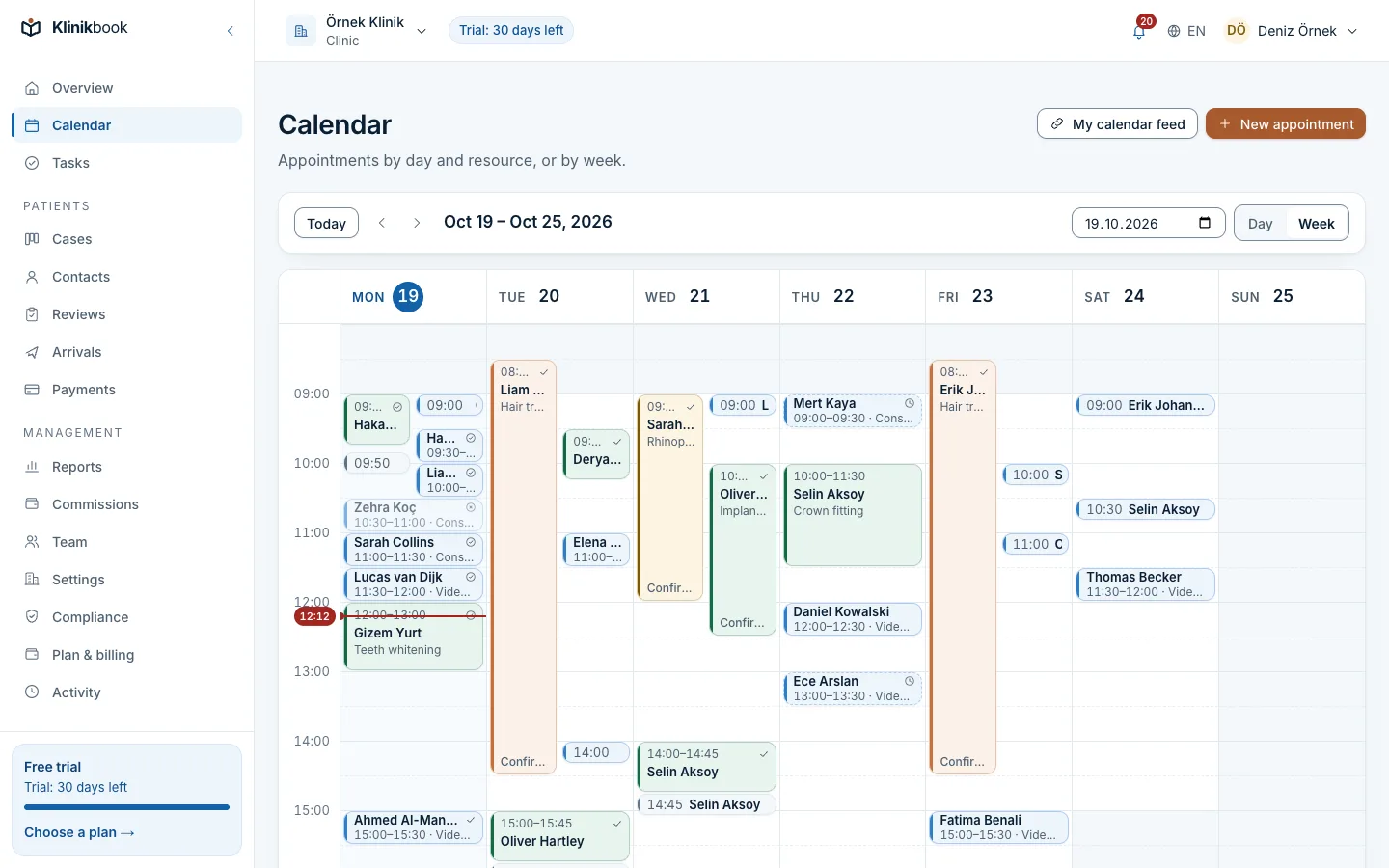
Enter the device and room as resources; an appointment type knows which it needs. Duration and buffers belong to the type, and a double booking is refused in the database.
- Practitioner, room and device
- Locations and opening hours
- Days off and closures
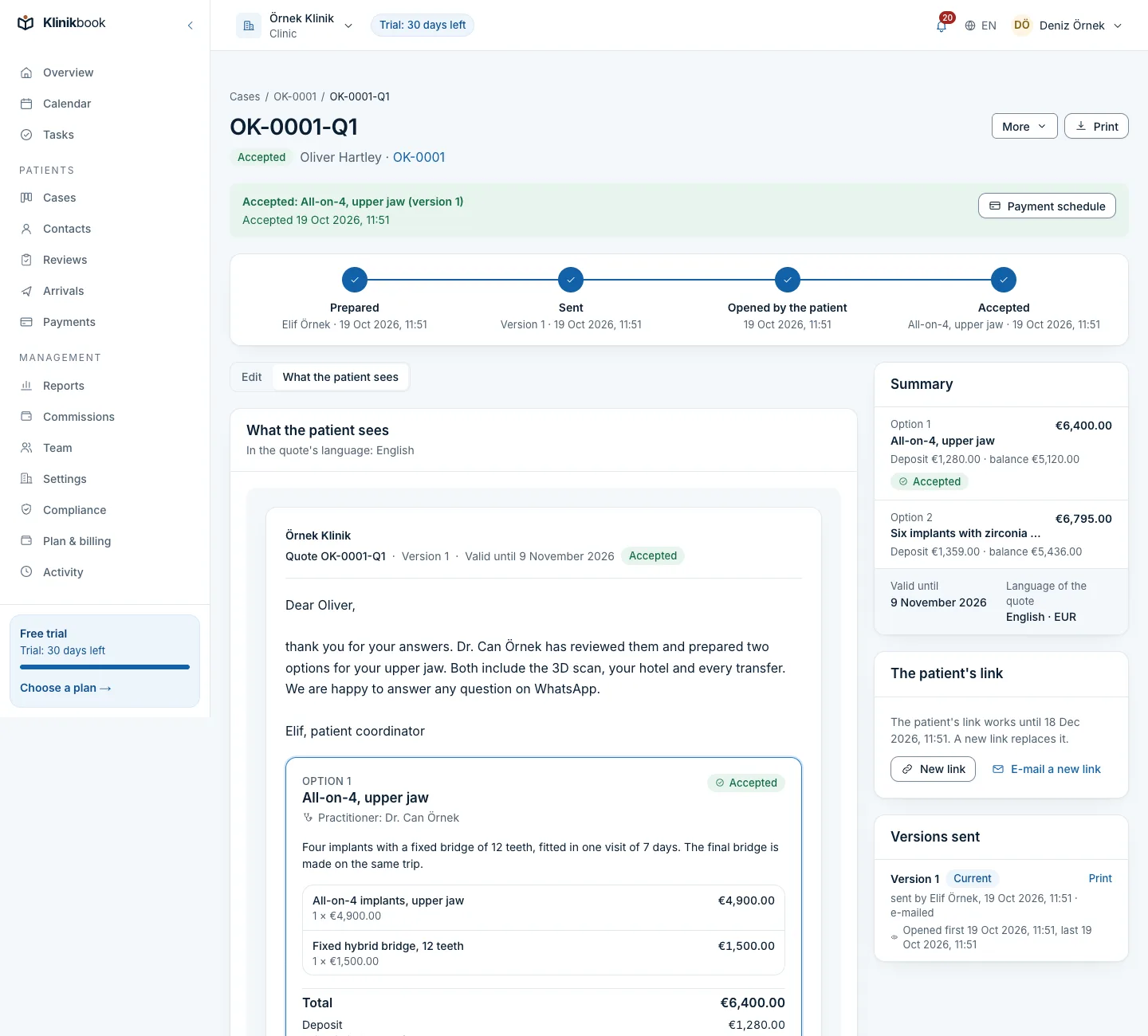
Quote
Put the options side by side
For example two laser methods or two lens options, with what is included written out. The patient picks and accepts on the portal; a payment plan follows and they pay you directly.
- Up to five options
- Downloads as a PDF
- Deposit and due dates
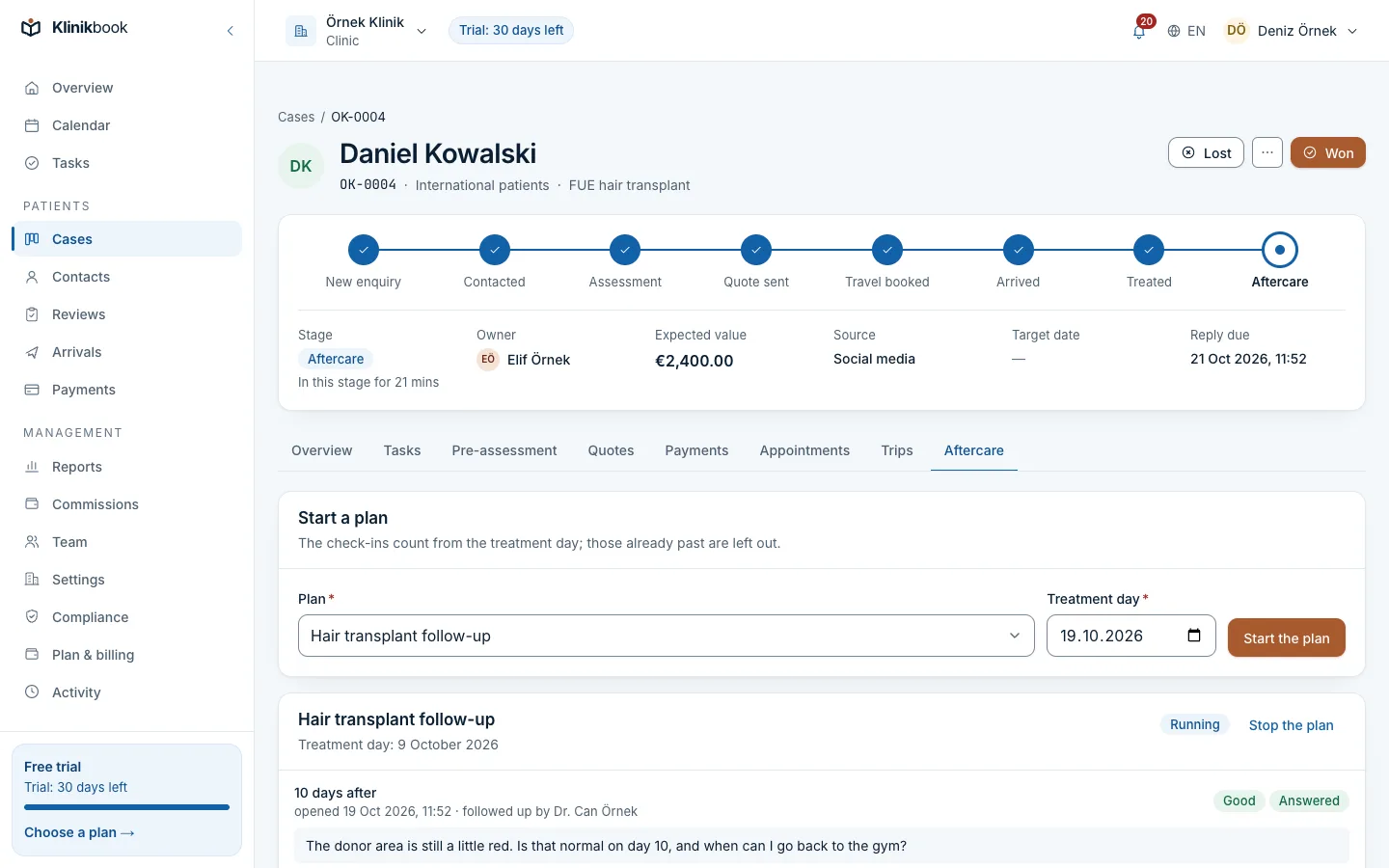
Check-ups
Next day, a week, a month
After treatment the follow-up plan runs on its own: on check-up day the patient gets an e-mail. They write how they are on the portal, and a “call me” request becomes your task.
- You choose the check-up days
- Care instructions on the portal
- Replies are kept on the case
What your eye clinic gets
How your first day goes
Add your services
Enter laser, cataract, consultations and their prices.
Set up the form
Take the intake form from the template and edit it to your own questions.
Define devices
Add your devices and rooms as resources and tie them to appointment types.
Does it keep eye examination or measurement results?
No. Klinikbook keeps no clinical notes, measurements, diagnoses or surgical records; those stay in your clinical system. It runs the patient relationship from enquiry to check-up.
Can a patient send an earlier test report?
Yes, as a PDF or image in the intake form; files up to 20 MB are accepted and virus-scanned.
Do reminders go by SMS?
E-mail is the default. If you want, connect your own SMS or WhatsApp account (Netgsm, İleti Merkezi, Twilio, WhatsApp Cloud API) and reminders go there too; your provider bills the messages to you and Klinikbook charges nothing for them.
How does the doctor review answers?
Completed forms land in the doctor's review queue; the doctor notes an outcome, which shows when the quote is prepared.
Related reading
Free tools
30-day free trial
Try Klinikbook with your own team
Every feature is open for 30 days, and no card is needed to start.