
SolutionsFor dermatology and medical aesthetics
Photo intake, treatment courses, repeat visits
Klinikbook lets dermatology and medical aesthetics clinics take a photo intake, offer courses of laser, filler or skin treatments as package quotes, and remember repeat visits through automations and tasks.
- Photo requests with guidance
- Package quotes
- Repeat-visit tasks
Enquiries and repeat visits in a dermatology clinic
How it usually goes
- Photos arrive by message, each in different light and from another angle.
- The price of a six-session course sits in a thread.
- Photo consent is on paper, or never asked for.
- The patient has to remember the repeat visit themselves.
With Klinikbook
- The form asks for each photo with instructions; the doctor sees it in a queue.
- A course of sessions is a quote the patient accepts on the portal.
- Photo and marketing consents are recorded and versioned.
- When an appointment is completed, a rule gives you a task or e-mails the patient.
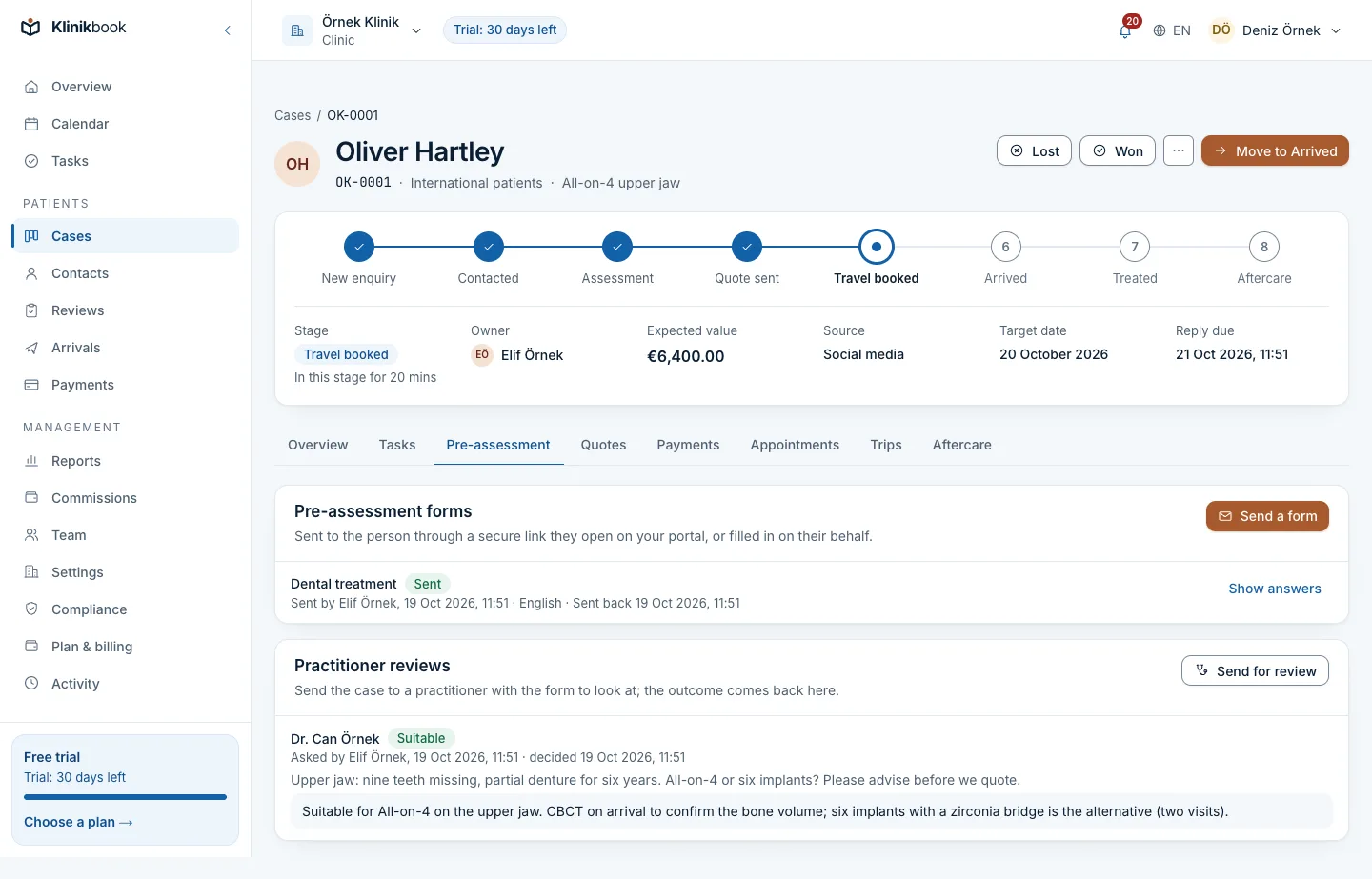
Photo intake
The doctor answers having seen the skin
The form asks for photos of the area with tips such as “daylight, close and far”; the patient uploads them and the files are virus-scanned. The doctor reviews answers and photos in their queue and notes the outcome.
- You write the photo guidance
- Explicit consent is taken on the form
- The doctor's outcome noted for the quote
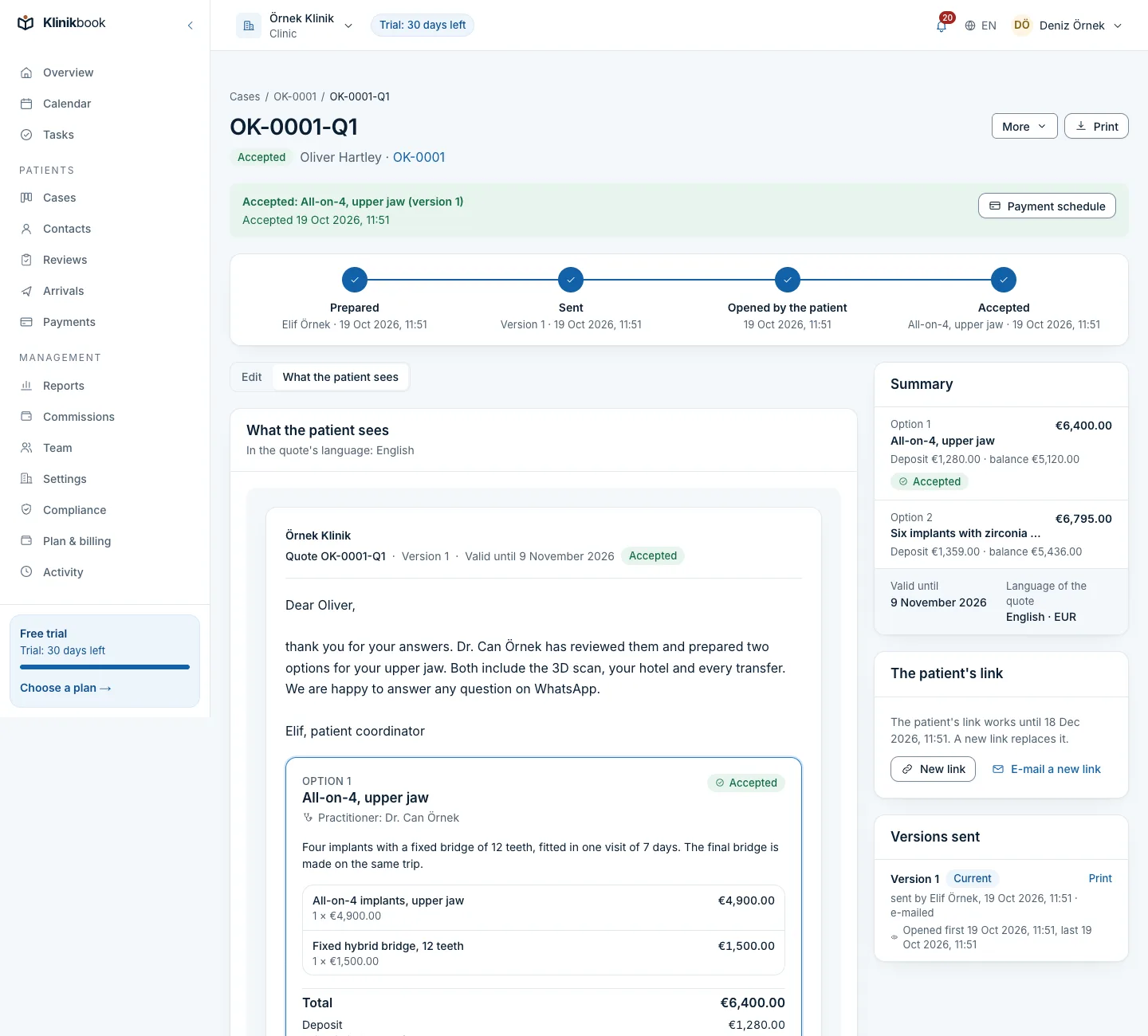
A course of sessions
Six laser sessions as one package quote
Prepare the number of sessions, the treatment and what is included as a package; the quote downloads as a PDF and the patient accepts on the portal. They pay you directly and you record payments against the plan.
- Packages and price lists
- Deposit and instalment due dates
- Sessions left are counted in the treatment plan
Calendar
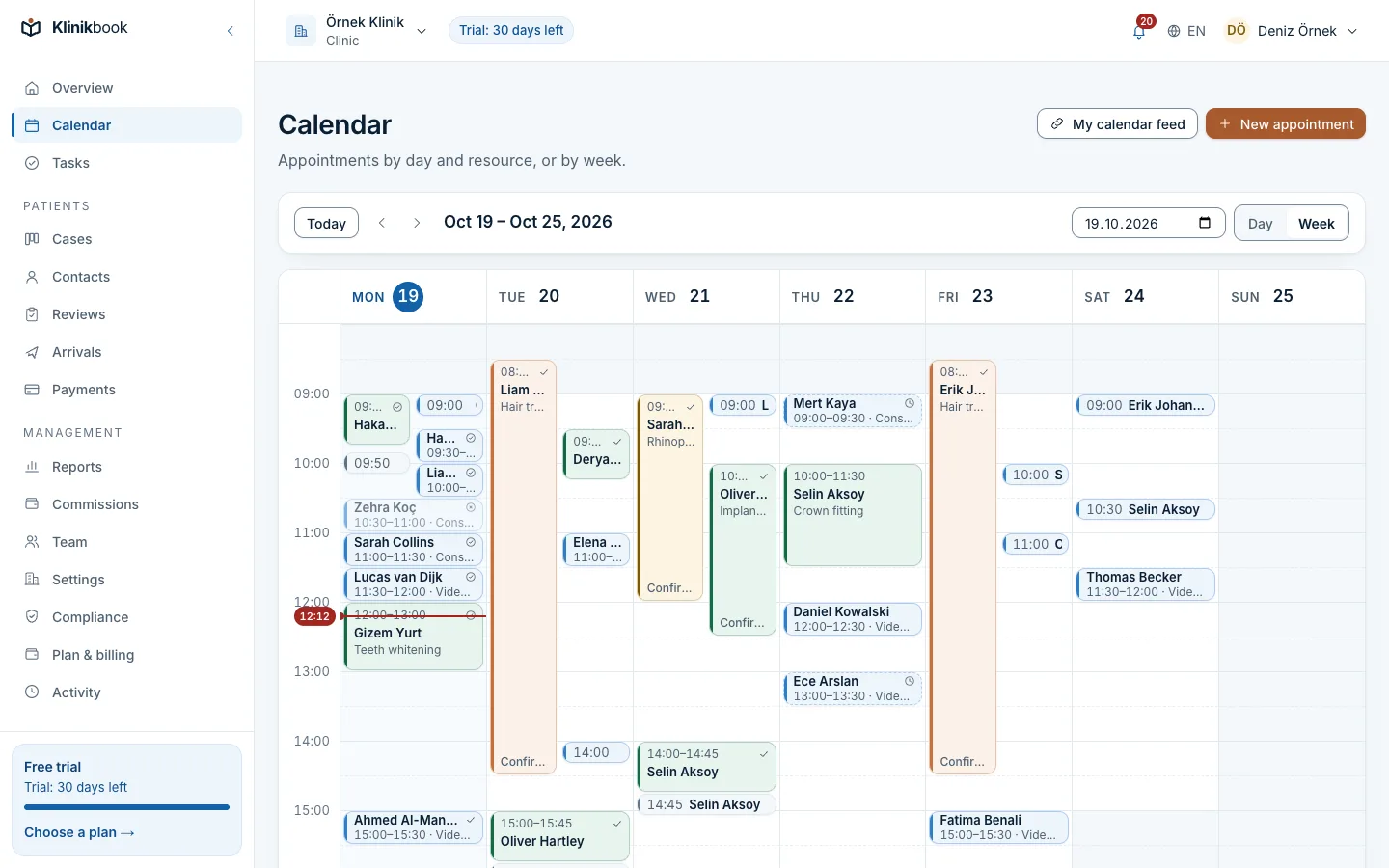
Doctor, device and room booked together
A laser device or treatment room is a resource; the appointment type carries its duration, buffer and the resources it needs. Patients pick a time on the booking page and get e-mail reminders.
- Practitioner, device and room resources
- A booking widget for your website
- Every session is its own appointment
Repeat visits
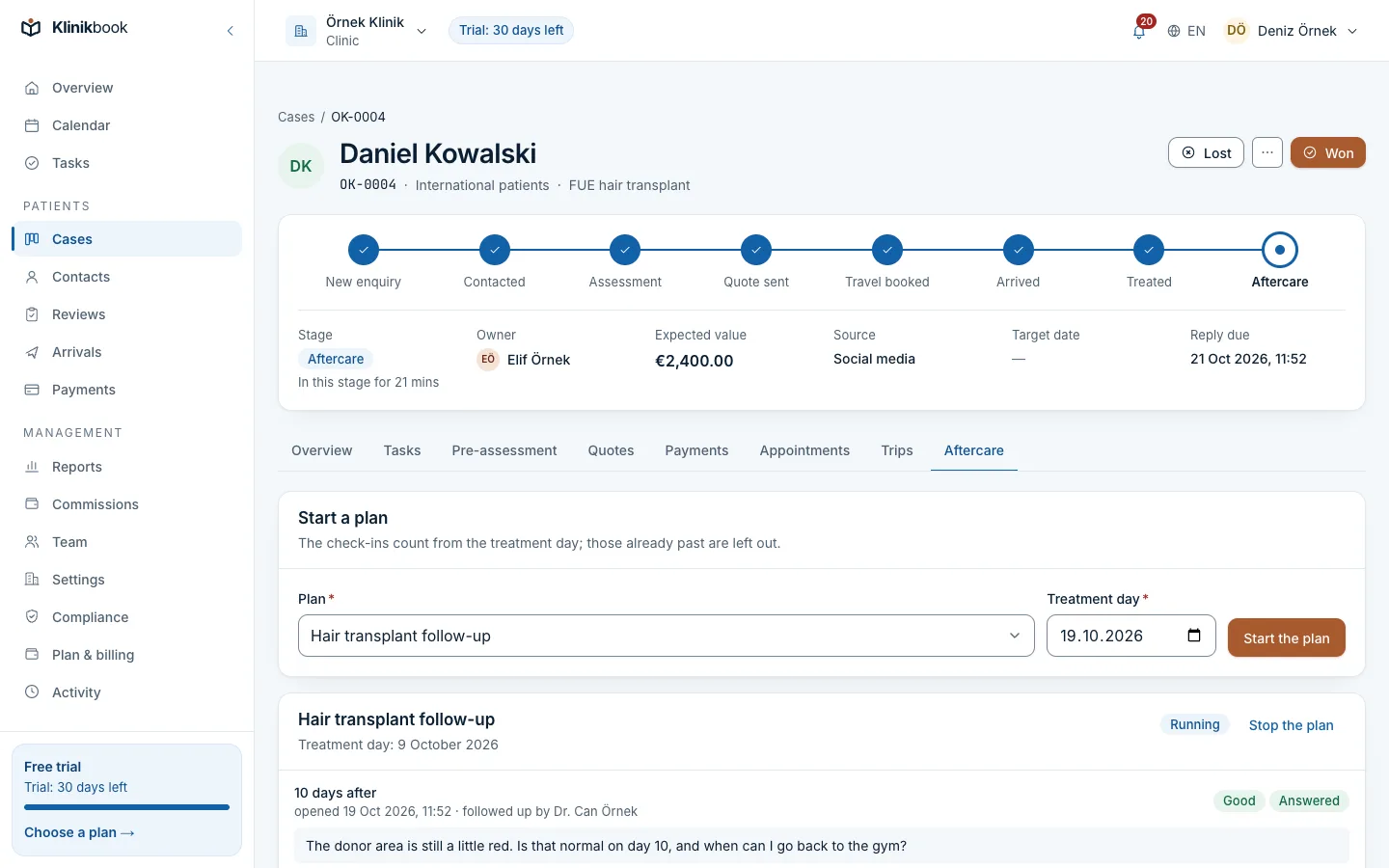
It tells you when a check-up is due
The follow-up plan e-mails the patient and gives you a task on the days you set after treatment; the patient says how they are on the portal and can add photos. With automations, a message template can go out when an appointment is completed.
- Check-up days in the plan template
- Patients upload photos on the portal
- Rules are built without code
What your dermatology clinic gets
- AutomationsSimple rules that create a task or send a message template when an appointment is completed.
How your first day goes
Enter services and packages
Add your treatments, packages by number of sessions, and prices.
Prepare the form
Add photo guidance and the explicit consent text to the intake form.
Switch on the rule
Enable the automation that creates a task when an appointment is completed.
Is it a patient photo archive?
No. Photos come with the case for intake and follow-up; Klinikbook is not a clinical archive and keeps no examination records.
Does it remind us when the sessions run out?
It does not count sessions. You define rules for tasks and e-mails when an appointment is completed or a set number of days after treatment.
Do reminders go by SMS?
E-mail is the default. If you want, connect your own SMS or WhatsApp account (Netgsm, İleti Merkezi, Twilio, WhatsApp Cloud API) and reminders go there too; your provider bills the messages to you and Klinikbook charges nothing for them.
Does it give medical advice?
No. It runs patient contact, bookings and quotes; it offers no diagnosis, treatment advice or telemedicine.
Related reading
Free tools
30-day free trial
Try Klinikbook with your own team
Every feature is open for 30 days, and no card is needed to start.