
SolutionsFor polyclinics and medical centres
Many specialities, many doctors, one order
Klinikbook gives multi-speciality polyclinics and medical centres every doctor's calendar, a shared case board for the reception and call team, locations, record visibility by team, and reports from source to appointment in one workspace.
- Doctor and location calendars
- A board for reception
- Team-based visibility
A day in a multi-speciality centre
How it usually goes
- Each department has its own appointment book.
- The call team does not know who should answer a patient's question.
- Patient details travel between locations by phone.
- Nobody sees how many appointments each source brings.
With Klinikbook
- All doctors, rooms and locations in one calendar, filterable.
- Every enquiry becomes a case and an assignment rule picks the owner.
- With location and team filters each team sees its own work.
- A report shows conversion by source, campaign and service.
Calls and reception
Every question is a case, every case has an owner
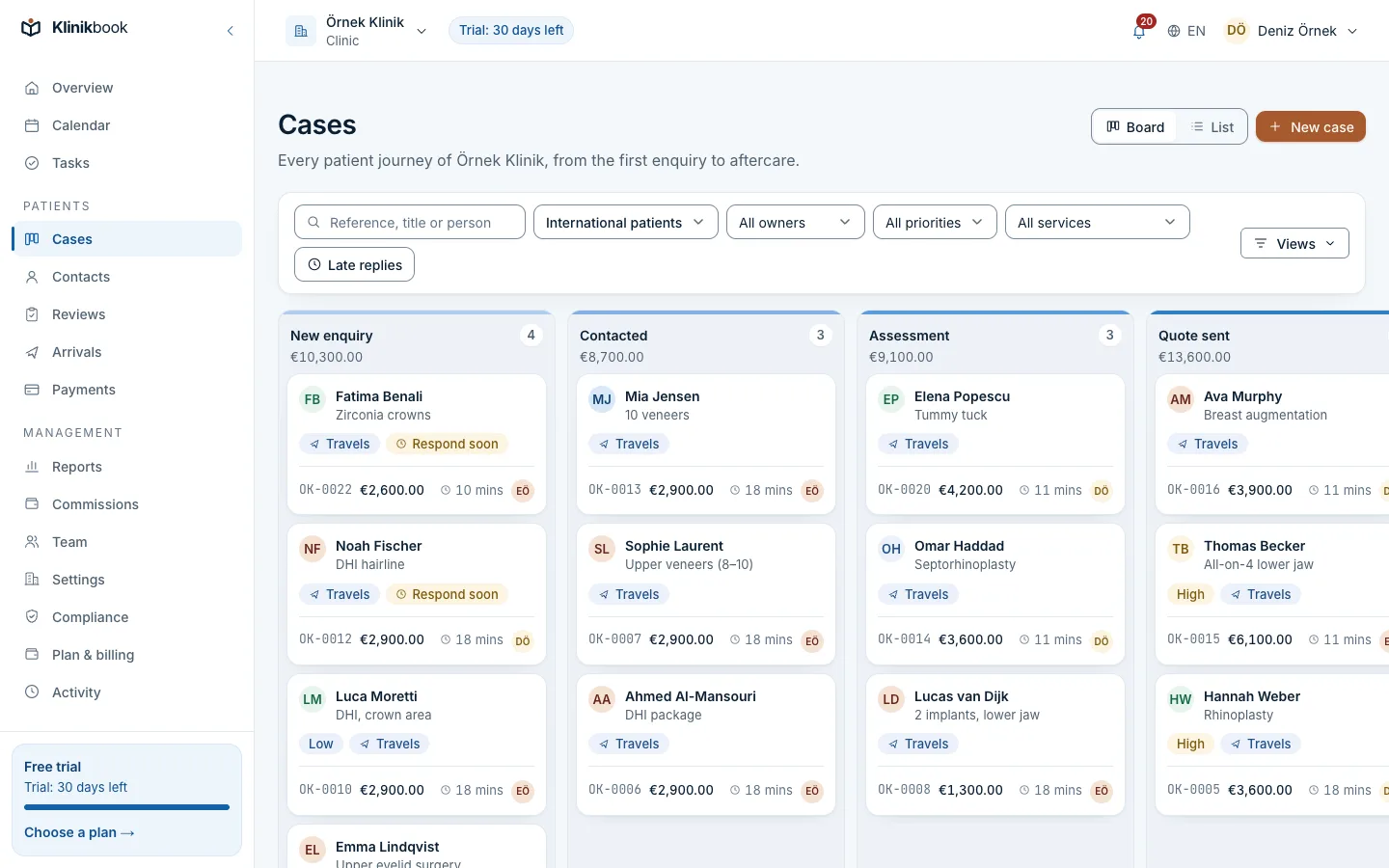
Questions from the web form, phone and messages line up in stages on the board. Assignment rules pick the owner in turn or by service, and you are warned when a response target is missed.
- Speciality and doctor on the case
- Response targets and tasks
- Portal messages and e-mail in the inbox
Calendar
Doctor, room and device, location by location
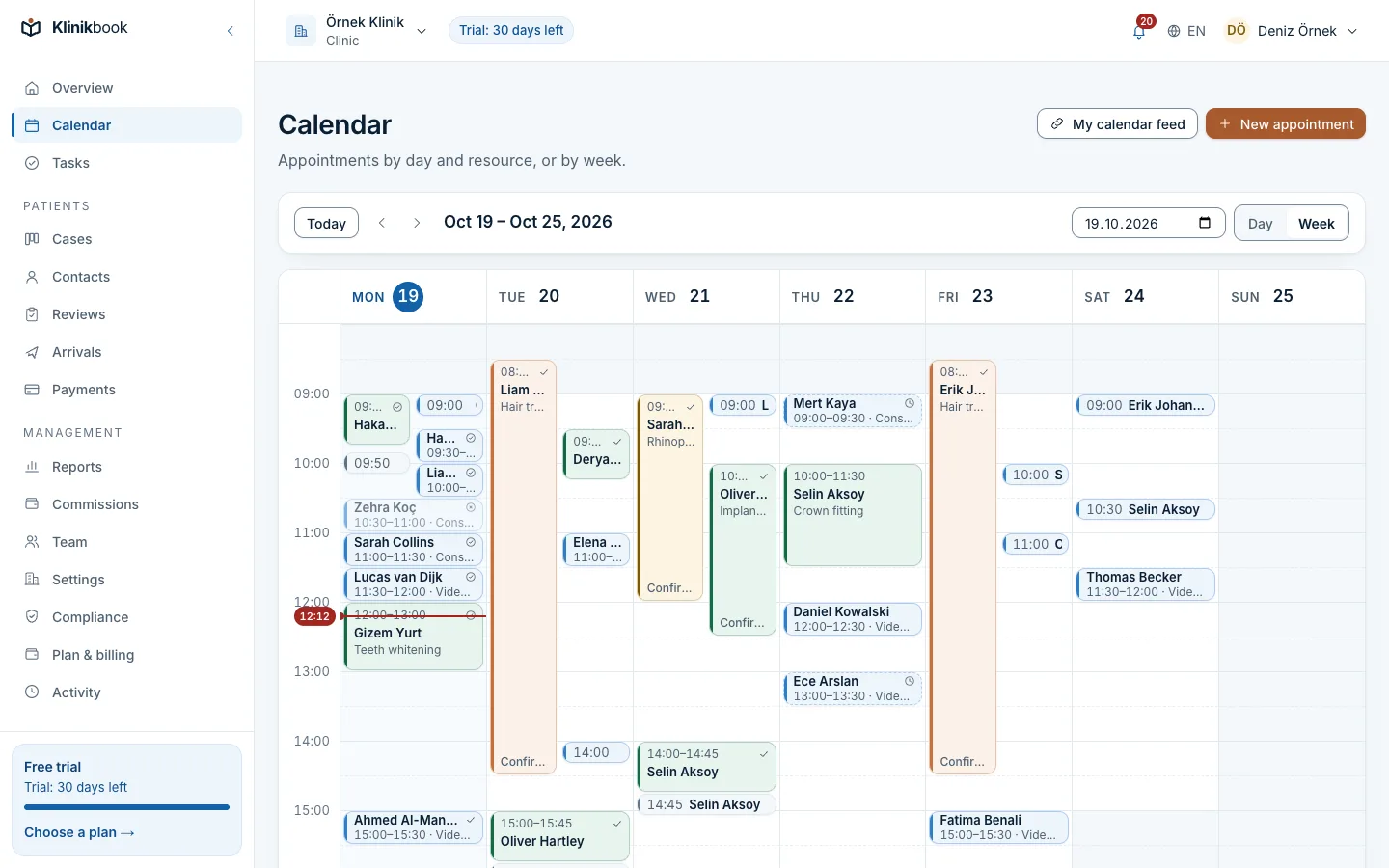
Each location has its own opening hours and each doctor their own days off. Appointment types carry duration and buffers; group resources such as “one of these doctors” pick whoever is free. A double booking is refused in the database.
- Day, week and resource views
- An online booking page and a widget for your website
- A calendar feed per member
Teams
Each team sees only its own records
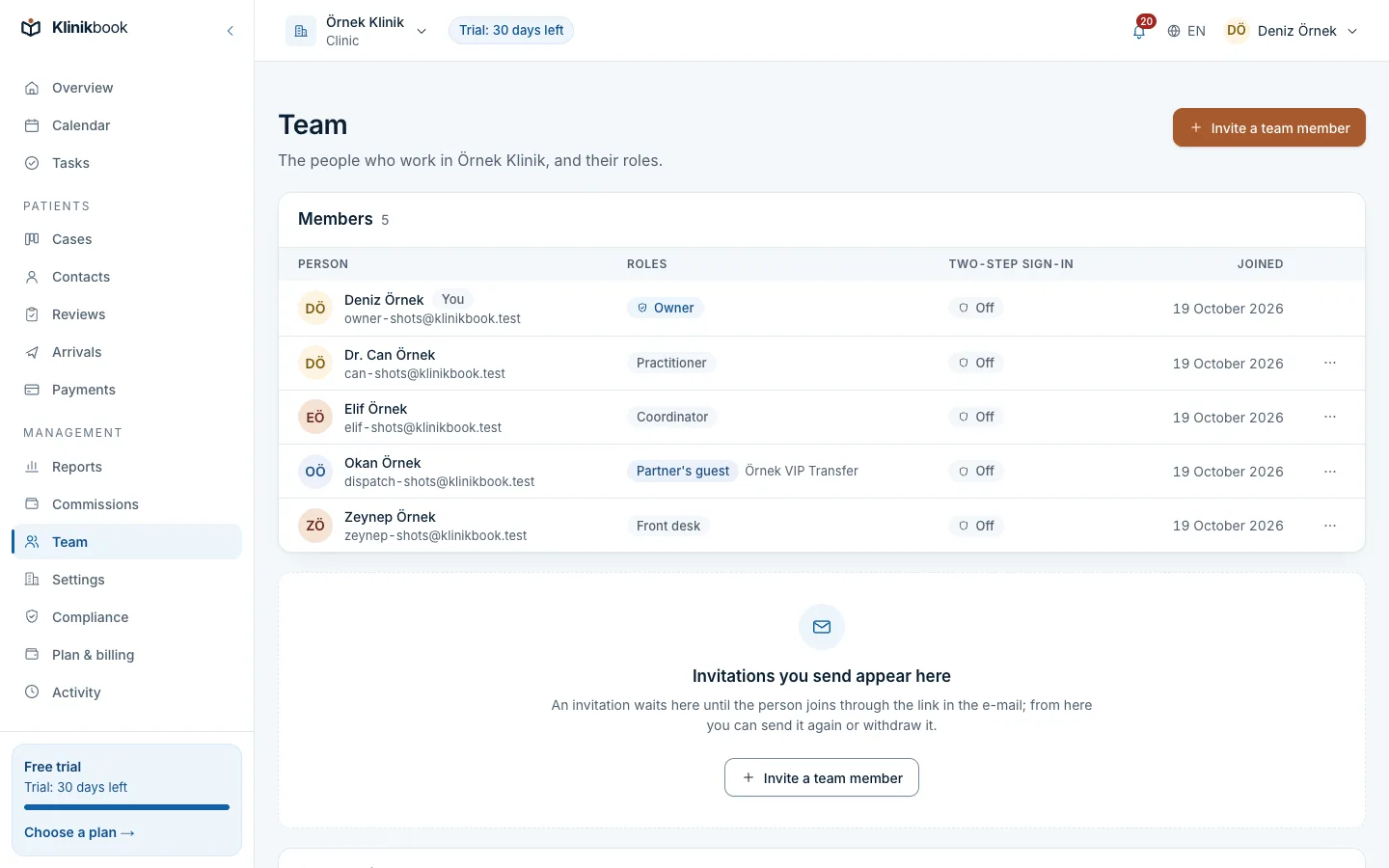
Create a team per speciality or location and give each role visibility of everything, the team's records or only their own. Cases, contacts, payments, the calendar, search and reports use the same scope.
- Owners and managers always see everything
- A leaver's work is handed over
- The activity log filters by member and day
Reports
Which source brings the appointments?
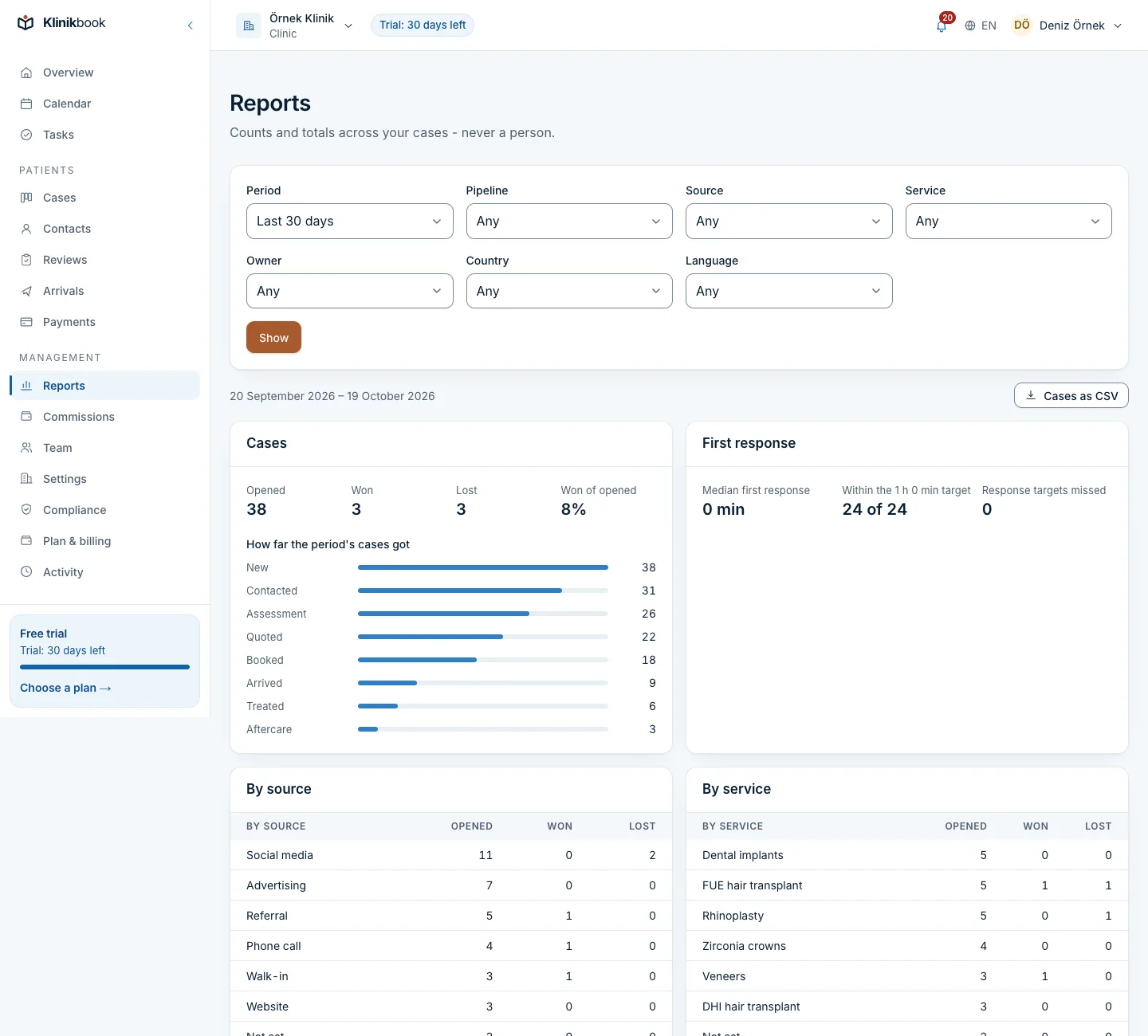
A conversion funnel by source, campaign and service; median time to first response and to a booking; location and team filters; the no-show rate. Lists and appointments download as CSV.
- Breakdown by location
- Collections by month and currency
- CSV export
What your polyclinic gets
- Global searchFind contacts, cases and quotes with Cmd/Ctrl+K in the top bar.
- AutomationsRules that create tasks when a response target is missed or an appointment is completed.
How your first week goes
Enter locations and doctors
Add locations, opening hours, doctors and rooms.
Set up teams
Create reception, speciality and location teams and choose the visibility rule.
Invite the team
Invite members with their roles and import your contact list from CSV.
Does it replace our hospital information system?
No. Klinikbook keeps no examination, diagnosis, prescription or laboratory records; those stay in your clinical system. It runs enquiries, bookings, patient contact and follow-up.
Can a patient go to several locations?
Yes. A person is one record; appointments and cases are told apart by location and doctor.
Do reminders go by SMS?
E-mail is the default. If you want, connect your own SMS or WhatsApp account (Netgsm, İleti Merkezi, Twilio, WhatsApp Cloud API) and reminders go there too; your provider bills the messages to you and Klinikbook charges nothing for them.
Does the call team see payments?
That depends on role and visibility rules; the front desk role does not see quote costs or payments.
Related reading
30-day free trial
Try Klinikbook with your own team
Every feature is open for 30 days, and no card is needed to start.