
SolutionsClinic appointment scheduling software
Clinic appointment scheduling software: no clashes, online booking
Klinikbook is a clinic CRM that also runs scheduling: a doctor, room and device calendar, an online booking page, planning that prevents double booking, and e-mail reminders, or SMS and WhatsApp through your own account if you connect one. The appointment is tied to the patient record, so the enquiry it came from, the quote and the payment schedule sit alongside it. A waitlist and check-up recalls are included.
- Doctor, room and device resources
- A booking page and embeddable widget
- E-mail reminders
What does clinic appointment software do?
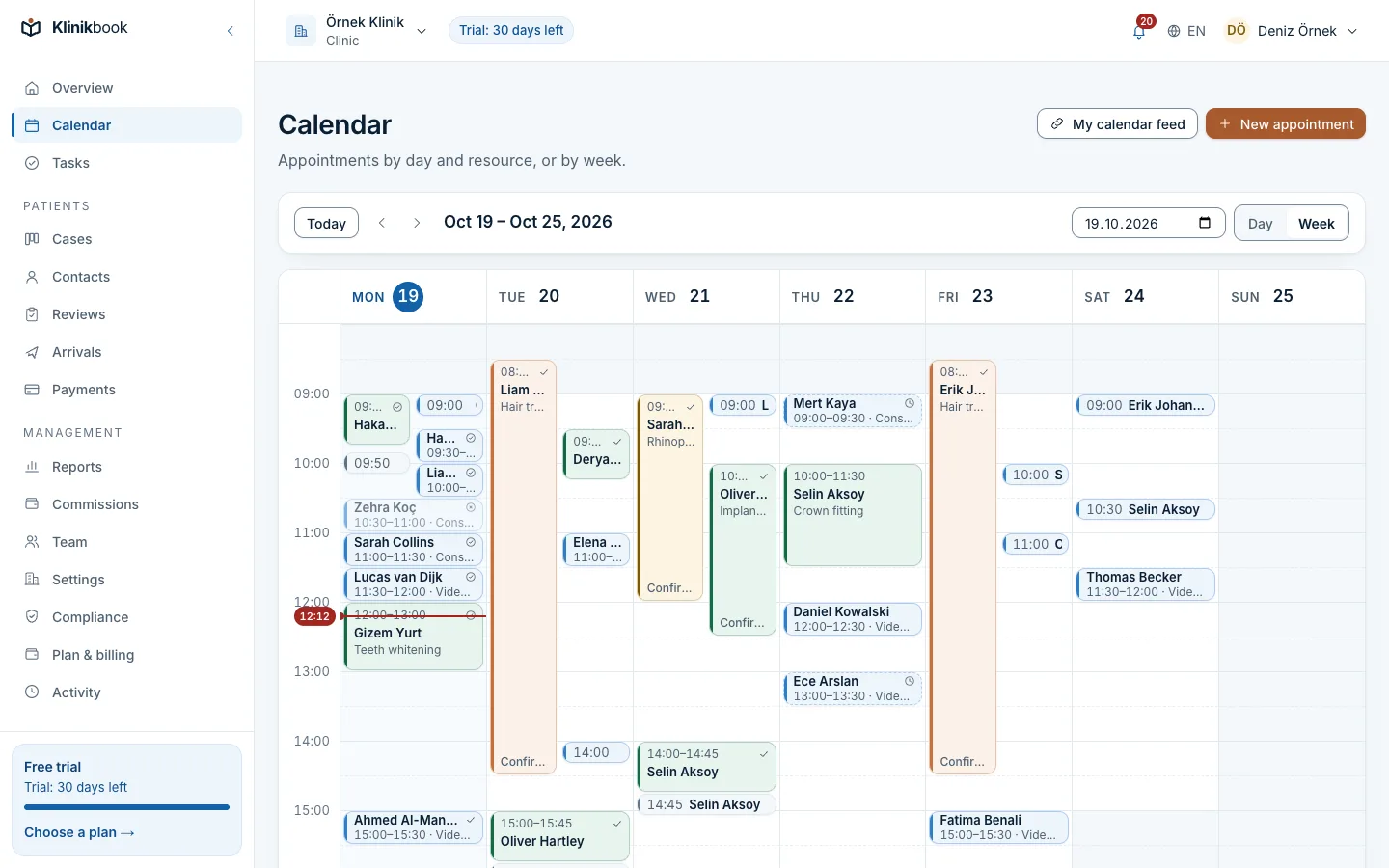
Clinic appointment software is the calendar where patients meet a doctor at a suitable time. In Klinikbook an appointment is tied to a doctor, a room or a device; its length and the gaps between appointments come from the appointment type. The same resource cannot be booked twice, and it is the database, not the screen, that prevents it.
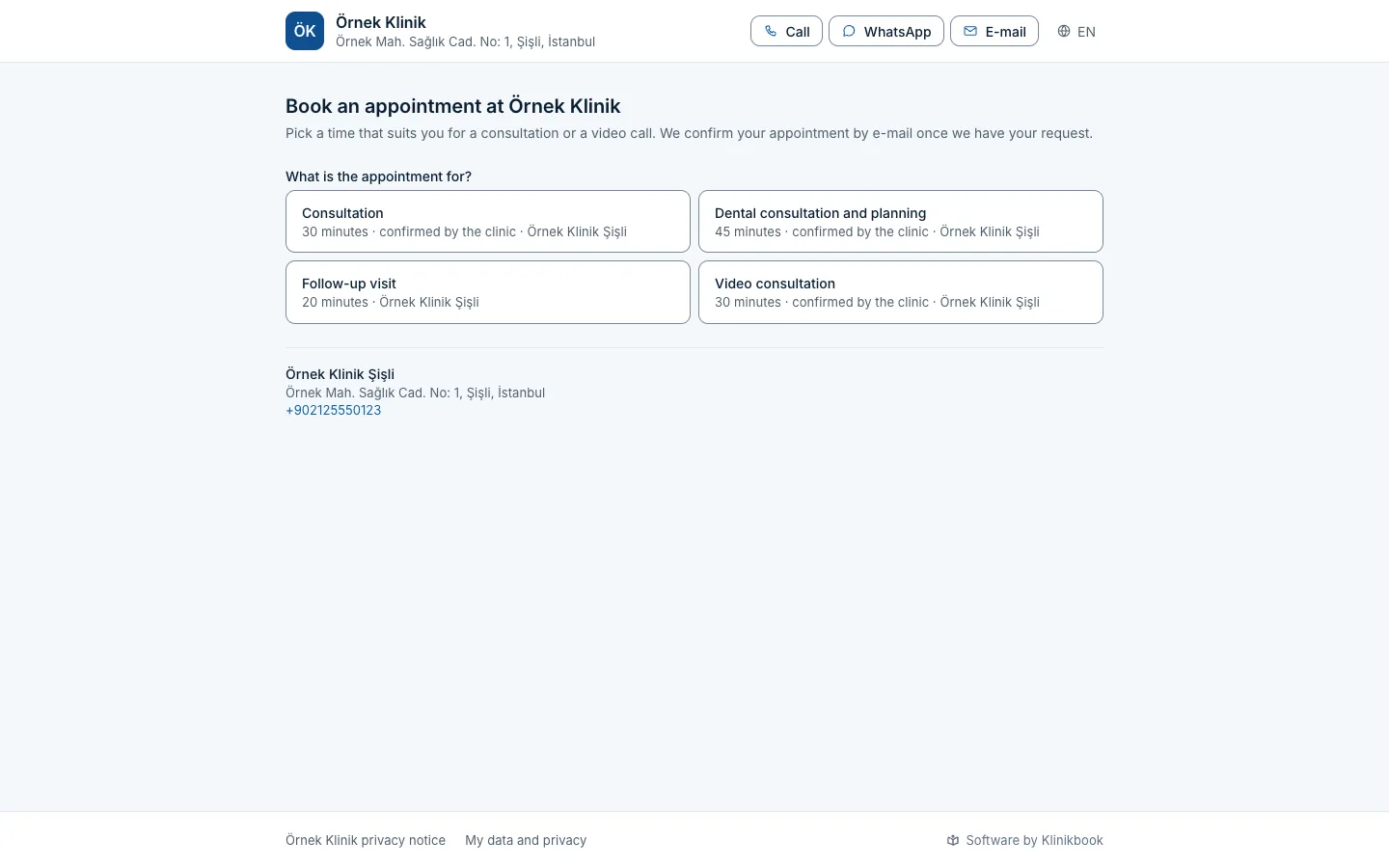
A patient can book from the booking page or the embedded widget on your site rather than by phone. The booking is confirmed instantly or arrives as a request waiting for your approval. The patient confirms or cancels from the link in the e-mail. For setting up online booking, see our guide.
Calendar
Doctor, room and device calendar, drag and drop
A day-by-resource view or a week view; drag an appointment to move it. Leave and closures hold their place on the calendar. A per-member iCalendar feed puts it on your own phone calendar too.
- Double booking blocked by the database
- Leave and closure days
- iCalendar feed
Online booking
Patients book on their own
They choose the appointment type, practitioner, day and a free time. The page opens in your clinic's logo and colour and also embeds in your site as a widget.
- Instant confirmation or request
- Practitioners with their titles
- Confirm and cancel from an e-mail link
Scheduling features
- Resources
- In KlinikbookDoctors, rooms, devices; locations and working hours
- Appointment types
- In KlinikbookLength, buffers, "any one of these" resource groups
- Double booking
- In KlinikbookPrevented at database level
- Online booking
- In KlinikbookBooking page and embeddable widget
- Reminders
- In KlinikbookE-mail; the patient confirms or cancels from a link
- No-shows
- In KlinikbookStatus changes, count per patient, rate in reports
- Case link
- In KlinikbookAn appointment moves the case to "appointment booked" and "arrived"
- Calendar feed
- In KlinikbookiCalendar per member
Who is it for?
- Clinics working with several doctors, rooms or devices
- Practices that still write appointments by hand
- Anyone who wants patients to book on their own
- Teams who want the appointment on the same record as the quote and payment plan
How to choose appointment software
- Does it manage doctor, room and device as separate resources?
- Does it truly prevent double booking?
- Can a patient book online and on mobile?
- Which channel does it send reminders on?
- Is the appointment linked to the patient record?
- Does it report the no-show rate?
What is clinic appointment software?
Clinic appointment software manages the calendar where patients meet a doctor, room or device. In Klinikbook, resources, appointment types, an online booking page and reminders come together.
Is clinic appointment software free?
Klinikbook has no free plan; you can try it free for 30 days with no card. After that you pay for one of the Solo, Team or Pro plans, priced per workspace. Prices are at /en/pricing.
Can patients book online?
Yes. Every workspace has a booking page and a widget that embeds in your site. A booking is confirmed instantly or arrives as a request for your approval.
Can two appointments be booked at the same time?
No. An overlapping booking for the same doctor, room or device is blocked by a database constraint; even if two people try at once, one is refused.
Are appointment reminders sent by SMS?
By e-mail by default, and the patient confirms or cancels from the link in it. If you connect your own SMS or WhatsApp account, reminders go there too; Klinikbook has no SMS account of its own and your provider bills the messages to you.
Can we see the patients who do not turn up?
Yes. An appointment is marked as a no-show, the patient's count shows on their card and the reports calculate the no-show rate.
Is the appointment linked to the patient record?
Yes. It shows on the case and the contact and moves the case to "appointment booked" and "arrived". The quote and payment plan are on the same case.
Try your appointment calendar free for 30 days
No card needed. Plans are priced per workspace; see the pricing page.
Related reading
Free tools
30-day free trial
Try Klinikbook with your own team
Every feature is open for 30 days, and no card is needed to start.